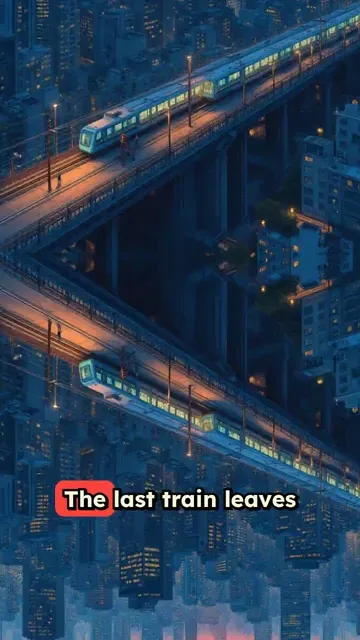
Trusted by 14,000+ creators worldwide

AI Anime Video Generator

Turn your ideas into beautiful anime videos with AI. Type any story, script, or concept and watch it transform into professional anime-style content with authentic visuals and smooth animation.

Paste a voiceover script or URL and turn it into a TikTok-ready video with AI voice, captions, and scroll-stopping visuals.

  • Paste text or URL
  • AI voiceover
  • TikTok-ready 9:16
  • Auto captions and visuals

Create AI Anime Videos in 4 Simple Steps

1 Paste Your Script, Story, Idea, or URL

Start by entering the text you want to turn into an anime video. You can paste a finished narration script, write a short anime story, describe a scene, or import content from a URL such as an article, post, or web page. The AI anime video generator can keep your text as-is or help transform it into a short-form script for TikTok, YouTube Shorts, or Instagram Reels.

2 Choose an AI Voice and Anime Video Style

Select a realistic AI voice for your anime narration, or record and upload your own voiceover for a more personal result. Revid automatically applies an anime-inspired visual direction, and you can guide specific shots by adding visual instructions in [square brackets], such as [futuristic Tokyo street at night] or [dramatic anime hero close-up].

3 Select Your Visual Media Type and Audio

Choose how your anime video should be illustrated: AI video, moving AI images, motion graphics, stock videos, your own uploaded media, or static gameplay-style backgrounds. Add background music from the Revid library or upload your own track. You can also enable sound effects to make your AI anime video feel more cinematic and engaging.

4 Generate, Edit, and Export Your Anime Video

Click Generate Video and Revid will create a vertical anime-style video with AI voiceover, matching visuals, captions, music, and transitions. Once your AI anime video is ready, use the built-in editor to adjust captions, timing, scenes, music, and visuals before exporting it for TikTok, YouTube Shorts, Instagram Reels, or any other social platform.

01

The AI Anime Video Generator That Actually Understands the Aesthetic

Most AI video tools produce results that look vaguely animated at best. Revid's AI anime video generator is trained on anime visual styles deeply enough to produce output that captures the framing, color grading, character design, and atmospheric quality that anime fans actually recognize and respond to. Whether you want shonen action energy, slice of life warmth, dark fantasy atmosphere, or any other anime aesthetic, Revid generates video content that feels native to the genre rather than generically cartoon-like.

02

Free AI Anime Video Generator, From Text to Finished Scene

Revid's free AI anime video generator takes any text prompt and transforms it into a fully produced anime-style video complete with matching visuals, voiceover, and captions optimized for short-form platforms. Describe your scene, choose your anime aesthetic, and the AI handles character animation, background art, and narrative pacing automatically. Try it free with no sign up required and generate your first anime video in under five minutes, no animation skills or software knowledge needed.

03

AI Anime Episode Generator and Show Creator

Beyond single clips, Revid's AI anime episode generator gives creators the tools to build serialized anime-style content at scale. Define your characters, establish your world, and generate consistent episode-length content that maintains visual and narrative continuity across every video. It is the fastest way to launch an anime-style channel on TikTok, YouTube Shorts, or Instagram Reels without a studio, a writing team, or years of animation experience behind you.

04

AI Waifu Video Generator, Text to Anime Character Video

Revid's AI waifu video generator lets you create lifelike, animated anime character videos from a simple text description. Define your character's appearance, personality, and setting, and the AI generates a fully animated video featuring your character in motion, complete with voice and scene context. Whether you are building character-driven content for an anime channel, creating personalized video messages, or just exploring what AI anime generation can produce, Revid gives you the most accessible and highest-quality output available today.

Example Videos

See What You Can Create with Anime Video Generator

Explore different styles and possibilities with our Anime Video Generator

Turn Text into Anime Videos Instantly

Convert any story, script, or idea into captivating anime videos using our AI anime video generator. Create authentic anime-style characters, backgrounds, and scenes without drawing skills - perfect for TikTok and YouTube Shorts.
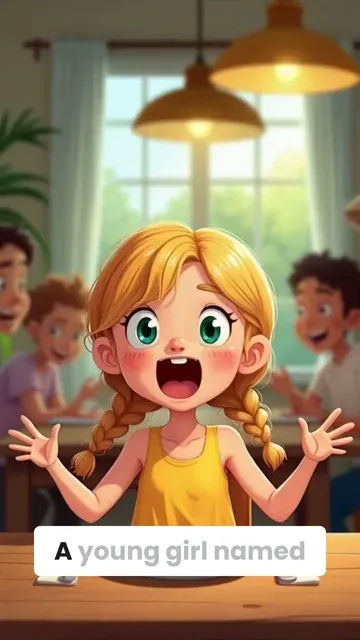
  • Generate anime videos from text in minutes
  • Authentic Japanese anime art style
  • Create anime characters without drawing skills
  • Perfect for TikTok, Instagram & YouTube content
Turn Text into Anime Videos Instantly

Free Online Anime Video Maker

Make professional anime videos online for free with AI. Our anime video generator creates beautiful character designs, fluid animation, and cinematic storytelling - ideal for anime fans, content creators, and social media influencers.
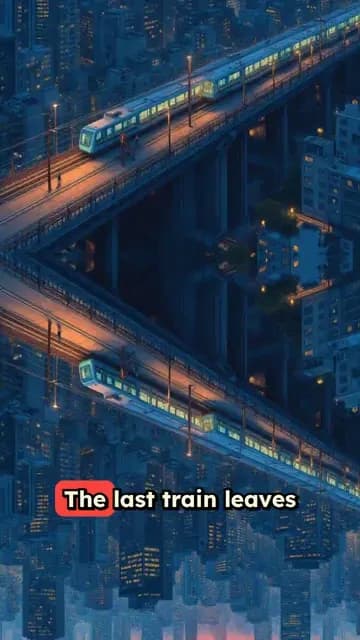
  • Free AI-powered anime video creation
  • Professional anime character design
  • Smooth animation and transitions
  • Export in HD for all social platforms
Free Online Anime Video Maker

Create Anime Stories with AI

Transform your stories into anime videos with studio-quality visuals. Generate compelling anime narratives with expressive characters, dynamic action scenes, and professional animation effects - no experience required.
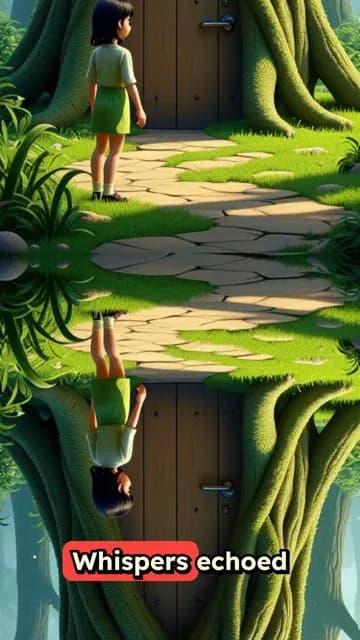
  • Studio-quality anime video production
  • Expressive anime character emotions
  • Dynamic action scenes and effects
  • Beginner-friendly anime creation tool
Create Anime Stories with AI
FAQs

Frequently Asked Questions

What is the AI Anime Video Generator?
The AI Anime Video Generator is an online tool that turns text, scripts, stories, ideas, or URLs into anime-style videos. Instead of drawing frames or learning animation software, you can paste your content, choose an AI voice, select an anime visual format, and generate a short-form video with captions, music, and animated visuals in minutes. It is designed for creators who want to make anime TikToks, YouTube Shorts, Instagram Reels, anime story videos, AI waifu videos, and anime-style social content quickly.
How does the AI anime video generator work?
Revid's AI anime video generator analyzes your script or URL, creates or adapts it into a short-form narration, generates an AI voiceover, and then matches the narration with anime-style visuals. Depending on your settings, the tool can use AI video, moving AI images, motion graphics, stock clips, uploaded media, or static backgrounds. It also adds captions, music, transitions, and optional sound effects so your anime video is ready to post.
Can I generate anime videos from text?
Yes. The tool is built specifically for text to anime video creation. You can write a prompt, paste a narration script, describe an anime scene, or add a full short story, and the AI anime video generator will turn that text into a vertical video with voiceover, anime-style visuals, and captions. For best results, write your script exactly as you want it spoken and use short paragraphs or line breaks to control pacing.
Can I use a URL to create an anime video?
Yes. You can paste a URL from an article, blog post, social post, or other web content and Revid can help turn it into an anime-style short video. This is useful if you want to repurpose existing content into anime TikTok videos, anime YouTube Shorts, or anime Instagram Reels. You can choose whether to summarize the source content or keep it closer to the original.
Is this a free AI anime video generator?
Revid offers a way to try the AI anime video generator online with free credits, depending on your account and current plan. Free users can create videos within the available credit limits, while paid plans include more monthly credits and access to additional generation options. Before generating, Revid shows the estimated credit usage so you know what the anime video will cost.
Do I need animation skills to use the anime video generator?
No animation skills are required. The AI anime video generator is made for beginners, creators, marketers, storytellers, and anime fans who want to create anime videos without drawing, rigging characters, editing keyframes, or using complex animation software. You only need to provide the idea, script, or URL, and Revid handles the voiceover, visuals, captions, and formatting.
What types of anime videos can I create?
You can create many types of anime videos, including anime story videos, anime explainers, AI anime shorts, anime TikTok videos, anime YouTube Shorts, anime Reels, character monologues, anime quote videos, dark fantasy anime clips, shonen-inspired videos, slice-of-life scenes, AI waifu videos, and serialized anime-style content. The AI anime video generator works especially well for vertical short-form videos built around a single-speaker narration.
Can I create TikTok, YouTube Shorts, and Instagram Reels with this tool?
Yes. The AI Anime Video Generator is optimized for short social videos and uses a vertical 9:16 format by default, which is ideal for TikTok, YouTube Shorts, Instagram Reels, Facebook Reels, and similar mobile-first platforms. Revid automatically adds captions, visuals, and pacing designed to make anime videos more engaging for short-form audiences.
Can I control the anime visuals generated by the AI?
Yes. You can guide the AI anime video generator by adding visual directions inside [square brackets] in your script. For example, you can write [anime girl standing in the rain under neon lights], [epic sword fight in a ruined city], or [peaceful school rooftop at sunset]. These bracketed instructions help Revid choose or generate matching anime visuals, but they are not spoken in the voiceover or shown as captions.
What media types can I use for my AI anime video?
Revid supports multiple media types for anime-style video creation. You can choose AI video for unique generated clips, moving AI images for anime image animation, motion graphics for animated visual scenes, stock videos for polished b-roll, your own uploaded media for custom assets, or static gameplay-style backgrounds for high-retention social videos. This flexibility makes the AI anime video generator useful for many styles of anime content.
Can I use my own voice in the anime video?
Yes. You can use an AI voice, record your own voiceover directly in Revid, or upload a pre-recorded audio file. Many creators use AI voices for fast anime narration, but your own voice can make the anime video feel more personal and recognizable. Revid can then match the voiceover with captions and anime-style visuals.
Does the AI anime video generator add captions automatically?
Yes. Revid automatically generates captions for your AI anime video, which helps improve watch time and accessibility on TikTok, YouTube Shorts, and Instagram Reels. After generation, you can edit the captions, change their timing, and adjust their style in the built-in video editor.
Can I add music and sound effects to my anime video?
Yes. You can select background music from Revid's audio library or upload your own track. The AI anime video generator also supports optional sound effects, which can make anime action scenes, emotional moments, transitions, and cinematic sequences feel more immersive. If you upload your own audio, make sure you have the rights to use it.
How long does it take to generate an AI anime video?
Most AI anime videos are generated in a few minutes. The exact time depends on the length of your script, the selected media type, the complexity of the visuals, and current processing demand. Short TikTok-style anime videos usually finish quickly, while longer or more visually complex anime videos may take a little more time.
What is the best script format for the AI Anime Video Generator?
For best results, use a clear single-speaker narration script with concise sentences. Add line breaks when you want the video to move to a new moment or visual idea. You can include [bracketed visual directions] to guide anime scenes and use break tags such as <break time="0.3s" /> when you want pauses in the narration. This format helps the AI anime video generator create better pacing, captions, and visuals.
Can I make AI waifu videos with this anime video generator?
Yes. You can use Revid as an AI waifu video generator by describing the character, personality, setting, and mood you want. For example, you can write a narration script and include visual cues such as [cheerful anime girl in a pastel bedroom] or [mysterious waifu character in a cyberpunk city]. Revid will create an anime-style video around your script and visual direction.
Can I create an AI anime episode or anime series?
Yes. The AI anime video generator is useful for creating recurring anime-style short content, character-based series, and serialized episodes for social media. You can keep a consistent theme, repeat character descriptions in your prompts, and generate multiple videos for a content queue. This makes it easier to build an anime channel on TikTok, YouTube Shorts, or Instagram Reels without a traditional animation studio.
Can I edit my anime video after it is generated?
Yes. After your AI anime video is generated, you can open it in Revid's built-in editor. You can adjust captions, trim or reorder scenes, change timing, replace visuals, modify music, and refine the final result before exporting. This gives you creative control while still letting AI handle most of the video creation process.
Can I use videos from the AI anime video generator commercially?
You can generally use videos created with Revid for social media, marketing, content creation, and monetized channels, as long as your use follows Revid's terms and you have the appropriate rights to any custom media, music, logos, or uploaded content you include. If you upload your own assets or audio, make sure they are licensed for your intended commercial use.
How much does it cost to create an AI anime video?
The cost depends on the video settings, length, selected media type, and your subscription plan. Revid uses a credit system, and the AI anime video generator shows the estimated credit usage before you generate. Free accounts may include limited credits to try the tool, while paid plans include more monthly credits for creators who want to make anime videos regularly.
What platforms can I publish my AI anime videos on?
You can publish your AI anime videos on TikTok, YouTube Shorts, Instagram Reels, Facebook Reels, X, LinkedIn, websites, landing pages, and other video platforms. The default 9:16 format is especially optimized for short-form mobile content, but you can download the finished anime video and use it wherever your audience watches.
What if I am not happy with the generated anime video?
If the first result is not exactly what you imagined, you can edit the video, adjust your script, add clearer [visual directions], change the media type, try a different voice, or generate a new version. The AI anime video generator works best when your prompt is specific about the mood, character, setting, and visual style you want.
View Complete Help Center

Find detailed answers to 100+ questions about features, tools, and workflows

or check our markdown version optimized for LLMs

Tools

Free AI Video Tools

Choose your tool, add your content, and create a video in seconds. Then customize it to your liking.

AI TikTok Video Generator

Turn text into trendy, viral TikTok videos in a snap

Try it out

Prompt to Video

Turn your prompts into engaging videos with AI assistance

Try it out

Add Caption to Video

Generate subtitles in 100+ languages with AI captions

Try it out

PDF to Brainrot

Convert PDFs into attention-grabbing, scrollable videos

Try it out

Text to Brainrot

Turn your text into trendy, scrollable content with dynamic visuals

Try it out

AI Talking Avatar

Create lifelike talking avatars from text in seconds

Try it out

Video Podcast Generator

Transform your podcasts into visually engaging video content

Try it out

AI Movie Maker

Create studio-quality videos from text, no filming required

Try it out

Audio to Video

Make engaging videos from your podcasts, interviews, or any audio content

Try it out

Animated Lyrics Video Generator

Turn any song into an animated lyric video with synced text and visuals.

Try it out

AI Music Video Generator

Transform your music into cinematic music videos.

Try it out

AI Lyrics Video Generator

Transform your lyrics into a complete music video with AI

Try it out
See all tools
How it works

Four simple steps to create and share your video

1
Step 1

Find your next viral idea

Lacking inspiration? Our AI spots trends and helps you adapt them for your own videos, hassle-free.

  • Identify the best performing formats
  • Get inspired by top creators
  • Turn your ideas into captivating videos
Find your next viral idea
2
Step 2

Storytelling designed to captivate

Revid.ai analyzes viral videos and uses those same codes to write your scripts.

  • Write your script or just give the topic to our AI
  • The AI will suggest relevant content to inspire you
  • Paste a link, our AI analyzes it and turns it into a video
Storytelling designed to captivate
3
Step 3

Videos you will love

Create professional videos, share them with one click, and grow your audience.

  • Watch your texts turn into professional videos
  • Automate video creation from your content
Videos you will love
4
Step 4

Publish on TikTok, YouTube, Instagram and more

Reach a wider audience by sharing your videos across all your networks.

Publish on TikTok, YouTube, Instagram and more
revid.ai logo

The fastest way to create captivating videos.