Trusted by 14,000+ creators worldwide

AI Lyrics Video Generator

Create stunning lyrics videos with AI in seconds. Turn lyrics into a music video with auto-generated visuals, beat-synced animations, and captions. Perfect for musicians, content creators, and social media.

  • Start from text in seconds
  • Auto-selects visuals

Create an AI Lyrics Video in 4 Simple Steps

1 Paste Your Lyrics or Describe a Song

Start by pasting your song lyrics into the AI Lyrics Video Generator. You can use structure tags like [intro], [verse], [chorus], [bridge], and [outro] to help the AI understand the flow of your song. If you do not have lyrics yet, describe your song idea, theme, genre, mood, or story, and Revid AI can help generate lyrics for your music video.

2 Choose the Music Style

Tell the AI what kind of music you want to create. Add a style prompt such as "upbeat pop music," "emotional piano ballad," "dark trap beat," "cinematic rock anthem," or "summer afrobeat vibe." The more specific your prompt, the better the AI can generate music, vocals, and a complete lyrics video that matches your vision.

3 Select Visuals and Sync Options

Choose the visual style for your AI lyrics video: AI video, moving AI images, motion graphics, stock videos, your own media, or static/gameplay backgrounds. Then decide whether the video should sync with the lyrics for a karaoke-style lyric video, or sync with the beats for a dynamic AI music visualizer. You can also add a sound wave and, when available, enable singer lip sync for selected AI video scenes.

4 Generate, Edit, and Share

Click Generate and Revid AI will turn your lyrics into a complete music video with AI-generated music, synchronized visuals, animated captions, and beat-aware motion. Once your AI lyrics video is ready, use the built-in editor to adjust scenes, trim clips, refine captions, change visuals, and export a social-ready video for TikTok, YouTube Shorts, Instagram Reels, or any other platform.

01

From Lyrics to Complete Music Videos

Transform your written lyrics into professional music videos in minutes. Our AI Lyrics Video Generator doesn't just create visuals—it composes original music from your lyrics, generates matching visuals, and animates captions automatically. Whether you're a musician promoting your songs or a content creator making viral videos, simply paste your lyrics and describe your music style to get a complete, ready-to-share music video.

02

AI-Generated Music That Matches Your Vision

Describe your desired music style with simple prompts like 'upbeat synth-pop' or 'emotional piano ballad,' and our AI composes a unique, royalty-free soundtrack that perfectly complements your lyrics. The AI analyzes your lyrics' theme and emotion to create music that brings your words to life with professional quality and perfect synchronization.

03

Professional Videos Optimized for Every Platform

Choose from AI-generated video clips, animated AI images, or high-quality stock footage to match your artistic vision. Select between lyric synchronization for animated karaoke-style videos or beat-matching for dynamic music visualizers. Use structure tags like [verse], [chorus], and [bridge] for seamless scene transitions. Export in portrait format for TikTok, landscape for YouTube, or square for Instagram—all optimized for viral reach.

04

No Music Production Skills Required

You don't need expensive recording equipment, music production software, or video editing expertise. Our AI Lyrics Video Generator handles the entire creative process from start to finish. Musicians can visualize their lyrics before recording, content creators can produce music videos without a music background, and poets can transform their words into multimedia experiences. In just minutes, you'll have a professional music video complete with original music, stunning visuals, and animated lyrics—all without any technical knowledge.

Comparison

AI Lyrics Video Generator Comparison

See how Revid's AI Lyrics Video Generator compares to other lyric video tools

Music Generation
Revid AI Lyrics Video GeneratorAI composes original music from your lyrics automatically
Other AI Lyric Video ToolsRequires you to provide existing audio or music files
Visual Creation
Revid AI Lyrics Video GeneratorAI video, moving images, stock footage, and custom uploads
Other AI Lyric Video ToolsLimited to basic templates and simple animations
Lyric Input
Revid AI Lyrics Video GeneratorPaste lyrics or describe song idea—AI writes them for you
Other AI Lyric Video ToolsManual lyric input only, no AI writing assistance
Synchronization
Revid AI Lyrics Video GeneratorBeat-synced visuals and word-by-word lyric animations
Other AI Lyric Video ToolsBasic timing, often requires manual adjustments
Customization
Revid AI Lyrics Video GeneratorFull editor access with scene trimming and text styling
Other AI Lyric Video ToolsLimited editing capabilities after generation
Complete Solution
Revid AI Lyrics Video GeneratorLyrics + Music + Visuals in one seamless workflow
Other AI Lyric Video ToolsMultiple tools needed for complete music video
Example Videos

See What You Can Create with AI Lyrics Video Generator

Explore different styles and possibilities with our AI Lyrics Video Generator

Turn Lyrics Into Complete Music Videos

Transform your lyrics into complete music videos with AI. Our AI lyrics video generator creates the music from your lyrics and generates stunning visuals automatically. Just paste your lyrics and get a professional music video with AI-generated song, vocals, and cinematic visuals in minutes.
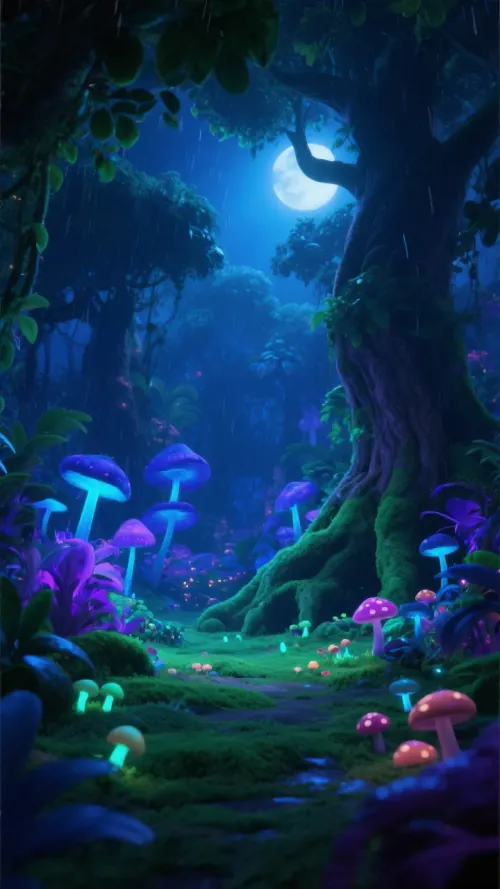
  • AI generates music and vocals from your lyrics
  • Creates complete music videos automatically
  • Professional visuals synced to generated music
  • From lyrics to finished video in minutes
Turn Lyrics Into Complete Music Videos

Generate Music Videos from Lyrics with AI

Create full music videos from just lyrics. Our AI lyrics video generator composes original music based on your lyrics, then generates a matching video with stunning visuals and animations. Perfect for musicians, songwriters, and content creators who want to bring their lyrics to life.
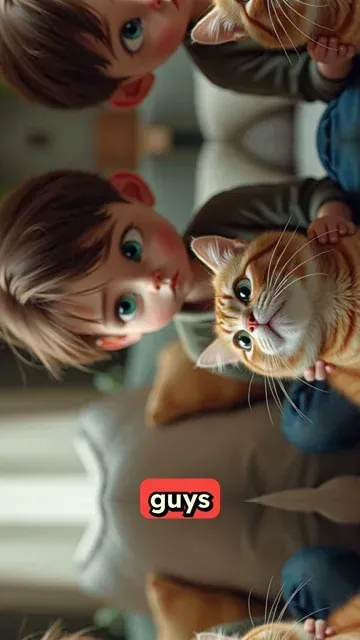
  • AI composes music from your lyrics
  • Generates matching video visuals automatically
  • Multiple music styles and video themes
  • No music production or video editing needed
Generate Music Videos from Lyrics with AI

AI Music & Video Generator from Text

Create music videos from scratch with AI. Describe your song idea or paste lyrics, and our AI generates the lyrics, composes the music, and creates a viral-ready music video. Perfect for TikTok, Instagram Reels, and YouTube Shorts. Turn any concept into a complete music video instantly.
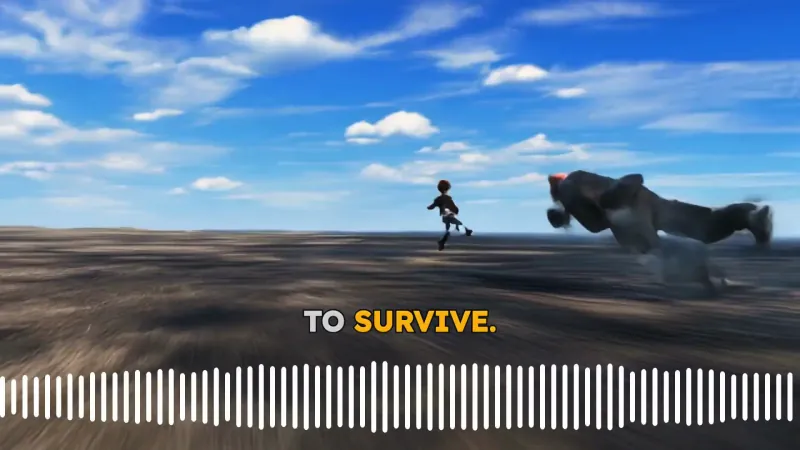
  • Generate lyrics from text prompts with AI
  • AI creates original music and vocals
  • Produces complete music videos automatically
  • Optimized for viral social media content
AI Music & Video Generator from Text
FAQs

Frequently Asked Questions

What is the AI Lyrics Video Generator?
The AI Lyrics Video Generator is an online tool that turns lyrics into a complete music video using AI. Instead of only creating a basic lyric animation, Revid AI can generate music from your lyrics, create matching visuals, animate captions, and sync the video to the lyrics or the beat. It is designed for musicians, songwriters, creators, rappers, poets, and social media users who want to create a professional lyrics video in minutes.
How does Revid AI turn lyrics into a music video?
Revid AI analyzes your lyrics, song structure, music style prompt, and visual preferences. The AI Lyrics Video Generator then creates original music and vocals from your text, builds scenes that match the mood of the song, adds animated lyrics or beat-synced visuals, and generates a complete music video. You can paste finished lyrics or describe a song idea and let AI help create the lyrics before generating the final video.
Can I generate music from my lyrics with this AI lyrics video generator?
Yes. This AI lyrics video generator is built to generate music from pasted lyrics or from a song prompt. You can paste your lyrics, choose a music style, and Revid AI will create music that fits your words. This makes it more than a simple lyrics video maker: it is a lyrics-to-music-video workflow that can produce the song, vocals, visuals, and lyric animations together.
Can I use the AI Lyrics Video Generator if I do not have lyrics yet?
Yes. If you do not have finished lyrics, you can describe the song you want to create. For example, you can write "an upbeat pop song about summer love with a catchy chorus" or "a sad acoustic song about missing someone." Revid AI can help turn your idea into lyrics, then generate the music video from those lyrics. This is useful for creators who want an AI song video generator from a simple text prompt.
What should I write in the music style field?
Use the music style field to describe the sound you want for your AI lyrics video. You can include genre, mood, tempo, instruments, vocal style, and references to the general vibe. Examples include "energetic pop music with female vocals," "dark melodic rap with heavy 808s," "emotional piano ballad," "indie rock anthem," or "lofi chill beat with soft vocals." Specific prompts help the AI Lyrics Video Generator create a more accurate song and video.
What lyric format works best?
For best results, paste clean lyrics with short lines and clear sections. The AI Lyrics Video Generator supports tags like [intro], [verse], [chorus], [bridge], and [outro]. These tags help Revid AI understand the structure of the song and create better transitions, lyric timing, and visual changes. You can also use line breaks to create a more readable lyric video.
Can I create a karaoke-style lyrics video?
Yes. Choose the lyrics sync option to create a karaoke-style AI lyrics video with text appearing in sync with the song. This is ideal for lyric videos, music releases, fan-style visuals, TikTok music content, YouTube Shorts, and Instagram Reels. The AI Lyrics Video Generator can automatically create animated captions so viewers can follow the song as it plays.
What is the difference between syncing with lyrics and syncing with beats?
If you choose lyrics sync, Revid AI creates a lyric video with captions and animations timed to the words of the song. If you choose beat sync, the video focuses on visual movement, scene changes, sound waves, and motion that match the music beat instead of displaying lyrics. Lyrics sync is best for an AI lyrics video, while beat sync is better for a music visualizer or background music video.
What visual styles can I use for my AI lyrics video?
Revid AI offers several visual styles for your AI lyrics video, including AI-generated video clips, moving AI images, motion graphics, stock videos, your own uploaded media, and static or gameplay-style backgrounds. This lets you create anything from a cinematic AI music video to a fast-moving TikTok lyrics video or a clean animated lyric video for YouTube.
Can the AI generate a singer lip sync video from my lyrics?
In supported configurations, you can enable Singer Lip Sync for AI video scenes. This beta feature can make parts of the lyrics appear as if they are being performed by a singer in the video. It works best when lyrics sync is selected and AI video is used as the media type. You can also specify the number of different singers if your song has multiple vocalists.
Can I upload my own music or existing song audio to this tool?
This AI Lyrics Video Generator is designed for generating music from lyrics or from a song description. If you already have an existing audio file or finished song and want to create visuals for it, use Revid AI's music-to-video or music visualizer workflow instead. This tool works best when you want AI to create the song and the lyrics video together.
Is this AI Lyrics Video Generator good for TikTok, YouTube Shorts, and Instagram Reels?
Yes. Revid AI is built for short-form social video, and the AI Lyrics Video Generator is perfect for TikTok lyrics videos, YouTube Shorts music videos, Instagram Reels, and vertical social content. You can create portrait videos, add animated lyrics, use eye-catching visuals, and export a ready-to-share music video optimized for mobile viewers.
Can musicians and songwriters use this AI lyrics video maker?
Absolutely. Musicians and songwriters can use the AI lyrics video maker to visualize song ideas, test lyrics with AI-generated music, create promo videos, make lyric videos for demos, or produce short music content for social platforms. It is also useful for independent artists who want to promote a song concept without hiring a video editor or music producer.
Can content creators use this tool without music production experience?
Yes. You do not need music production skills, video editing experience, or animation software. The AI Lyrics Video Generator handles the music generation, vocals, visuals, captions, lyric timing, and scene creation automatically. Just paste lyrics or describe the song, choose a style, select visuals, and generate the video.
How long can my lyrics be?
The tool supports lyrics up to the input limit shown in the editor. For best results, keep your lyrics focused and structured, especially if you are creating a short music video for TikTok, YouTube Shorts, or Instagram Reels. Short verses, a strong chorus, and clear section tags like [verse] and [chorus] usually produce better AI lyrics videos.
How long does it take to generate an AI lyrics video?
Most AI lyrics videos are generated in a few minutes, depending on the length of your lyrics, the music generation process, the visual style selected, and the complexity of the final video. AI video scenes and lip sync can take longer than simpler moving image or motion graphics videos, but Revid AI is designed to make the lyrics-to-music-video process fast.
Can I edit the AI lyrics video after generation?
Yes. After the AI Lyrics Video Generator creates your video, you can open it in Revid AI's editor to refine the result. You can trim scenes, replace visuals, adjust captions, change text styling, edit timing, modify transitions, and polish the final lyrics video before downloading or posting it.
Can I add a sound wave to the lyrics video?
Yes. You can enable the sound wave option to add a visual waveform to your AI lyrics video. Sound waves are especially useful for music videos, rap videos, music visualizers, and social clips because they make the video feel more dynamic and help viewers immediately understand that the content is music-driven.
Can I use the generated lyrics video commercially?
You can use videos created with Revid AI according to your plan and Revid AI's terms of service. The tool is designed to help creators, artists, and businesses make shareable music videos, promotional videos, and social content. If you upload your own media or use any external assets, make sure you have the rights to use them commercially.
What makes Revid AI different from other lyric video makers?
Many lyric video makers only animate text over an existing song. Revid AI's AI Lyrics Video Generator can create the song from your lyrics, generate matching visuals, add animated lyrics, sync scenes to lyrics or beats, and give you an editor to customize the final result. It combines lyrics generation, AI music generation, AI video generation, and lyric animation in one workflow.
Who is the AI Lyrics Video Generator best for?
The AI Lyrics Video Generator is ideal for musicians, singers, rappers, songwriters, producers, poets, content creators, social media managers, and anyone who wants to turn lyrics into a music video. It is especially useful for creating TikTok lyrics videos, YouTube Shorts music videos, Instagram Reels, demo song videos, music promos, and AI-generated music content.
How do I get the best results from the AI Lyrics Video Generator?
For the best AI lyrics video, use clear lyrics, add section tags like [verse] and [chorus], write a specific music style prompt, and choose visuals that match the mood of your song. For example, a sad piano ballad may work well with cinematic AI images, while an energetic rap song might work better with AI video, motion graphics, or gameplay-style visuals. After generation, use the editor to fine-tune the final video.
I have another question about creating an AI lyrics video. How can I get help?
If you have questions about the AI Lyrics Video Generator, lyrics-to-music-video creation, music style prompts, sync options, or editing your generated video, contact the Revid AI support team at hello@revid.ai. We are happy to help you create better AI lyrics videos and music videos.
View Complete Help Center

Find detailed answers to 100+ questions about features, tools, and workflows

or check our markdown version optimized for LLMs

Tools

Free AI Video Tools

Choose your tool, add your content, and create a video in seconds. Then customize it to your liking.

AI TikTok Video Generator

Turn text into trendy, viral TikTok videos in a snap

Try it out

Prompt to Video

Turn your prompts into engaging videos with AI assistance

Try it out

Add Caption to Video

Generate subtitles in 100+ languages with AI captions

Try it out

PDF to Brainrot

Convert PDFs into attention-grabbing, scrollable videos

Try it out

Text to Brainrot

Turn your text into trendy, scrollable content with dynamic visuals

Try it out

AI Talking Avatar

Create lifelike talking avatars from text in seconds

Try it out

Video Podcast Generator

Transform your podcasts into visually engaging video content

Try it out

AI Movie Maker

Create studio-quality videos from text, no filming required

Try it out

Audio to Video

Make engaging videos from your podcasts, interviews, or any audio content

Try it out

Animated Lyrics Video Generator

Turn any song into an animated lyric video with synced text and visuals.

Try it out

AI Music Video Generator

Transform your music into cinematic music videos.

Try it out

AI Lyrics Video Generator

Transform your lyrics into a complete music video with AI

Try it out
See all tools
How it works

Four simple steps to create and share your video

1
Step 1

Find your next viral idea

Lacking inspiration? Our AI spots trends and helps you adapt them for your own videos, hassle-free.

  • Identify the best performing formats
  • Get inspired by top creators
  • Turn your ideas into captivating videos
Find your next viral idea
2
Step 2

Storytelling designed to captivate

Revid.ai analyzes viral videos and uses those same codes to write your scripts.

  • Write your script or just give the topic to our AI
  • The AI will suggest relevant content to inspire you
  • Paste a link, our AI analyzes it and turns it into a video
Storytelling designed to captivate
3
Step 3

Videos you will love

Create professional videos, share them with one click, and grow your audience.

  • Watch your texts turn into professional videos
  • Automate video creation from your content
Videos you will love
4
Step 4

Publish on TikTok, YouTube, Instagram and more

Reach a wider audience by sharing your videos across all your networks.

Publish on TikTok, YouTube, Instagram and more
revid.ai logo

The fastest way to create captivating videos.