Trusted by 14,000+ creators worldwide

AI Lofi Video Generator

Generate complete lofi videos instantly. Our AI composes chill beats and creates matching aesthetic visuals to launch your lofi channel in minutes.

  • Start from text in seconds
  • Auto-selects visuals
AI Magic

Turn simple ideas into
incredible videos

YOUR IDEA
Your Prompt

Script automatically generated by Revid

[intro] (Mmm, yeah) Soft beats in the air tonight [verse] Headphones on, the world fades out Vinyl crackle, what it's all about Late night study, coffee brewing slow Lofi rhythms help the ideas flow [chorus] Lofi is great, it calms my mind Every gentle beat, so perfectly timed Mellow sounds that ease the day Lofi is great in every way [verse] Rain taps gentle on my windowpane Jazzy chords take away the strain No rush, no pressure, just the groove Simple melodies help me move [chorus] Lofi is great, it calms my mind Every gentle beat, so perfectly timed Mellow sounds that ease the day Lofi is great in every way [bridge] Slow it down, let the moment breathe In this soundscape, I believe Peaceful waves wash over me This is where I'm meant to be [chorus] Lofi is great, it calms my mind Every gentle beat, so perfectly timed Mellow sounds that ease the day Lofi is great in every way [outro]
Visual FormatAI Video
Visual StyleGhibli Studio
FINAL VIDEO

Create Aesthetic Lofi Videos in 3 Relaxing Steps

1 Define Your Vibe

Start by describing the musical atmosphere you want to create (e.g., "chill rainy night," "nostalgic study beats"). If you want lyrics, paste them into the script box using tags like [verse] or [chorus]. If you prefer instrumental beats, simply focus on the style prompt.

2 Select Visual & Audio Style

Choose the visual aesthetic for your video. Select 'Moving AI Images' for that classic looped anime look, or 'AI Video' for unique motion. You can also enable the 'Sound Wave' feature for a dynamic visualizer effect and choose whether to sync the video to lyrics or the beat.

3 Generate and Chill

Click 'Generate Video' and let our AI compose the track and create the matching visuals instantly. Once complete, use the editor to tweak the audio, add text overlays, or loop the video before downloading it for your YouTube channel or social media.

Example Videos

See What You Can Create with AI Lofi Video Generator

Explore different styles and possibilities with our AI Lofi Video Generator

Lofi Girl Style Videos

Create iconic lofi aesthetic videos with anime-style visuals and chill beats.
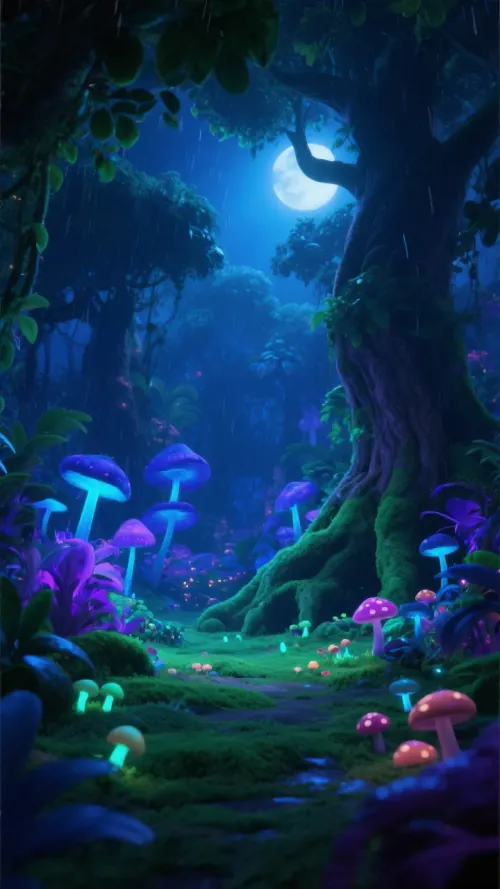
  • Auto-generated lofi beats
  • Anime aesthetic visuals
  • Perfect for YouTube streams
  • Relaxing mood creation
Lofi Girl Style Videos
FAQs

Frequently Asked Questions

What is the AI Lofi Video Generator?
The AI Lofi Video Generator is a specialized tool designed to create complete lofi music videos from scratch. It utilizes artificial intelligence to compose original chill beats or songs based on your text prompts and simultaneously generates matching aesthetic visuals—such as anime-style loops or cozy atmospheres—perfect for relaxation, study, or background music channels.
How do I create a lofi video for YouTube?
Creating content for a lofi YouTube channel is effortless with Revid. Simply enter a prompt describing the mood (e.g., "lofi hip hop for studying"), select a visual style like 'Moving AI Images' to get that classic 'lofi girl' aesthetic, and hit generate. The tool produces a unique track and video that you can download and upload directly to YouTube.
Can I generate instrumental lofi beats without lyrics?
Yes! While the tool supports lyrics, it excels at creating instrumental background music. In the settings, you can choose to sync with 'Beats' rather than 'Lyrics'. Simply leave the script section for the music prompt, describe the style of lofi you want, and the AI will compose a relaxing instrumental track for you.
What kind of visuals can I generate?
We offer several visual styles perfect for the lofi genre. 'Moving AI Images' creates subtle, looped animations (like rain on a window or a character studying) often seen on popular streams. 'AI Video' generates fully unique clips. You can also upload your own background media or use our high-quality stock footage library.
Is the music generated by the AI copyright-free?
The music generated by our AI is unique to your specific prompt. This makes it an excellent choice for creators looking to monetize their YouTube channels or social media platforms without worrying about copyright strikes associated with using licensed commercial tracks. You get a fresh, original composition every time.
Can I add a visualizer or sound wave to the video?
Absolutely. To enhance the visual experience, you can toggle the 'Add sound wave' option in the custom settings. This adds a dynamic audio spectrum visualizer that reacts to the beats and frequencies of your generated lofi track, adding a professional touch to your video.
How much does it cost to generate a lofi video?
The credit cost depends on the length of the video and the visual style selected (e.g., AI Video consumes more credits than Stock Video). You will see an estimated credit cost before you click generate. Users on our free plan receive a starter allowance, while our paid subscriptions offer larger monthly credit packs suitable for running a dedicated lofi channel.
Can I provide my own lyrics for a lofi song?
Yes, you can turn your poems or lyrics into a lofi song. Paste your text into the input field and use structure tags like [intro], [verse], and [chorus]. The AI will analyze the sentiment of your lyrics and compose a melody and backing track that fits the chill, lofi aesthetic.
How long does it take to generate the video?
Generation speed is very fast. For a standard short video, the AI typically composes the music and renders the visuals in just a few minutes. You'll receive a notification when your relaxing masterpiece is ready to view, edit, or download.
Can I edit the video after generation?
Definetely. Once your lofi video is generated, it opens in our built-in video editor. Here you can adjust the volume, add text overlays (like "Study Vibes" or a clock), trim the clip, or even swap out the background visuals if you want to try a different aesthetic before finalizing.
View Complete Help Center

Find detailed answers to 100+ questions about features, tools, and workflows

or check our markdown version optimized for LLMs

Tools

Free AI Video Tools

Choose your tool, add your content, and create a video in seconds. Then customize it to your liking.

AI TikTok Video Generator

Turn text into trendy, viral TikTok videos in a snap

Try it out

Prompt to Video

Turn your prompts into engaging videos with AI assistance

Try it out

Add Caption to Video

Generate subtitles in 100+ languages with AI captions

Try it out

PDF to Brainrot

Convert PDFs into attention-grabbing, scrollable videos

Try it out

Text to Brainrot

Turn your text into trendy, scrollable content with dynamic visuals

Try it out

AI Talking Avatar

Create lifelike talking avatars from text in seconds

Try it out

Video Podcast Generator

Transform your podcasts into visually engaging video content

Try it out

AI Movie Maker

Create studio-quality videos from text, no filming required

Try it out

Audio to Video

Make engaging videos from your podcasts, interviews, or any audio content

Try it out

Animated Lyrics Video Generator

Turn any song into an animated lyric video with synced text and visuals.

Try it out

AI Music Video Generator

Transform your music into cinematic music videos.

Try it out

AI Lyrics Video Generator

Transform your lyrics into a complete music video with AI

Try it out
See all tools
How it works

Four simple steps to create and share your video

1
Step 1

Find your next viral idea

Lacking inspiration? Our AI spots trends and helps you adapt them for your own videos, hassle-free.

  • Identify the best performing formats
  • Get inspired by top creators
  • Turn your ideas into captivating videos
Find your next viral idea
2
Step 2

Storytelling designed to captivate

Revid.ai analyzes viral videos and uses those same codes to write your scripts.

  • Write your script or just give the topic to our AI
  • The AI will suggest relevant content to inspire you
  • Paste a link, our AI analyzes it and turns it into a video
Storytelling designed to captivate
3
Step 3

Videos you will love

Create professional videos, share them with one click, and grow your audience.

  • Watch your texts turn into professional videos
  • Automate video creation from your content
Videos you will love
4
Step 4

Publish on TikTok, YouTube, Instagram and more

Reach a wider audience by sharing your videos across all your networks.

Publish on TikTok, YouTube, Instagram and more
revid.ai logo

The fastest way to create captivating videos.