Trusted by 14,000+ creators worldwide

AI Personalized Video Message for Kids

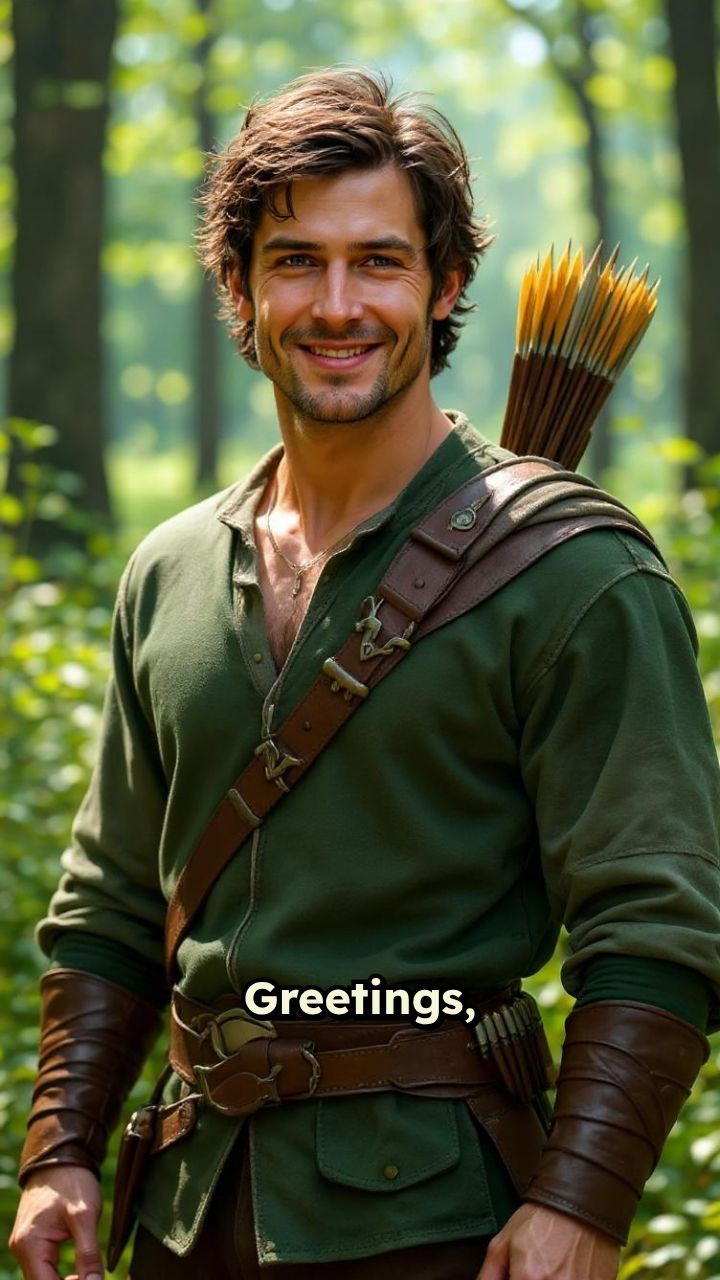
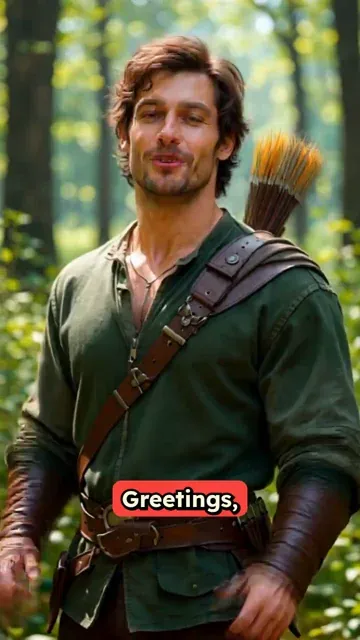
Send your kid a personalized video message from any character! Create custom videos with police officers, teachers, superheroes, or any character delivering motivational, educational, or fun messages directly to your child.

  • Start from text in seconds
  • AI voiceover
  • Auto-selects visuals
  • Captions and sound-ready
Video Format
3,423 people used this tool in the last 24h
Start for free.(no credit card required)

or explore our 42+ other tools to create the exact video you want

Explore our tools

Create a Personalized Video Message for Kids in 4 Simple Steps

1 Describe the Character and Child

Start by writing a prompt for your personalized video message for kids. Include the child's name, the character you want to appear, and the type of message you want delivered. You can choose a police officer, teacher, superhero, cartoon-style character, family figure, sports coach, fairy-tale character, or any custom character idea.

2 Write the Custom Message

Tell the AI what the character should say directly to the child. Your personalized video message for kids can be motivational, educational, funny, encouraging, or used as a gentle reminder for daily habits like brushing teeth, doing homework, cleaning up, going to bed, or being brave at school.

3 Choose the Video Style

Select the media type for your custom kids message video. Use moving AI images for fast, expressive character videos, or choose AI video for unique generated scenes when available. Revid AI creates a vertical 9:16 video designed for phones, social sharing, and easy viewing by parents and children.

4 Generate, Preview, and Share

Click generate and Revid AI will create your AI personalized video message for kids with character visuals, voice narration, music, sound effects, and captions. Once the video is ready, preview it, make edits if needed, download it, and share it with your child as a fun surprise.

FAQs

Frequently Asked Questions

What is a personalized video message for kids?
A personalized video message for kids is a custom video where a character speaks directly to a child using their name and a message written for them. With Revid AI, you can create an AI personalized video message for kids from characters like police officers, teachers, superheroes, cartoon-style characters, coaches, princesses, astronauts, or any other character you describe.
How does the Personalized Video Message for Kids tool work?
The Personalized Video Message for Kids tool turns your prompt into a complete short video. You describe the child, the character, and the message, then Revid AI generates the script, voice, visuals, captions, music, and sound effects. The result is a custom video message for children that feels personal, direct, and fun to watch.
What kind of personalized video message for kids can I create?
You can create almost any family-friendly personalized video message for kids. Popular ideas include a superhero encouraging a child to be brave, a teacher motivating them to do homework, a police officer reminding them about safety, a cartoon character celebrating good behavior, or a magical character sending a birthday or bedtime message.
Can I include my child's name in the video?
Yes. Including the child's name is one of the best ways to make a personalized video message for kids feel special. Add the name clearly in your prompt, for example: "A friendly superhero speaks directly to Emma and tells her she did a great job at school today." Revid AI will use the name naturally in the message.
Which characters can deliver the personalized video message for kids?
You can choose almost any character style for your personalized video message for kids. Examples include police officers, teachers, superheroes, doctors, firefighters, astronauts, football coaches, princesses, pirates, robots, animals, cartoon-style characters, or original characters you invent. Just describe the character clearly in your prompt.
Can I make a police officer video message for kids?
Yes, you can create a police officer video message for kids. The character can sound firm, responsible, and authoritative while still being caring and positive. For safety and age-appropriateness, Revid AI is designed to avoid threatening or scary content and instead focuses on encouragement, responsibility, and positive behavior.
Can I create a superhero video message for my child?
Absolutely. A superhero video message for a child is one of the most popular uses of this tool. You can ask a superhero to encourage your child to be brave, clean their room, brush their teeth, try their best at school, believe in themselves, or celebrate a special achievement. The AI personalized video message for kids will be created as a fun vertical video.
Can I create a teacher video message for kids?
Yes. You can create a teacher video message for kids that explains a lesson, encourages reading, motivates homework, or praises effort. A teacher character is great for educational video messages for children because the tone can be warm, clear, and supportive.
Is the personalized video message for kids age-appropriate?
Revid AI is designed to create family-friendly personalized video messages for kids. The tool focuses on positive reinforcement, simple language, encouragement, and constructive messages. Even when the character is serious or firm, the output should remain supportive and suitable for children.
What should I write in the prompt for the best result?
For the best personalized video message for kids, include the child's name, age if relevant, the character, the setting, the tone, and the goal of the message. For example: "A friendly female police officer speaks directly to Lucas, age 6, and reminds him to brush his teeth every morning and night. She is firm but kind, and ends by telling him she believes in him."
Can I use this kids message generator for behavior reminders?
Yes. This kids message generator works well for positive behavior reminders. You can create a personalized video message for kids about brushing teeth, bedtime routines, cleaning up toys, sharing, listening to parents, getting ready for school, practicing sports, or staying safe. The best messages are encouraging rather than scary or negative.
Can I use the tool for birthday messages or special occasions?
Yes. You can create a personalized video message for kids for birthdays, holidays, first day of school, losing a tooth, learning to ride a bike, finishing homework, winning a game, or any milestone. A custom character message video can make the moment feel more magical and memorable.
Can I choose between AI video and moving AI images?
Yes. The tool lets you choose the media type used for the personalized video message for kids. Moving AI images create expressive animated-style visuals quickly, while AI video can generate more unique video clips when available. Both options are designed to create engaging character-based videos for children.
Does the tool generate a voice for the character?
Yes. Revid AI generates voice narration for the character so the personalized video message for kids sounds like a complete spoken message. The character speaks directly to the child, making the video feel more personal than a normal text message or greeting card.
Does the video include music and sound effects?
Yes. Revid AI can add background music and sound effects to make the personalized video message for kids more engaging. Music and sound design help create the right mood, whether the message is fun, motivational, educational, magical, or exciting.
What format is the personalized video message for kids created in?
The Personalized Video Message for Kids tool creates vertical 9:16 videos. This format is ideal for viewing on phones and sharing through messaging apps or social platforms like TikTok, Instagram Reels, YouTube Shorts, and family group chats.
Can I edit the personalized video after it is generated?
Yes. After Revid AI generates your personalized video message for kids, you can use the built-in editor to make adjustments. You can refine captions, timing, visuals, audio, and other details before downloading or sharing the final video.
How long does it take to create a personalized video message for kids?
Most personalized video messages for kids are generated in just a few minutes. Generation time depends on the length of your prompt, the selected media type, and the complexity of the video. Once your custom kids message video is ready, you can preview and edit it before sharing.
Do I need video editing skills to use this tool?
No. Revid AI is built to be simple. You do not need editing experience to create a personalized video message for kids. Just describe the message you want, choose your options, and the AI handles the script, voice, visuals, captions, music, and video generation.
Can I create multiple personalized video messages for different children?
Yes. You can create different personalized video messages for kids by changing the child's name, character, tone, and message in each prompt. This is useful for siblings, classrooms, birthday parties, sports teams, or any situation where each child should receive a unique custom video message.
How much does it cost to create a personalized video message for kids?
The cost depends on your Revid AI plan, available credits, and the settings you choose for the video. Before generating your personalized video message for kids, you can review the estimated credit usage. Free accounts may include limited credits, while paid plans provide more credits for creating videos.
Can I use the personalized video message commercially?
You can use videos created with Revid AI according to your plan and our terms of service. If you create a personalized video message for kids for a school, brand, family service, entertainment page, or paid project, make sure any names, characters, scripts, images, or uploaded assets you use are appropriate and properly authorized.
What are the best use cases for an AI personalized video message for kids?
The best use cases for an AI personalized video message for kids include motivation, birthday greetings, bedtime encouragement, school confidence, homework reminders, tooth brushing reminders, sports encouragement, classroom rewards, behavior coaching, holiday surprises, and fun character messages that make children smile.
View Complete Help Center

Find detailed answers to 100+ questions about features, tools, and workflows

or check our markdown version optimized for LLMs

Tools

Free AI Video Tools

Choose your tool, add your content, and create a video in seconds. Then customize it to your liking.

AI TikTok Video Generator

Turn text into trendy, viral TikTok videos in a snap

Try it out

Prompt to Video

Turn your prompts into engaging videos with AI assistance

Try it out

Add Caption to Video

Generate subtitles in 100+ languages with AI captions

Try it out

PDF to Brainrot

Convert PDFs into attention-grabbing, scrollable videos

Try it out

Text to Brainrot

Turn your text into trendy, scrollable content with dynamic visuals

Try it out

AI Talking Avatar

Create lifelike talking avatars from text in seconds

Try it out

Video Podcast Generator

Transform your podcasts into visually engaging video content

Try it out

AI Movie Maker

Create studio-quality videos from text, no filming required

Try it out

Audio to Video

Make engaging videos from your podcasts, interviews, or any audio content

Try it out

Animated Lyrics Video Generator

Turn any song into an animated lyric video with synced text and visuals.

Try it out

AI Music Video Generator

Transform your music into cinematic music videos.

Try it out

AI Lyrics Video Generator

Transform your lyrics into a complete music video with AI

Try it out
See all tools
How it works

Four simple steps to create and share your video

1
Step 1

Find your next viral idea

Lacking inspiration? Our AI spots trends and helps you adapt them for your own videos, hassle-free.

  • Identify the best performing formats
  • Get inspired by top creators
  • Turn your ideas into captivating videos
Find your next viral idea
2
Step 2

Storytelling designed to captivate

Revid.ai analyzes viral videos and uses those same codes to write your scripts.

  • Write your script or just give the topic to our AI
  • The AI will suggest relevant content to inspire you
  • Paste a link, our AI analyzes it and turns it into a video
Storytelling designed to captivate
3
Step 3

Videos you will love

Create professional videos, share them with one click, and grow your audience.

  • Watch your texts turn into professional videos
  • Automate video creation from your content
Videos you will love
4
Step 4

Publish on TikTok, YouTube, Instagram and more

Reach a wider audience by sharing your videos across all your networks.

Publish on TikTok, YouTube, Instagram and more
revid.ai logo

The fastest way to create captivating videos.