Trusted by 14,000+ creators worldwide

AI Animation Video Generator

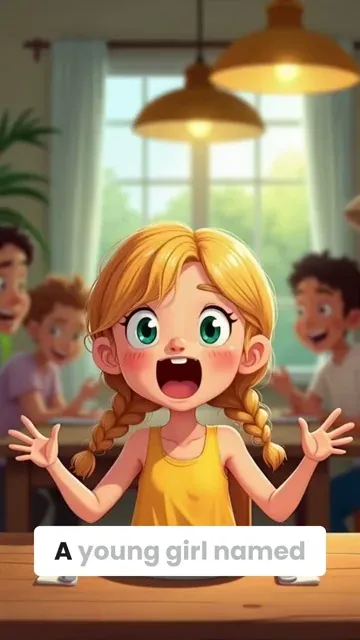
Create stunning animated videos from text with our AI Animation Video Generator. Cinematic visuals and fluid motion - zero animation skills needed.

Paste a voiceover script or URL and turn it into a TikTok-ready video with AI voice, captions, and scroll-stopping visuals.

  • Paste text or URL
  • AI voiceover
  • TikTok-ready 9:16
  • Auto captions and visuals
Video Format
1,410 people used this tool in the last 24h
Start for free.(no credit card required)

or explore our 42+ other tools to create the exact video you want

Explore our tools

Create AI Animated Videos from Text in 4 Simple Steps

1 Paste Your Script, Prompt, or URL

Start by entering the exact script you want spoken in your animated video, or paste a URL from an article, blog post, social post, or other web content. The AI Animation Video Generator can turn text, ideas, and existing content into a short vertical video designed for TikTok, Instagram Reels, and YouTube Shorts. You can also add [bracketed visual directions] to guide what appears on screen without having those words read aloud.

2 Choose an AI Voice and Animation Style

Select a realistic AI voice, upload your own voiceover, or record narration directly in Revid. Then choose the type of visuals you want: AI video, moving AI images, motion graphics, stock videos, your own uploaded media, or static gameplay-style backgrounds. The AI animation video generator automatically matches your narration with animated scenes, captions, and visual pacing.

3 Customize Captions, Music, and Motion

Pick background music, enable sound effects if needed, and adjust the overall feel of your animated video. Revid automatically adds captions for better retention and mobile viewing. You can use short sentences, line breaks, and <break> tags to control pacing, scene changes, and voiceover pauses for a more cinematic text to animation video.

4 Generate, Edit, and Share Your Animated Video

Click "Generate Video" and Revid will create your AI animated video in minutes with voiceover, captions, transitions, and matching visuals. Once generation is complete, use the built-in editor to refine scenes, change captions, adjust timing, swap visuals, or polish the final cut before downloading and posting to TikTok, Reels, Shorts, or any social platform.

01

Text to Animated Video AI, Free and Ready in Minutes

Revid's text to animated video AI takes any written prompt, script, or idea and transforms it into a fully animated video with matching visuals, voiceover, and captions in minutes. Type what you want to see, choose an animation style, and the AI handles character movement, scene transitions, and timing automatically. No animation software, no frame-by-frame editing, no technical background required. Try it free with no sign up and generate your first animated video before you finish your coffee.

02

AI Animation Generator from Text, Built for Every Style

Whether you want fluid 2D animation, cinematic anime sequences, motion graphics, or stylized stop-motion aesthetics, Revid's AI animation generator from text supports a broad range of visual styles that go far beyond generic clip art. Describe your scene in plain language, specify the mood and visual treatment you want, and the AI generates animation that matches your creative vision with a level of consistency and quality that most free tools cannot touch. It works for any genre, any topic, and any platform you are creating for.

03

Free AI Animation Video Generator from Text Prompt

Revid's free AI animation video generator from text prompt gives independent creators, students, and small businesses access to professional animated video production without a budget or a team. Enter your prompt, select your animation style and voiceover, and the AI produces a complete animated video ready to download and share. The free tier covers the full generation pipeline so you can evaluate output quality before committing, making it the most risk-free way to test AI animation for your specific content needs.

04

Script to Animation Video, From Written Content to Finished Film

Revid goes further than most AI animation tools by supporting full script input rather than just short prompts. Paste your complete script, and the AI breaks it into scenes, assigns appropriate animation to each section, and produces a cohesive animated video that follows your narrative from start to finish. It is the most practical solution available for educators building course content, marketers producing explainer videos, and creators developing serialized animated short-form content at scale.

FAQs

Frequently Asked Questions

What is the AI Animation Video Generator?
The AI Animation Video Generator is a text to animated video tool that turns scripts, prompts, ideas, or URLs into complete animated videos. Instead of manually animating scenes, editing clips, adding captions, and syncing voiceover, Revid uses AI to generate a vertical video with narration, visuals, motion, captions, music, and transitions. It is built for creators who want fast, professional-looking animated videos for TikTok, Instagram Reels, YouTube Shorts, ads, explainers, educational content, and social media storytelling.
How does the AI Animation Video Generator work?
Revid's AI Animation Video Generator starts with your text. You can paste a script, write a prompt, or import content from a URL. The AI then analyzes the content, creates or matches visuals for each section, generates an AI voiceover if needed, adds captions, applies motion, and assembles everything into a short-form animated video. You can choose from AI video, moving AI images, motion graphics, stock videos, custom media, or static gameplay-style visuals depending on the type of animated video you want to create.
Can I turn text into an animated video with AI?
Yes. Revid is designed specifically to turn text into animated video with AI. Paste your narration script, article, story, educational explanation, product message, or social post, and the AI Animation Video Generator will convert it into a complete animated video with voiceover, captions, and matching visuals. This makes it ideal for creators searching for a text to animation video AI tool that does not require animation software or video editing experience.
Can I use a URL instead of writing a script?
Yes. You can paste a URL from a blog post, article, tweet, LinkedIn post, or other supported web content, and Revid can help convert that source into an animated video. This is useful if you want to repurpose written content into short-form social videos. For best results, you can choose whether to keep the original content close to the source or summarize it into a shorter script before using the AI Animation Video Generator.
What types of animated videos can I create?
You can create many types of AI animated videos, including TikTok animations, Instagram Reels, YouTube Shorts, educational explainers, motivational videos, story videos, anime-style shorts, faceless videos, product explainers, social media ads, motion graphics videos, and narrated visual essays. The AI Animation Video Generator is especially useful for short vertical content where you need fast pacing, strong captions, engaging motion, and scroll-stopping visuals.
What visual styles are available in the AI Animation Video Generator?
Revid supports several visual media types for AI animation videos. You can generate AI video clips, create moving AI images, use motion graphics scenes, select high-quality stock videos, use your own uploaded media, or add static and gameplay-style background visuals. These options make the AI Animation Video Generator flexible for different content styles, from cinematic animated storytelling to simple faceless videos with captions.
Is this a free AI Animation Video Generator?
Revid offers a free way to start creating AI animated videos with limited credits, so you can test the AI Animation Video Generator and evaluate the output before upgrading. Video generation uses credits depending on your selected options, script length, media type, and additional features such as AI video generation or sound effects. Paid plans include more monthly credits for creators who want to produce animated videos regularly.
Do I need animation or video editing skills?
No. The AI Animation Video Generator is built for users with zero animation skills. You do not need to keyframe characters, design scenes manually, sync audio, or edit frame by frame. Revid handles the video structure, voiceover, captions, visuals, motion, and timing automatically. After generation, you can still use the built-in editor to make adjustments, but the main animated video can be created from text alone.
Can I create TikTok, Reels, and Shorts with this tool?
Yes. Revid's AI Animation Video Generator is optimized for short-form vertical video. The default format is 9:16, which is ideal for TikTok, Instagram Reels, YouTube Shorts, Snapchat Spotlight, and other mobile-first platforms. The tool automatically adds captions and fast-moving visuals to help your animated video keep attention in social feeds.
Can I use my own voice for the animated video?
Yes. You can use one of Revid's AI voices, upload a pre-recorded voiceover, or record your own narration directly in the tool. If you already have a single-speaker narration file, you can pair it with AI visuals and captions to create a polished animated video. The AI Animation Video Generator is best for narration-style videos where one voice reads the script over matching animated visuals.
How can I control what visuals the AI creates?
You can guide the AI by adding visual instructions inside square brackets in your script. For example, writing [cinematic city at night] or [close-up of a robot hand] tells the AI what type of scene or b-roll to create for that part of the video. The bracketed text is used as visual direction and is not spoken in the voiceover or shown in captions. This makes it easy to steer the AI Animation Video Generator while keeping your narration clean.
Can I add pauses or control pacing in the narration?
Yes. You can use short sentences, line breaks, and break tags to control pacing. For example, adding creates a short pause in the generated narration. This is useful for dramatic timing, scene transitions, hook delivery, or giving viewers a moment to absorb important information. Better pacing helps your AI animated videos feel more natural and engaging.
Does the AI Animation Video Generator add captions automatically?
Yes. Revid automatically generates captions for your animated video. Captions are essential for TikTok, Reels, and Shorts because many viewers watch without sound. The AI Animation Video Generator creates synced captions that help improve retention, accessibility, and overall watch time. After generation, you can edit and style captions in the Revid editor.
Can I make anime-style AI animation videos?
Yes. The AI Animation Video Generator can be used to create anime-inspired animated videos, cinematic AI visuals, moving AI images, and stylized short-form videos. You can describe the look you want in your script or visual directions, such as anime lighting, cinematic action, fantasy scenery, or emotional character-focused visuals. This makes Revid useful for creators looking for an AI anime video generator or animated storytelling tool.
Can I make motion graphics videos with AI?
Yes. Revid includes a motion graphics media type for creators who want clean, animated graphic scenes instead of cinematic AI visuals or stock footage. This is useful for business explainers, educational content, product videos, startup announcements, list videos, and informational social content. The AI Animation Video Generator can combine motion graphics, voiceover, captions, and music into a finished short video.
How long should my script be for the best animated video?
For short-form platforms, the best scripts are usually concise and fast-paced. A strong AI animated video for TikTok, Reels, or Shorts often performs best between 20 seconds and 90 seconds, although longer videos are possible. To improve results, use a strong hook, short sentences, clear line breaks, and direct language. The AI Animation Video Generator can process long inputs, but shorter scripts usually create punchier social videos.
How long does it take to generate an AI animated video?
Most AI animated videos are generated in a few minutes, depending on script length, selected media type, voiceover settings, and overall video complexity. AI video generation and more advanced visual options may take longer than stock footage or motion graphics. Once your video is ready, you can open it in the editor, make changes, download it, or share it on social platforms.
Can I edit the animated video after it is generated?
Yes. Every video created with the AI Animation Video Generator can be edited after generation. You can adjust captions, replace visuals, trim sections, change timing, modify audio, add overlays, and refine the final result. Revid gives you a complete AI-generated first draft, then lets you polish it without needing complex editing software.
Can I upload my own images or videos?
Yes. If you choose the custom media option, you can upload your own images or video clips and Revid will select the best media to illustrate your script. This is useful for brands, educators, agencies, and creators who want AI-generated structure and captions while still using their own visuals. You can combine custom media with AI voiceover and automated captions to create a branded animated video faster.
Can I use the videos commercially?
Yes, you can use videos created with Revid for commercial purposes such as social media marketing, ads, product explainers, educational content, client work, and monetized channels, as long as your content follows Revid's terms and you have the rights to any assets you upload. The AI Animation Video Generator is designed for creators, businesses, and agencies that need scalable animated video production.
What makes Revid different from other AI animation generators?
Revid focuses on producing complete social-ready videos, not just isolated AI clips. The AI Animation Video Generator combines script input, URL import, AI voiceover, animated visuals, captions, music, sound effects, vertical formatting, and post-generation editing in one workflow. This makes it faster for creators who want a finished TikTok, Reel, or Short rather than a single animated scene that still needs editing elsewhere.
What if I do not like the generated animation?
If the first result is not exactly what you want, you can edit the video, adjust the script, add clearer bracketed visual directions, change the media type, select a different voice, or regenerate the video. The AI Animation Video Generator works best when your script includes clear narration and specific visual hints. You can keep refining until the final animated video matches your creative direction.
How do I get help with the AI Animation Video Generator?
If you need help creating an animated video, choosing the right visual style, understanding credits, or improving your script, you can contact the Revid support team at hello@revid.ai. We are happy to help you get better results from the AI Animation Video Generator and create videos that are ready to publish.
View Complete Help Center

Find detailed answers to 100+ questions about features, tools, and workflows

or check our markdown version optimized for LLMs

Tools

Free AI Video Tools

Choose your tool, add your content, and create a video in seconds. Then customize it to your liking.

AI TikTok Video Generator

Turn text into trendy, viral TikTok videos in a snap

Try it out

Prompt to Video

Turn your prompts into engaging videos with AI assistance

Try it out

Add Caption to Video

Generate subtitles in 100+ languages with AI captions

Try it out

PDF to Brainrot

Convert PDFs into attention-grabbing, scrollable videos

Try it out

Text to Brainrot

Turn your text into trendy, scrollable content with dynamic visuals

Try it out

AI Talking Avatar

Create lifelike talking avatars from text in seconds

Try it out

Video Podcast Generator

Transform your podcasts into visually engaging video content

Try it out

AI Movie Maker

Create studio-quality videos from text, no filming required

Try it out

Audio to Video

Make engaging videos from your podcasts, interviews, or any audio content

Try it out

Animated Lyrics Video Generator

Turn any song into an animated lyric video with synced text and visuals.

Try it out

AI Music Video Generator

Transform your music into cinematic music videos.

Try it out

AI Lyrics Video Generator

Transform your lyrics into a complete music video with AI

Try it out
See all tools
How it works

Four simple steps to create and share your video

1
Step 1

Find your next viral idea

Lacking inspiration? Our AI spots trends and helps you adapt them for your own videos, hassle-free.

  • Identify the best performing formats
  • Get inspired by top creators
  • Turn your ideas into captivating videos
Find your next viral idea
2
Step 2

Storytelling designed to captivate

Revid.ai analyzes viral videos and uses those same codes to write your scripts.

  • Write your script or just give the topic to our AI
  • The AI will suggest relevant content to inspire you
  • Paste a link, our AI analyzes it and turns it into a video
Storytelling designed to captivate
3
Step 3

Videos you will love

Create professional videos, share them with one click, and grow your audience.

  • Watch your texts turn into professional videos
  • Automate video creation from your content
Videos you will love
4
Step 4

Publish on TikTok, YouTube, Instagram and more

Reach a wider audience by sharing your videos across all your networks.

Publish on TikTok, YouTube, Instagram and more
revid.ai logo

The fastest way to create captivating videos.