Trusted by 14,000+ creators worldwide

ASMR Video Generator

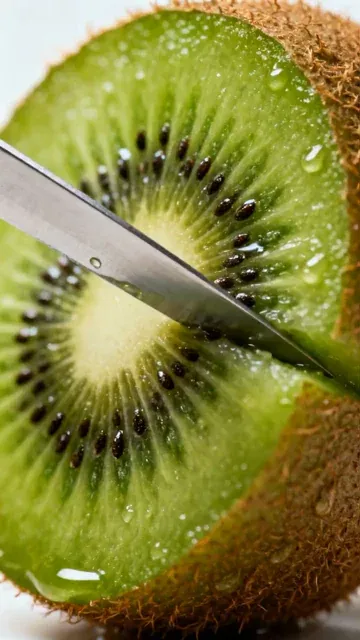
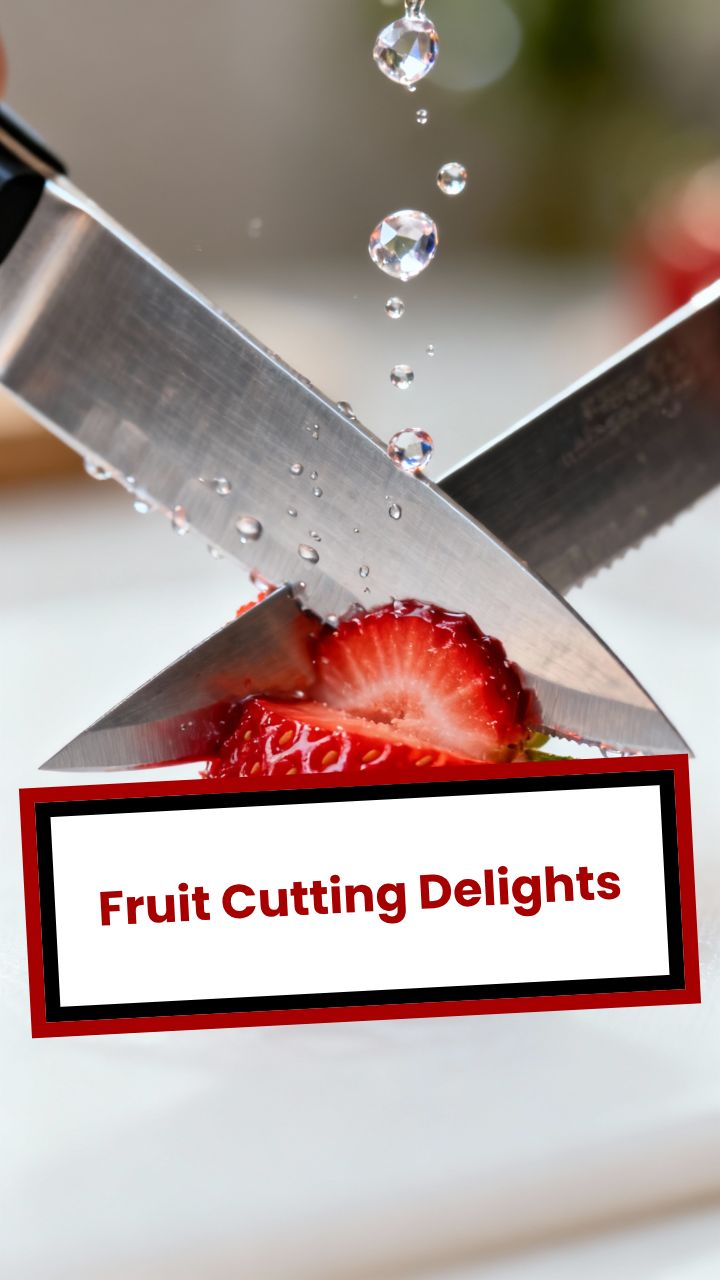
Create hyper-detailed macro ASMR clips: slicing, pouring, textures, slow motion feel, and satisfying sound design.

  • Start from text in seconds
  • Auto-selects visuals
  • Captions and sound-ready

Create Relaxing AI ASMR Videos in 4 Simple Steps

1 Describe Your ASMR Scene

Start by entering a short text prompt describing the ASMR video you want to create. You can ask for macro slicing, pouring, tapping, fizzing, crushing, melting, textured surfaces, food close-ups, liquid movement, or any satisfying visual concept. The clearer your prompt, the better the ASMR video generator can create a clean, relaxing, close-up scene.

2 Generate Cinematic Macro Visuals

Revid uses AI video generation to create hyper-detailed macro footage with shallow depth of field, soft lighting, slow camera movement, and clean minimal backgrounds. The ASMR video generator is optimized for satisfying close-up visuals that feel calm, tactile, and loop-friendly for short-form platforms.

3 Add Crisp AI ASMR Foley Sounds

The tool automatically generates synchronized ASMR sound effects such as slicing, pouring, tapping, fizzing, scraping, bubbling, and soft texture noises. No microphone, studio, sound library, or manual audio editing is required. The ASMR video generator creates both the visuals and the foley sound design together.

4 Download and Share Your Vertical ASMR Clip

Once your video is ready, review the result, make edits if needed, and download a 9:16 vertical ASMR video made for TikTok, YouTube Shorts, and Instagram Reels. You can create multiple variations from different prompts to build a consistent library of relaxing ASMR content.

01

Why ASMR Video Content Generates Some of the Highest Watch Times Online

ASMR content holds viewer attention for longer than almost any other short-form format because it delivers a specific physiological response that keeps the brain engaged without demanding active participation. Channels posting macro ASMR clips consistently report watch-through rates above 70 percent. The format works particularly well on TikTok, Instagram Reels, and YouTube Shorts because it does not require verbal explanation, making it effective across language barriers and accessible to global audiences. Satisfying visuals plus crisp sound design is a combination that audiences return to repeatedly.

02

Generate Macro ASMR Clips with Authentic Foley from a Text Prompt

Describe any ASMR scenario and Revid uses the Veo3 model to generate a macro close-up video with cinematic depth of field, satisfying textures, and synchronized crisp foley sounds including slicing, pouring, tapping, and fizzing effects. You do not need a camera, lighting setup, or any physical materials. The tool follows specific visual rules that keep every generation clean, minimal, and loop-friendly, which are the three properties that make ASMR content perform best on social platforms. The output is formatted as a 9:16 vertical video ready for immediate upload.

03

ASMR Content at Scale for TikTok, YouTube, and Instagram

ASMR channels that post consistently outperform those that post occasionally because the algorithm rewards regular upload cadence. Using AI to generate ASMR clips removes the production barrier that prevents most creators from posting more than once a week. You can generate a week of content in a single session, varying the textures, materials, and visual setups across each clip to maintain audience interest. For creators who want to branch into the broader satisfying video category, the Veo3 video generator supports additional content types built on the same model.

Target Audience

Who is this tool for?

ASMR content creators

Post satisfying macro clips consistently without owning camera equipment, lighting rigs, or a collection of physical materials to film, scaling content production without additional cost.

Relaxation and wellness brands

Create calming ASMR video content to accompany product promotions, sleep aids, and stress-relief content that keeps audience attention longer than standard promotional formats.

Ambient and looping video creators

Build a library of loop-friendly ASMR clips for use as background content, screensavers, or ambient visual channels on YouTube without filming a single scene.

Lifestyle and sensory storytellers

Tell textural and sensory stories through close-up food, material, and nature content that connects with audiences seeking calming, satisfying short-form experiences.

Comparison

Why Choose Revid for AI ASMR Video Generation?

Real ASMR content requires specialized camera equipment, directional microphones, physical materials, and careful sound design. Revid generates all of it from a text description using Veo3's native audio capabilities.

Equipment needed
Revid ASMR GeneratorNo equipment needed, generates entirely from a text prompt
Traditional ASMR ProductionRequires macro lens, high-quality microphone, and controlled recording environment
Sound design
Revid ASMR GeneratorVeo3 generates synchronized foley sounds natively with the footage
Traditional ASMR ProductionRecord, clean, and sync audio separately after filming
Visual quality
Revid ASMR GeneratorCinematic macro close-ups with shallow depth of field and clean backgrounds
Traditional ASMR ProductionQuality depends on camera settings, lighting, and physical setup
Production time
Revid ASMR GeneratorReady in minutes with no setup or teardown
Traditional ASMR ProductionRequires preparing materials, setting up equipment, filming, and editing
Content volume
Revid ASMR GeneratorGenerate multiple different clips in one session
Traditional ASMR ProductionEach clip requires a separate physical setup and filming session
Consistency
Revid ASMR GeneratorEach generation follows the same quality and visual standard
Traditional ASMR ProductionOutput quality varies depending on conditions and creator skill
FAQs

Frequently Asked Questions

What is the Revid AI ASMR Video Generator?
The Revid AI ASMR Video Generator is a tool that creates relaxing macro ASMR videos from a simple text prompt. Instead of filming with a camera, macro lens, lights, microphones, and physical materials, you describe the scene you want, and the ASMR video generator creates a vertical clip with cinematic close-ups, satisfying textures, and crisp foley sound effects.
How does the ASMR video generator work?
The ASMR video generator takes your written prompt and turns it into a short AI-generated video. It focuses on macro close-ups, shallow depth of field, slow camera movement, clean backgrounds, and satisfying sensory details. It also generates synchronized ASMR-style sound effects, so your video includes both the relaxing visuals and the crisp audio that ASMR content needs.
What kinds of ASMR videos can I create?
You can create many types of ASMR videos, including macro slicing videos, pouring videos, tapping clips, fizzing liquids, soft textures, crunchy objects, melting materials, food close-ups, soap cutting, glass tapping, ice cracking, paint mixing, slime textures, and other satisfying short-form scenes. The ASMR video generator works best when you describe a simple, clean, highly visual action.
Can I create macro ASMR videos with this tool?
Yes. This tool is designed as a macro ASMR video generator. It prioritizes close-up framing, detailed textures, soft gradients, shallow depth of field, and slow satisfying movement. That makes it ideal for creating macro ASMR clips where the viewer can clearly see slicing, pouring, tapping, fizzing, bubbling, scraping, or other relaxing visual details.
Does the AI ASMR video generator include sound effects?
Yes. Revid's AI ASMR video generator creates ASMR foley sounds automatically. The tool is optimized for crisp sensory audio such as slicing, pouring, tapping, fizzing, scraping, bubbling, and soft texture sounds. You do not need to record separate audio or sync sound effects manually.
Do I need to record my voice for an ASMR video?
No. This ASMR video generator is built for no-dialog ASMR content. It focuses on relaxing visuals and satisfying sound design instead of narration. That makes it especially useful for TikTok, YouTube Shorts, and Instagram Reels because the videos can work globally without depending on spoken language.
What makes a good prompt for the ASMR video generator?
A good prompt for the ASMR video generator should describe the material, the action, the camera style, and the sound. For example: "macro close-up of a sharp knife slicing glossy jelly cubes with crisp ASMR slicing sounds, soft studio lighting, shallow depth of field, clean background." Simple prompts with one clear action usually create the most satisfying AI ASMR videos.
Can I make ASMR videos for TikTok, YouTube Shorts, and Instagram Reels?
Yes. The Revid ASMR video generator creates vertical 9:16 videos, which is the ideal format for TikTok, YouTube Shorts, and Instagram Reels. The tool is made for short social videos, so you can generate relaxing ASMR clips that are ready to upload to the platforms where satisfying video content performs best.
Why use an AI ASMR video generator instead of filming ASMR manually?
Traditional ASMR production often requires a macro lens, high-quality microphone, controlled lighting, physical materials, careful filming, audio cleanup, and editing. An AI ASMR video generator removes that production barrier. You can create macro ASMR videos from text in minutes, generate many variations, and test different satisfying concepts without buying equipment or setting up a studio.
Can I generate satisfying videos, not just traditional ASMR?
Yes. The ASMR video generator is also useful as a satisfying video generator. You can create calming, loop-friendly clips based on textures, motion, materials, liquids, soft impacts, slicing, pouring, or repetitive visual actions. These videos fit the broader satisfying content category that performs well on Shorts, Reels, and TikTok.
Are the ASMR videos loop-friendly?
Yes. The tool is designed to create clean, minimal, loop-friendly ASMR clips. Loop-friendly videos are important for short-form platforms because viewers often rewatch satisfying moments. When writing your prompt, use simple actions like slicing, pouring, tapping, fizzing, or slow texture movement to get the best looping results from the ASMR video generator.
Can brands use the ASMR video generator for marketing?
Yes. Brands can use the AI ASMR video generator to create calming and satisfying visual content for wellness, beauty, food, lifestyle, product teasers, ambient visuals, and social media campaigns. ASMR content can hold attention longer than standard promotional videos because it combines visual satisfaction with relaxing sound design.
How long does it take to generate an ASMR video?
Most ASMR videos are generated in a few minutes, depending on the prompt and current processing demand. The ASMR video generator handles the visual generation and sound effect creation automatically, so you can go from idea to downloadable short-form ASMR clip without filming, recording, or editing from scratch.
Can I edit the ASMR video after it is generated?
Yes. After the ASMR video generator creates your clip, you can review it and make adjustments using Revid's editing tools when available. You can refine the final result before downloading and sharing it on TikTok, YouTube Shorts, Instagram Reels, or other social platforms.
What aspect ratio does the ASMR video generator use?
The Revid ASMR video generator is optimized for 9:16 vertical video. This format is ideal for mobile-first platforms like TikTok, YouTube Shorts, Instagram Reels, and Snapchat Spotlight. Vertical framing also works well for macro ASMR because it keeps the viewer focused on the central satisfying action.
What are some example prompts for the AI ASMR video generator?
Example prompts include: "macro close-up of honey pouring over ice cubes with soft sticky ASMR sounds," "slow motion knife slicing colorful kinetic sand with crisp foley," "tiny brush tapping on frosted glass with relaxing ASMR audio," or "macro shot of fizzy blue liquid bubbling in a glass bowl with clean studio lighting." These prompts give the ASMR video generator clear visual and sound direction.
View Complete Help Center

Find detailed answers to 100+ questions about features, tools, and workflows

or check our markdown version optimized for LLMs

Tools

Free AI Video Tools

Choose your tool, add your content, and create a video in seconds. Then customize it to your liking.

AI TikTok Video Generator

Turn text into trendy, viral TikTok videos in a snap

Try it out

Prompt to Video

Turn your prompts into engaging videos with AI assistance

Try it out

Add Caption to Video

Generate subtitles in 100+ languages with AI captions

Try it out

PDF to Brainrot

Convert PDFs into attention-grabbing, scrollable videos

Try it out

Text to Brainrot

Turn your text into trendy, scrollable content with dynamic visuals

Try it out

AI Talking Avatar

Create lifelike talking avatars from text in seconds

Try it out

Video Podcast Generator

Transform your podcasts into visually engaging video content

Try it out

AI Movie Maker

Create studio-quality videos from text, no filming required

Try it out

Audio to Video

Make engaging videos from your podcasts, interviews, or any audio content

Try it out

Animated Lyrics Video Generator

Turn any song into an animated lyric video with synced text and visuals.

Try it out

AI Music Video Generator

Transform your music into cinematic music videos.

Try it out

AI Lyrics Video Generator

Transform your lyrics into a complete music video with AI

Try it out
See all tools
How it works

Four simple steps to create and share your video

1
Step 1

Find your next viral idea

Lacking inspiration? Our AI spots trends and helps you adapt them for your own videos, hassle-free.

  • Identify the best performing formats
  • Get inspired by top creators
  • Turn your ideas into captivating videos
Find your next viral idea
2
Step 2

Storytelling designed to captivate

Revid.ai analyzes viral videos and uses those same codes to write your scripts.

  • Write your script or just give the topic to our AI
  • The AI will suggest relevant content to inspire you
  • Paste a link, our AI analyzes it and turns it into a video
Storytelling designed to captivate
3
Step 3

Videos you will love

Create professional videos, share them with one click, and grow your audience.

  • Watch your texts turn into professional videos
  • Automate video creation from your content
Videos you will love
4
Step 4

Publish on TikTok, YouTube, Instagram and more

Reach a wider audience by sharing your videos across all your networks.

Publish on TikTok, YouTube, Instagram and more
revid.ai logo

The fastest way to create captivating videos.