Trusted by 14,000+ creators worldwide

AI Movie Trailer Maker

Craft studio-quality AI videos from text or URLs in minutes. Bring your ideas to life with dynamic visuals & realistic voices.

Write a story or paste a prompt and generate a cinematic AI movie with scenes, voices, and dramatic pacing.

  • From prompt to movie
  • Cinematic scene generation
  • Dynamic visuals and voices
  • Short-form storytelling ready
1,210 people used this tool in the last 24h
Start for free.(no credit card required)

Related tools you might like:

or explore our 42+ other tools to create the exact video you want

Explore our tools

AI Magic

Turn simple ideas into
incredible videos

YOUR IDEA
Your Prompt

Script automatically generated by Revid
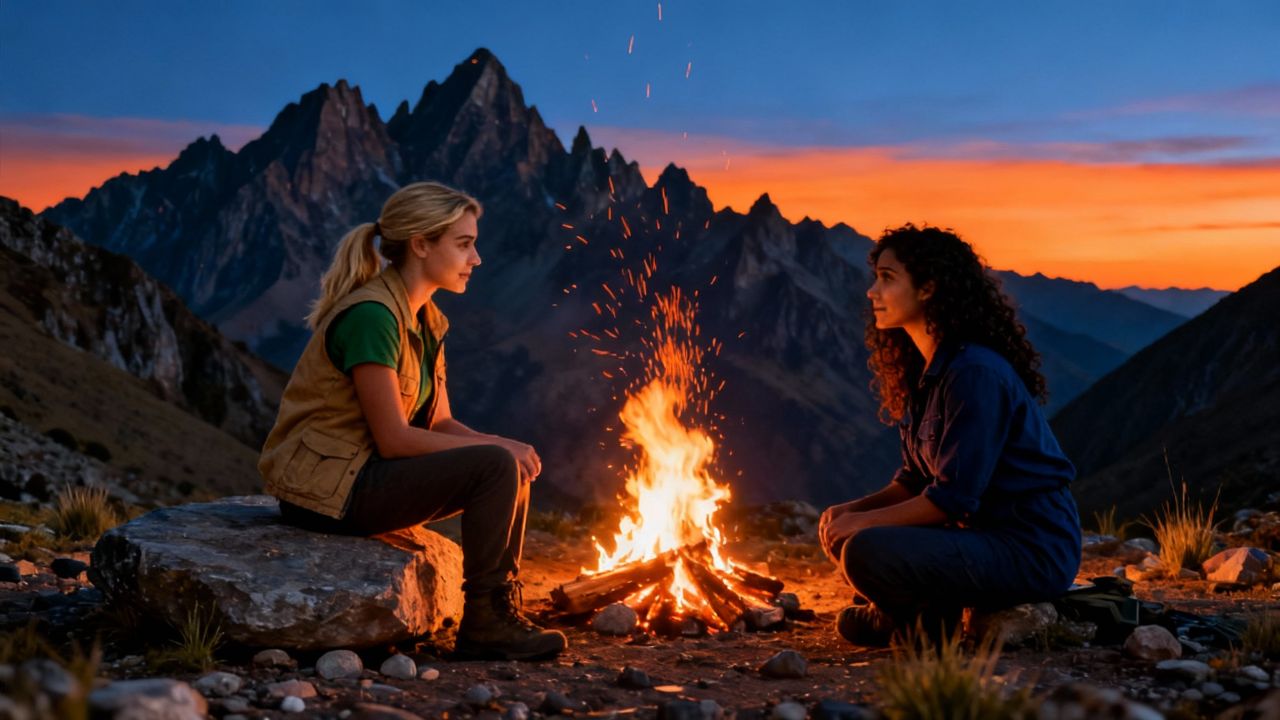
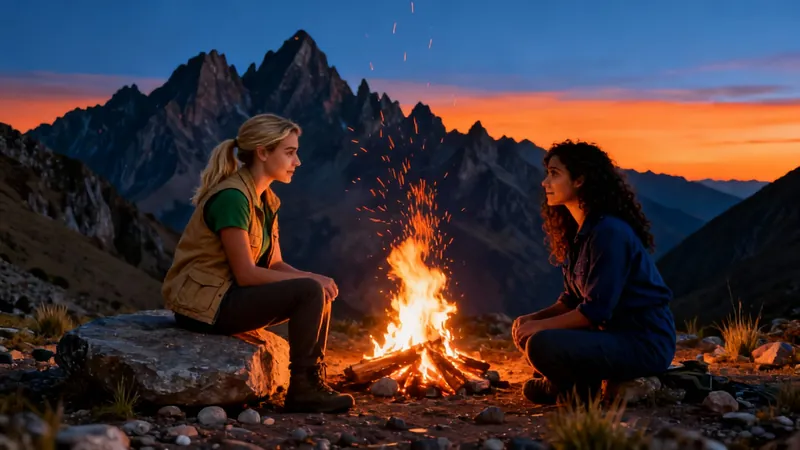
In the autumn of 2015, Clara and Mia met at a volunteer program in Peru. Both were passionate about environmental conservation and soon became close friends, sharing long conversations over campfires and working together to protect local wildlife. The two women found themselves in sync with their shared goals and adventurous spirits. One day, a new volunteer arrived—a charming, witty traveler named Marco who seemed to have endless stories about his travels around the world. Both Clara and Mia found themselves drawn to him. At first, they joked about it, saying they’d “let fate decide.” But as weeks passed, the friendly competition became intense. Clara started inviting Marco on solo hikes, while Mia organized group dinners just to spend more time with him.
Visual FormatAI Video
Visual StyleRealist
FINAL VIDEO

How to Turn Music into Video with AI in 3 Simple Steps

1 Upload Your Music Track

Start by uploading your favorite music file. Our AI accepts most popular audio formats including MP3, WAV, and M4A. The system will analyze your track's rhythm, tempo, and emotional qualities to create a perfectly synchronized visual experience.

2 Choose Your Visual Style

Select your preferred visual style from our options: dynamic stock videos, AI-generated visuals, or moving AI images. Each option creates a unique aesthetic that complements your music. You can also enable the sound wave visualization to add an extra layer of audio-visual harmony.

3 Generate and Customize

Click 'Generate Video' and watch as our AI transforms your music into a captivating visual story. Once complete, use our built-in editor to add personal touches, adjust transitions, or fine-tune the timing. Download your finished video ready for sharing on social media or any platform.

01

AI Movie Trailer Generator — Create Cinematic Trailers from Any Video

Revid's AI movie trailer generator analyzes your footage and automatically assembles a cinematic, high-energy trailer complete with dramatic cuts, music, and pacing that builds tension the right way. Whether you're promoting a short film, a YouTube series, or a brand video, our AI trailer maker produces professional-quality results in minutes no editing experience needed.

02

Text to Movie Trailer AI — From Script to Trailer in Seconds

With Revid's text to movie trailer AI, you don't even need existing footage to create a compelling trailer. Just describe your story, characters, or concept, and our AI generates a fully produced trailer-style video with matching visuals, voiceover, and soundtrack. It's the fastest way to bring a cinematic vision to life before a single frame of real footage is shot.

03

AI Movie Trailer Maker — No Credit Card Required

Revid's AI movie trailer with no credit card needed. Paste your video link or upload your footage, let the AI identify your best moments, and download a finished trailer ready to share anywhere. No watermarks, no complicated settings. It's the most accessible AI trailer generator available today.

04

Pitch Your Film Idea Before You Shoot a Single Frame

One of the most underrated uses of Revid's AI movie trailer maker is concept validation. Generate a cinematic trailer from your script or story idea before any production begins, and use it to pitch your project to collaborators, producers, or an audience you want to build early. A two-minute AI-generated trailer communicates tone, pacing, and visual ambition far more effectively than a written treatment, and it costs nothing but the time it takes to describe your idea. Turn a concept into a convincing cinematic pitch in minutes.

FAQs

Frequently Asked Questions

What exactly does the Music to Video converter do?
Our Music to Video converter transforms your audio tracks into captivating visual experiences. Simply upload your music file, and our AI analyzes the audio patterns, rhythm, and emotional qualities to generate synchronized visuals that complement your music. The result is a professional-quality music video created without any filming or complex editing. It's perfect for musicians, content creators, or anyone looking to give their audio content a visual dimension.
What types of music files can I upload?
Our tool supports all standard audio formats including MP3, WAV, M4A, AAC, FLAC, and OGG files. Whether you're uploading an original composition, a podcast segment, or your favorite track (that you have rights to use), our system can process it. The maximum file size is 100MB, which accommodates most songs and audio clips. For optimal results, we recommend using high-quality audio files with minimal background noise.
How does the AI choose what visuals to display?
Our sophisticated AI analyzes multiple aspects of your music including tempo, rhythm patterns, frequency spectrum, and emotional tone. Based on this analysis, it selects and synchronizes visuals that complement these elements. For example, upbeat sections might trigger more dynamic visuals, while slower passages could feature more subtle movements. You can influence this process by selecting your preferred media type: stock videos for realistic footage, AI-generated visuals for unique content, or moving AI images for artistic interpretations.
What's the difference between the visual style options?
We offer three distinct visual styles to match your creative vision. Stock videos provide high-quality, professionally-shot real-world footage that's matched to your music's mood and tempo. AI-generated videos create unique, sometimes surreal visuals specifically for your track (this option uses 1 additional credit). Moving AI images offer a middle ground - AI-created still images with subtle animations and transitions that flow with your music. Each option creates a different aesthetic, so you can choose what best represents your music's vibe.
What is the sound wave visualization feature?
The sound wave visualization adds a dynamic audio waveform overlay to your video that pulses and moves in perfect sync with your music. This feature creates a stronger connection between what viewers see and hear, enhancing the overall audio-visual experience. It's particularly effective for electronic music, podcasts, or any content where you want to emphasize the audio elements. You can toggle this feature on or off depending on your preference for the final look of your video.
How long does it take to generate a video from my music?
Processing time depends on your music file's length and the visual style you've selected. Typically, a 3-minute song will be transformed into a video within 5-10 minutes. AI-generated visuals may take slightly longer than stock footage options. Once your video is ready, you'll receive a notification, and you can then preview, edit, and download your creation. For longer tracks, please allow additional processing time.
Can I edit the video after it's been generated?
Absolutely! Once your music video is generated, you'll have access to our intuitive built-in editor where you can make various adjustments. You can trim sections, add text overlays, adjust transitions, change visual effects, and fine-tune the synchronization between audio and visuals. The editor is designed to be user-friendly while still offering powerful customization options, ensuring your final video perfectly matches your creative vision.
What aspect ratio will my video have?
By default, your music video will be generated in a 9:16 vertical format, which is ideal for platforms like TikTok, Instagram Reels, and YouTube Shorts. This portrait orientation maximizes screen space on mobile devices where most short-form content is consumed. If you need a different aspect ratio for specific platforms or purposes, you can adjust this in the advanced settings before generating your video.
How many credits does it cost to create a music video?
Creating a basic music video with stock footage or moving AI images costs 1 credit for songs up to 3 minutes, with additional credits for longer tracks. Choosing the AI-generated visuals option requires 1 additional credit due to the intensive processing involved. The exact credit cost will be displayed before you confirm generation, so you'll always know the cost upfront. Check our pricing page for information about credit packages and subscription options.
Can I use copyrighted music with this tool?
While our tool can technically process any audio file you upload, we strongly recommend only using music that you have proper rights to use. This includes your original compositions, royalty-free music, or tracks where you've obtained proper licensing. Using copyrighted music without permission in videos you publish could result in copyright claims or takedowns on platforms like YouTube or Instagram. We're here to help you create amazing videos, but the responsibility for music rights remains with you as the creator.
How is this different from other video creation tools?
Unlike traditional video editors that require you to manually sync visuals to audio, our Music to Video converter uses advanced AI to automatically analyze your music and generate perfectly synchronized visuals. While other tools might offer templates or basic visualizers, our system creates unique, content-aware videos that truly complement your specific audio track. Additionally, our tool offers multiple visual styles and customization options, all within an easy-to-use interface that doesn't require technical expertise or video editing experience.
Can I use the videos I create commercially?
Yes, you can use the videos generated by our tool for commercial purposes, provided you have the appropriate rights to the music you've uploaded. Videos created using stock footage or AI-generated visuals from our platform are yours to use in marketing, social media promotion, or any other commercial application. Just remember that while we provide the visual content and generation technology, you need to ensure you have proper licensing for any audio content you incorporate into your videos.
View Complete Help Center

Find detailed answers to 100+ questions about features, tools, and workflows

or check our markdown version optimized for LLMs

Tools

Free AI Video Tools

Choose your tool, add your content, and create a video in seconds. Then customize it to your liking.

AI TikTok Video Generator

Turn text into trendy, viral TikTok videos in a snap

Try it out

Prompt to Video

Turn your prompts into engaging videos with AI assistance

Try it out

Add Caption to Video

Generate subtitles in 100+ languages with AI captions

Try it out

PDF to Brainrot

Convert PDFs into attention-grabbing, scrollable videos

Try it out

Text to Brainrot

Turn your text into trendy, scrollable content with dynamic visuals

Try it out

AI Talking Avatar

Create lifelike talking avatars from text in seconds

Try it out

Video Podcast Generator

Transform your podcasts into visually engaging video content

Try it out

AI Movie Maker

Create studio-quality videos from text, no filming required

Try it out

Audio to Video

Make engaging videos from your podcasts, interviews, or any audio content

Try it out

Animated Lyrics Video Generator

Turn any song into an animated lyric video with synced text and visuals.

Try it out

AI Music Video Generator

Transform your music into cinematic music videos.

Try it out

AI Lyrics Video Generator

Transform your lyrics into a complete music video with AI

Try it out
See all tools
How it works

Four simple steps to create and share your video

1
Step 1

Find your next viral idea

Lacking inspiration? Our AI spots trends and helps you adapt them for your own videos, hassle-free.

  • Identify the best performing formats
  • Get inspired by top creators
  • Turn your ideas into captivating videos
Find your next viral idea
2
Step 2

Storytelling designed to captivate

Revid.ai analyzes viral videos and uses those same codes to write your scripts.

  • Write your script or just give the topic to our AI
  • The AI will suggest relevant content to inspire you
  • Paste a link, our AI analyzes it and turns it into a video
Storytelling designed to captivate
3
Step 3

Videos you will love

Create professional videos, share them with one click, and grow your audience.

  • Watch your texts turn into professional videos
  • Automate video creation from your content
Videos you will love
4
Step 4

Publish on TikTok, YouTube, Instagram and more

Reach a wider audience by sharing your videos across all your networks.

Publish on TikTok, YouTube, Instagram and more
revid.ai logo

The fastest way to create captivating videos.
