Trusted by 14,000+ creators worldwide

Cinematic Video AI Generator

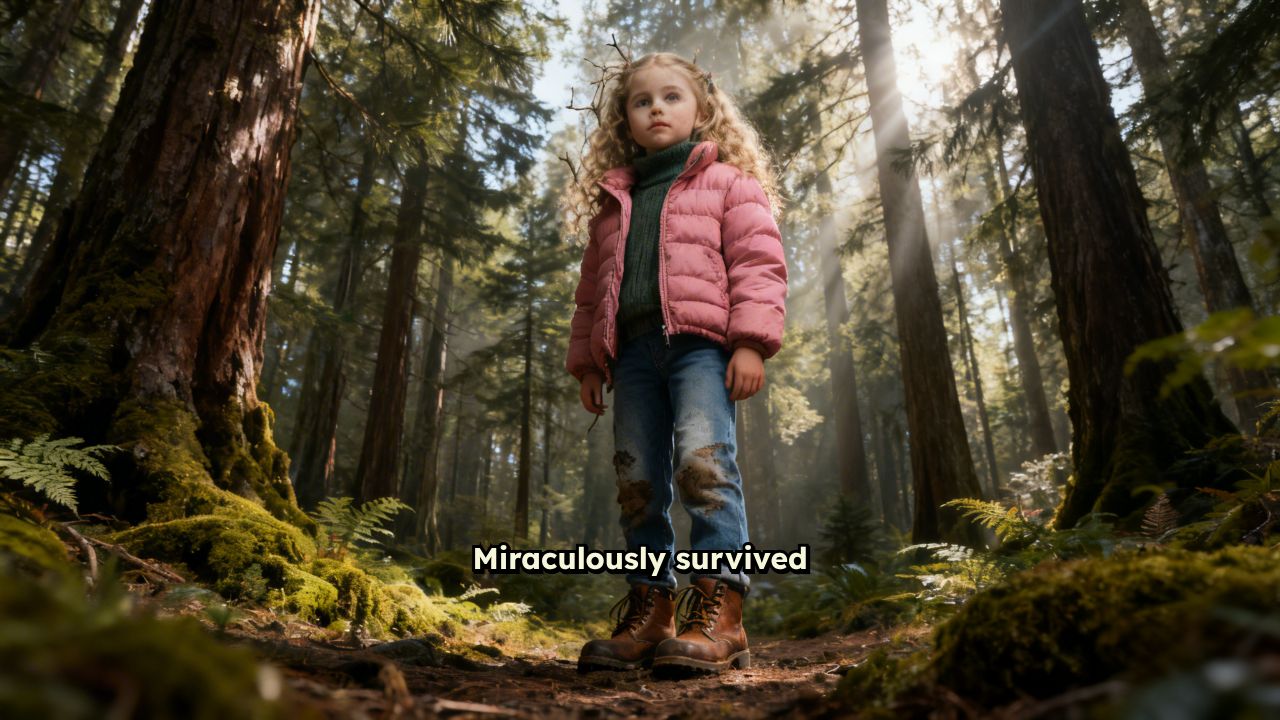
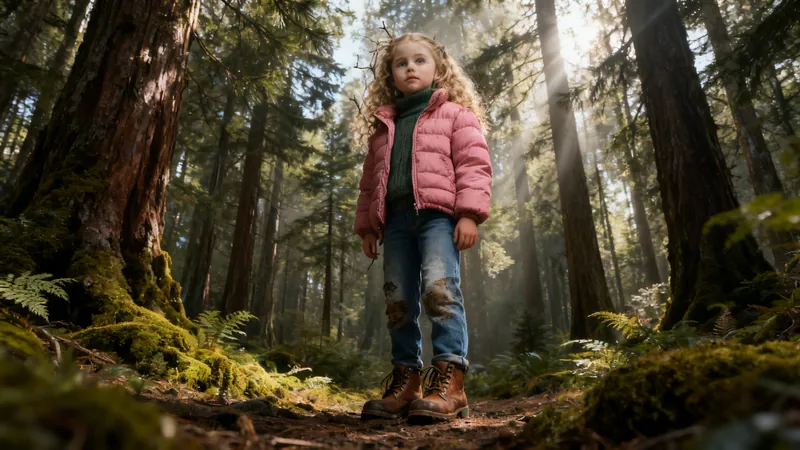
Create a no-caption stunning Cinematic Videos in minutes. Input your story and our AI will create a stunning cinematic video for you in just a few minutes.

  • Start from text in seconds
  • AI voiceover
  • Auto-selects visuals
  • Captions and sound-ready
Video Format
3,071 people used this tool in the last 24h
Start for free.(no credit card required)

or explore our 42+ other tools to create the exact video you want

Explore our tools

Create Stunning AI Cinematic Videos in 4 Simple Steps

1 Write or Paste Your Story

Start by entering the story, scene idea, script, or concept you want to turn into an AI cinematic video. Describe the characters, setting, emotion, and key moments you want to show. Revid AI uses your text to understand the narrative and create a cinematic short film with professional pacing and film-like structure.

2 Choose the Mood and Cinematic Style

Select the visual direction for your cinematic video AI project. You can aim for dark and dramatic, emotional, futuristic, documentary-style, fantasy, action, suspense, golden-hour, or any other cinematic genre. The more specific your mood and style, the better the AI cinematic video generator can create visuals that match your story.

3 Select the Media Type and Voice

Choose how your cinematic scenes should be illustrated: AI video, moving AI images, motion graphics, stock videos, your own media, or static gameplay-style visuals. Revid AI can also generate a voiceover to support the story while keeping the final output clean and cinematic with no captions by default.

4 Generate, Preview, and Refine

Click generate and let Revid AI create your widescreen AI cinematic video in minutes. The tool builds the scenes, adds dramatic pacing, applies cinematic visuals, includes music, and produces a polished short film. After generation, you can preview the result, adjust scenes in the editor, and export your cinematic video for YouTube, websites, ads, presentations, or social media.

01

What Does Cinematic AI Actually Do to Your Videos?

Most videos look flat. Cinematic AI changes that by analyzing your footage and applying professional-grade color grading, dynamic framing, and atmospheric enhancements that make ordinary clips look like they belong on a big screen. Revid's cinematic AI engine doesn't just add a filter; it re-interprets your video through the lens of cinematography principles, adjusting contrast, depth, and tone to match the mood you're going for.

02

Convert Normal Video to Cinematic Video — Instantly

You don't need a cinema camera or a colorist to make your footage look cinematic. Revid's video to cinematic video converter takes any standard clip phone footage, screen recordings, raw b-roll — and transforms it into polished, high-quality video with a single upload. The AI handles color science, lighting correction, and visual depth automatically, turning everyday footage into content that actually stops the scroll.

03

Your Cinematic Video Generator, Powered by AI

Whether you're building a brand reel, a travel montage, or a short film, Revid's cinematic video generator gives your content the visual weight it deserves. Choose your aesthetic dark and moody, golden hour, high contrast, or clean and minimal — and let the AI apply it consistently across every frame. The result is a cinematic video maker that doesn't require you to know anything about post-production.

04

Cinematic Quality on a Short-Form Timeline

The biggest misconception about cinematic video is that it requires long production timelines and expensive equipment to achieve. Revid proves otherwise. Whether you are producing a 15-second Instagram Reel, a 60-second TikTok, or a YouTube Short, the cinematic AI applies the same professional-grade visual treatment regardless of length — dramatic lighting, intentional framing, and atmospheric color grading that makes short content feel substantial. It is the fastest way to make short-form video that looks like it took far longer and cost far more to produce than it actually did.

FAQs

Frequently Asked Questions

What is the AI Cinematic Video Generator?
The AI Cinematic Video Generator is a Revid AI tool that turns your story, script, or creative idea into a polished cinematic video. Instead of filming scenes yourself or using complex editing software, you describe the story and mood, and the AI cinematic video generator creates film-like visuals, dramatic pacing, voiceover, music, and a widescreen cinematic output in minutes.
How does Revid AI create an AI cinematic video from text?
Revid AI analyzes your text, identifies the story structure, visual moments, tone, and emotional beats, then generates or selects cinematic scenes to match your narrative. The cinematic video AI engine can create AI video clips, moving AI images, motion graphics, stock-based scenes, or use your own media depending on the media type you choose. The result is a text to cinematic video workflow that makes short film creation much faster.
What kind of content can I create with this cinematic video AI generator?
You can use the cinematic video AI generator to create short films, visual stories, brand videos, dramatic trailers, concept videos, mood films, YouTube intros, horror scenes, sci-fi stories, fantasy clips, emotional narratives, product story videos, and cinematic social media content. The tool is especially useful when you want an AI cinematic video that feels polished, atmospheric, and more film-like than a standard slideshow or captioned short.
Is this tool made for cinematic videos without captions?
Yes. This AI cinematic video tool is designed to create no-caption cinematic videos by default. The goal is to produce a clean, film-like widescreen video where the attention stays on the visuals, atmosphere, voiceover, and music rather than on large social captions. If you want caption-heavy vertical content, another Revid AI social video tool may be a better fit.
What is the best prompt for an AI cinematic video?
The best prompt for an AI cinematic video describes the story, mood, genre, location, characters, and visual style. For example, you might write: "A lone astronaut walks through a silent alien desert at sunset, cinematic sci-fi mood, slow dramatic pacing, wide shots, mysterious music." Strong prompts help the AI cinematic video generator create more consistent scenes and a stronger short film atmosphere.
Can I choose a cinematic genre or mood?
Yes. You can guide the cinematic video AI by describing the genre and mood you want, such as thriller, sci-fi, fantasy, romance, documentary, noir, action, horror, luxury brand film, travel film, or emotional drama. Mentioning a clear cinematic style helps Revid AI create visuals, pacing, and music that feel aligned with your creative direction.
What media types can I use for my AI cinematic video?
Revid AI supports multiple media types for cinematic video creation. You can generate unique AI video clips, use moving AI images, create motion graphics scenes, use high-quality stock videos, select from your uploaded media, or choose static and gameplay-style visuals. This flexibility makes the tool work as both an AI cinematic video maker and a cinematic video creator for different types of projects.
Does the AI Cinematic Video Generator create widescreen videos?
Yes. This AI cinematic video generator is optimized for a 16:9 widescreen format, which is ideal for cinematic short films, YouTube videos, landing pages, ads, presentations, and film-style storytelling. The widescreen aspect ratio helps the final cinematic video feel more like a movie scene instead of a standard vertical social clip.
Can I use this as an AI short film generator?
Absolutely. Revid AI can be used as an AI short film generator because it turns a written story into a sequence of cinematic scenes with voiceover, music, and visual pacing. It is ideal for creators who want to make short films, concept trailers, fictional scenes, or atmospheric storytelling videos without a camera crew, actors, or advanced editing skills.
Can I create a cinematic video from my own script?
Yes. You can paste your own script directly into the tool and turn it into an AI cinematic video. Revid AI will interpret the narrative, generate matching visuals, and create a cinematic video with film-like pacing. For best results, write in short, clear paragraphs and include visual details such as setting, lighting, camera mood, and emotional tone.
Can I use my own media in the cinematic video?
Yes. If you choose the custom media option, Revid AI can use your uploaded media and select the best visuals for your cinematic video. This is useful if you already have brand footage, product shots, travel clips, gameplay, or personal video assets and want to transform them into a more cinematic AI video.
Does the AI cinematic video include voiceover and music?
Yes. The AI cinematic video generator can create a voiceover for your story and add background music to support the mood. Music is especially important for cinematic videos because it helps create emotion, suspense, tension, or atmosphere. You can use the default audio or adjust the sound direction depending on the type of cinematic short film you want.
How long does it take to generate an AI cinematic video?
Most AI cinematic videos are generated in just a few minutes. The exact time depends on the length of your story, the selected media type, and the complexity of the scenes. AI video generation may take longer than stock footage or motion graphics, but Revid AI is designed to make cinematic video creation much faster than traditional filming and editing.
Do I need video editing experience to use the cinematic video maker?
No. Revid AI is built to be a simple AI cinematic video maker for creators, marketers, founders, agencies, and storytellers who do not want to deal with complex editing timelines. You only need to enter your story, choose the mood and media type, and generate the video. You can still make edits afterward if you want more control.
Can I edit the AI cinematic video after it is generated?
Yes. After your AI cinematic video is generated, you can use Revid AI's built-in editor to refine the result. You can adjust the timing, replace scenes, change media, modify audio, and polish the final cinematic video before exporting it. This gives you the speed of AI generation with the flexibility of manual editing.
What makes this different from a normal AI video generator?
A normal AI video generator often focuses on quick social clips, captions, or simple visuals. Revid AI's Cinematic Video Generator is focused on film-like storytelling, widescreen composition, mood, atmosphere, dramatic pacing, and no-caption presentation. It is designed for creators who want an AI cinematic video that feels closer to a short film, trailer, or visual story.
Can I use AI cinematic videos for commercial projects?
Yes. You can use cinematic videos created with Revid AI for commercial purposes such as brand storytelling, ads, product videos, YouTube content, client work, landing pages, and promotional campaigns. Make sure that any custom media, music, logos, or assets you upload are properly licensed for your intended commercial use.
What are the best use cases for an AI cinematic video?
The best use cases for an AI cinematic video include short films, storytelling videos, cinematic trailers, product launch teasers, brand reels, travel montages, fiction scenes, motivational videos, documentary-style intros, music visuals, and atmospheric YouTube content. If your goal is to make a video feel dramatic, polished, and visually rich, the AI cinematic video generator is a strong fit.
How can I make my cinematic video look more professional?
To make your AI cinematic video look more professional, give the AI a clear story, a specific mood, and visual details. Mention lighting, location, camera style, color palette, and pacing. For example, phrases like "wide cinematic shot," "moody blue lighting," "slow camera movement," "golden hour," or "high contrast film look" help the cinematic video AI create stronger results.
Can I publish my cinematic video on YouTube, TikTok, or Instagram?
Yes. You can export and publish your cinematic video on YouTube, TikTok, Instagram, websites, ads, or any other platform. This specific AI cinematic video tool creates a 16:9 widescreen video, which is especially well suited for YouTube, websites, presentations, and film-style content. For vertical captioned TikToks or Reels, you may want to use one of Revid AI's vertical social video tools.
Who should use the AI Cinematic Video Generator?
The AI Cinematic Video Generator is useful for filmmakers, YouTubers, content creators, marketers, founders, agencies, educators, storytellers, and anyone who wants to create cinematic videos without filming. If you have a story idea and want to turn it into a polished AI cinematic video quickly, Revid AI gives you a simple text-to-video workflow.
View Complete Help Center

Find detailed answers to 100+ questions about features, tools, and workflows

or check our markdown version optimized for LLMs

Tools

Free AI Video Tools

Choose your tool, add your content, and create a video in seconds. Then customize it to your liking.

AI TikTok Video Generator

Turn text into trendy, viral TikTok videos in a snap

Try it out

Prompt to Video

Turn your prompts into engaging videos with AI assistance

Try it out

Add Caption to Video

Generate subtitles in 100+ languages with AI captions

Try it out

PDF to Brainrot

Convert PDFs into attention-grabbing, scrollable videos

Try it out

Text to Brainrot

Turn your text into trendy, scrollable content with dynamic visuals

Try it out

AI Talking Avatar

Create lifelike talking avatars from text in seconds

Try it out

Video Podcast Generator

Transform your podcasts into visually engaging video content

Try it out

AI Movie Maker

Create studio-quality videos from text, no filming required

Try it out

Audio to Video

Make engaging videos from your podcasts, interviews, or any audio content

Try it out

Animated Lyrics Video Generator

Turn any song into an animated lyric video with synced text and visuals.

Try it out

AI Music Video Generator

Transform your music into cinematic music videos.

Try it out

AI Lyrics Video Generator

Transform your lyrics into a complete music video with AI

Try it out
See all tools
How it works

Four simple steps to create and share your video

1
Step 1

Find your next viral idea

Lacking inspiration? Our AI spots trends and helps you adapt them for your own videos, hassle-free.

  • Identify the best performing formats
  • Get inspired by top creators
  • Turn your ideas into captivating videos
Find your next viral idea
2
Step 2

Storytelling designed to captivate

Revid.ai analyzes viral videos and uses those same codes to write your scripts.

  • Write your script or just give the topic to our AI
  • The AI will suggest relevant content to inspire you
  • Paste a link, our AI analyzes it and turns it into a video
Storytelling designed to captivate
3
Step 3

Videos you will love

Create professional videos, share them with one click, and grow your audience.

  • Watch your texts turn into professional videos
  • Automate video creation from your content
Videos you will love
4
Step 4

Publish on TikTok, YouTube, Instagram and more

Reach a wider audience by sharing your videos across all your networks.

Publish on TikTok, YouTube, Instagram and more
revid.ai logo

The fastest way to create captivating videos.