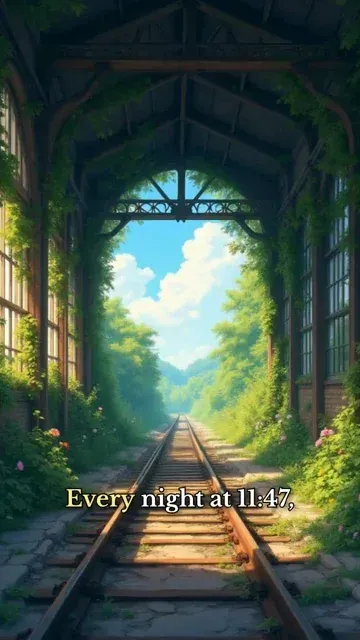
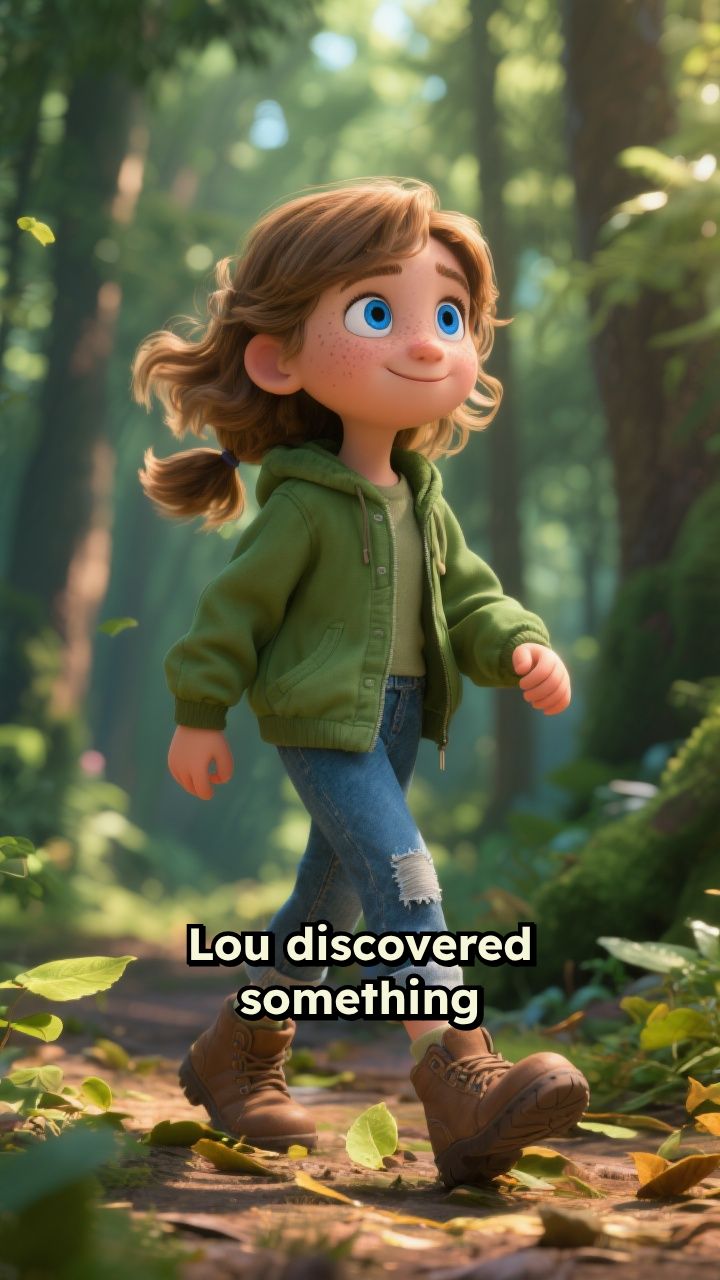
Trusted by 14,000+ creators worldwide

Ghibli Video AI Generator

Create videos like Studio Ghibli thanks to AI. No skills required. Drop your script or let our AI come up with a story. Try for free!

Paste a voiceover script or URL and turn it into a TikTok-ready video with AI voice, captions, and scroll-stopping visuals.

  • Paste text or URL
  • AI voiceover
  • TikTok-ready 9:16
  • Auto captions and visuals

Create Ghibli AI Videos in 4 Simple Steps

1 Paste Your Script or URL

Start your Ghibli AI video by pasting a narration script, short story, article URL, blog post, tweet, or any text you want to turn into a vertical video. You can write an original fantasy scene, a cozy nature story, a slice-of-life narration, or let Revid help transform existing content into a Ghibli-style short video.

2 Choose the Voice and Story Direction

Select a natural AI voice for your Ghibli AI video, or record and upload your own voiceover for a more personal result. Keep the narration as-is or summarize longer content into a short TikTok, YouTube Shorts, or Instagram Reels format. You can also add <break time="0.3s" /> tags to control pauses and pacing.

3 Generate Ghibli-Style Visuals

Revid uses the dedicated Ghibli AI preset to create soft, hand-drawn-inspired visuals with warm colors, cinematic nature scenes, expressive characters, and dreamy anime-style atmosphere. Add directions in [square brackets] to guide specific visuals, such as [a quiet village at sunset], [a girl walking through a forest], or [a floating castle in the clouds].

4 Edit, Download, and Share

Click Generate Video and Revid will create a complete Ghibli AI video with voiceover, captions, music, visuals, and optional sound effects. Once generated, use the built-in editor to adjust captions, timing, scenes, audio, and visuals before downloading your 9:16 video for TikTok, YouTube Shorts, Instagram Reels, or any social platform.

01

Studio Ghibli-Style Videos from Your Script Without Animation Skills

Write your story and Revid generates a complete short video using the dedicated Ghibli AI preset, producing hand-drawn-style visuals that capture the soft lighting, natural settings, and expressive character design associated with Studio Ghibli's visual language. No drawing, animation, or film production is involved. From script to finished video takes minutes, making it practical to produce nature adventure stories, slice-of-life narratives, and dreamy fantasy shorts consistently for the growing audience that seeks out Ghibli-aesthetic content on social media.

02

What the Ghibli AI Preset Generates from Your Story

The Ghibli video generator uses a dedicated visual preset trained on the aesthetic qualities that define the Ghibli style: lush natural environments, warm color palettes, painterly textures, and the kind of quiet, emotive scene composition that makes Ghibli films immediately recognizable. Each scene in your script is rendered with imagery that reflects these qualities rather than generic anime visuals. Natural voiceover is generated and synced automatically alongside a curated soundtrack. Write any story and receive a finished Ghibli-style short without any visual production steps.

03

Ghibli-Style Fan Content That Stands Out in the Anime and Animation Community

The Ghibli aesthetic has one of the most dedicated and visually literate fan communities on TikTok and YouTube Shorts, with strong engagement for original story videos, aesthetic scene compilations, and nature-inspired animation content. Ghibli-style videos stand out in social feeds because the visual style is immediately distinctive and has high emotional resonance with audiences who grew up with the films. Revid makes it practical to produce that content consistently without illustration skills, giving creators a visual quality that would otherwise require years of artistic training.

Target Audience

Who is this tool for?

Studio Ghibli fans and anime content creators

Build a channel around Ghibli-aesthetic short stories and nature narratives on social media without drawing or animation skills limiting what you can produce and publish.

Fantasy and nature storytellers

Write original stories with soft, natural settings and bring them to life in the Ghibli visual style, reaching audiences who love hand-drawn aesthetic and emotional storytelling.

Anime and animation style review channels

Add original Ghibli-style video content to an animation review channel to demonstrate visual styles and create production examples alongside your commentary and analysis.

Creative and animation-inspired brands

Create Ghibli-style visual content for brand campaigns, product launches, and storytelling initiatives that communicate through a warm, trustworthy aesthetic with broad cultural appeal.

Comparison

Revid vs. Manually Producing Ghibli-Style Animation Content

Creating Ghibli-style animated video content manually requires illustration skills, animation software, and hours of frame-by-frame work. Revid generates it automatically from your script using a dedicated visual preset.

Input
Revid Ghibli AI Video GeneratorWrite a script and generate immediately
Other ToolsSketch, ink, color, and animate every frame of the visual story manually
Visual style
Revid Ghibli AI Video GeneratorDedicated Ghibli preset generates the hand-drawn aesthetic automatically
Other ToolsRequires illustration skills to replicate the Ghibli visual language
Voiceover
Revid Ghibli AI Video GeneratorAI narration generated and synced automatically
Other ToolsRequires recording or commissioning voiceover talent
Production time
Revid Ghibli AI Video GeneratorFinished Ghibli-style video in minutes
Other ToolsWeeks of illustration and animation work per finished short
Skill required
Revid Ghibli AI Video GeneratorNo drawing, animation, or design skills needed
Other ToolsProfessional illustration and animation skills required
Content volume
Revid Ghibli AI Video GeneratorGenerate multiple Ghibli-style stories in one session
Other ToolsEach video requires a separate full illustration and production run
Example Videos

See What You Can Create with Ghibli AI Video Generator

Explore different styles and possibilities with our Ghibli AI Video Generator

Pixar-Style Animation Made Simple

Transform any story into stunning Pixar-quality cartoon videos. Our AI creates professional-grade animated content with cinematic visuals, perfect character design, and emotional storytelling that rivals Disney productions.
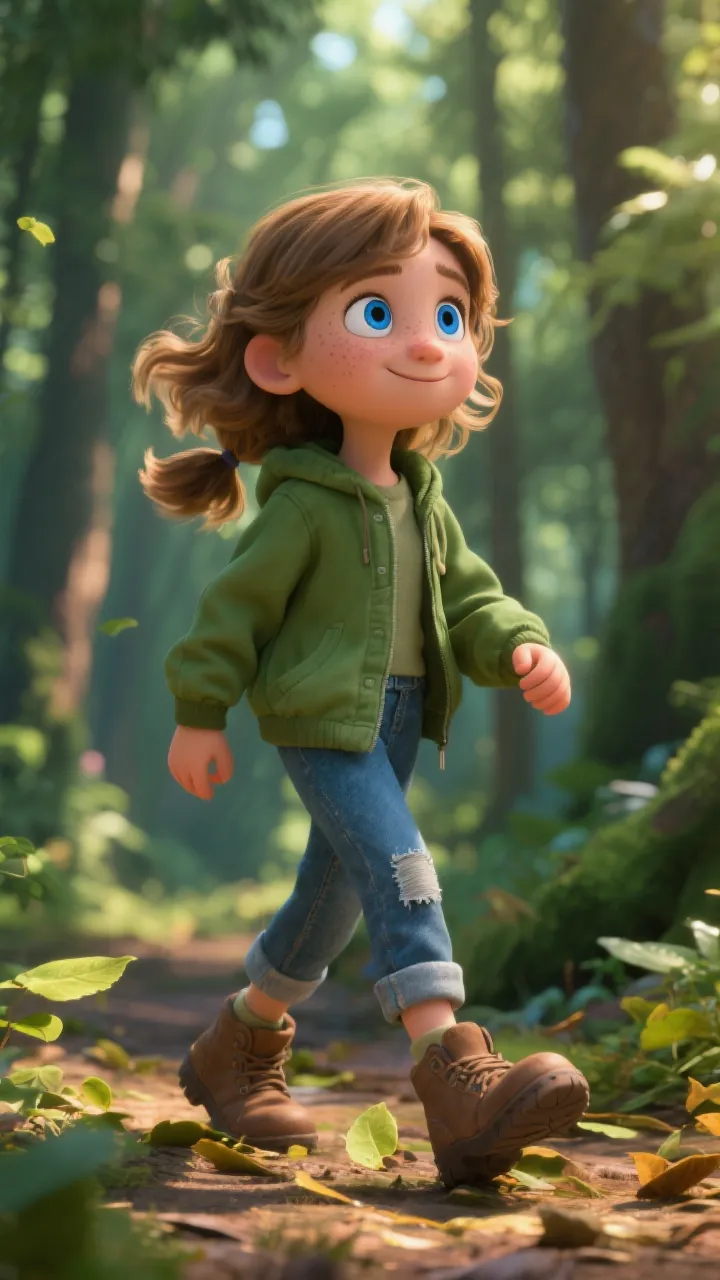
  • Disney Pixar-style 3D animation quality
  • AI-generated characters with emotional depth
  • Professional voice acting and sound design
  • Cinematic camera angles and lighting effects
Pixar-Style Animation Made Simple

Epic Cartoon Adventures

Create sprawling cartoon narratives with rich world-building and character development. Perfect for fantasy stories, adventures, and immersive storytelling that captivates audiences from start to finish.
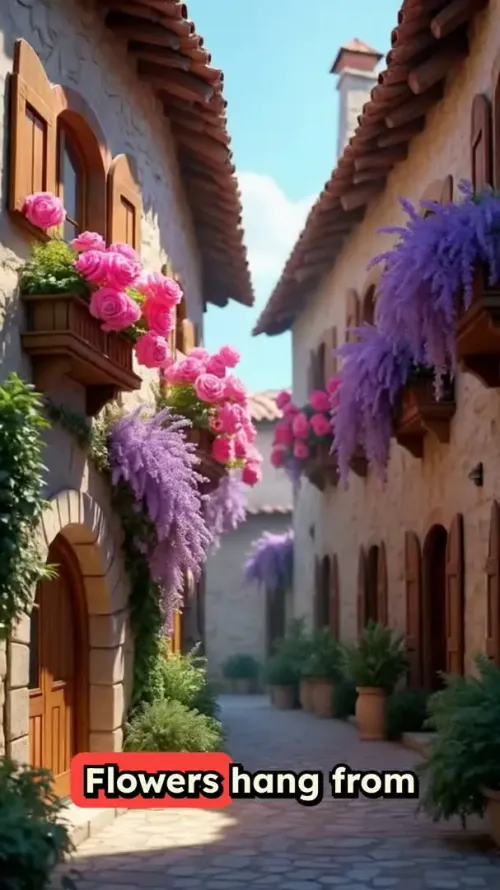
  • Epic fantasy and adventure cartoon creation
  • Rich world-building with detailed environments
  • Complex character arcs and development
  • Seamless scene transitions and pacing
Epic Cartoon Adventures

Heartwarming Cartoon Stories

Bring emotional, character-driven stories to life with beautiful cartoon animation. Perfect for touching narratives, friendship tales, and stories that connect with viewers on a deep emotional level.
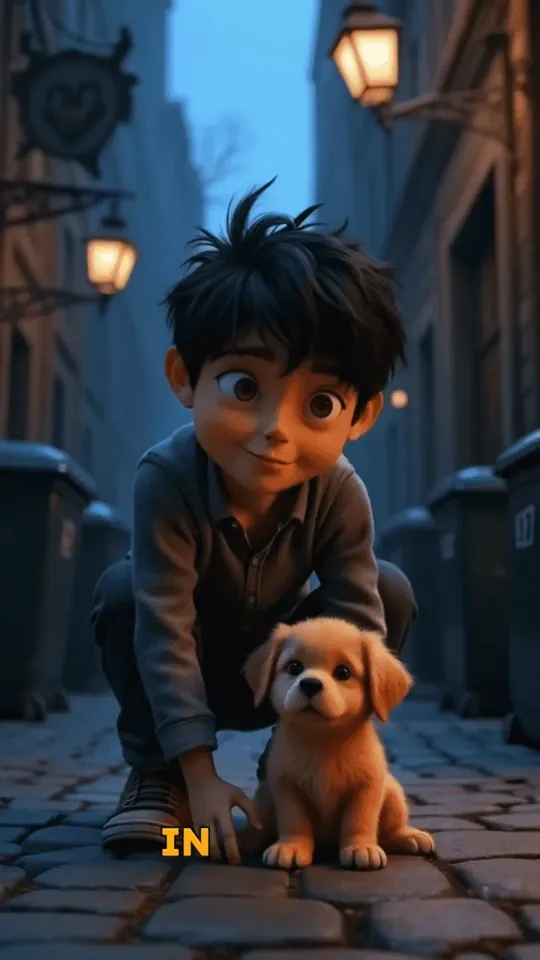
  • Emotional storytelling with cartoon characters
  • Beautiful hand-drawn animation aesthetic
  • Perfect for family-friendly content
  • Optimized for social media engagement
Heartwarming Cartoon Stories
FAQs

Frequently Asked Questions

What is the Ghibli AI Video Generator?
The Ghibli AI Video Generator is a Revid tool that turns a script, story, text, or URL into a short Ghibli-style video using AI. It creates vertical videos with AI voiceover, auto captions, cinematic visuals, music, and optional sound effects. The Ghibli AI preset is designed for creators who want warm, hand-drawn-inspired, anime-style videos for TikTok, YouTube Shorts, and Instagram Reels without needing animation or editing skills.
How do I create a Ghibli AI video with Revid?
To create a Ghibli AI video, paste your script or URL into the tool, choose an AI voice or upload your own narration, select the preferred media type, and click Generate Video. Revid automatically turns your text into a Ghibli-style short video with narration, visuals, captions, background music, and a vertical 9:16 format ready for social media.
Can I generate a Studio Ghibli-style video from only text?
Yes. You can create a Studio Ghibli-style video from text alone. Write a narration script, short story, scene description, or educational explanation, and Revid will generate the video around your words. The Ghibli AI Video Generator works especially well for fantasy stories, cozy nature scenes, emotional narration, slice-of-life content, and anime-inspired storytelling.
Can I paste a URL instead of writing a script?
Yes. The Ghibli AI tool can use a URL as the starting point for your video. You can paste a blog post, article, tweet, LinkedIn post, or other supported web content, and Revid can help transform it into a short narrated Ghibli-style video. This is useful for repurposing written content into TikToks, Reels, and YouTube Shorts.
What kind of visuals does the Ghibli AI preset create?
The Ghibli AI preset creates soft, painterly, anime-inspired visuals with warm lighting, lush nature, peaceful villages, expressive characters, cozy interiors, magical landscapes, and cinematic atmosphere. The goal of the Ghibli AI Video Generator is to help you create original short videos with a recognizable Ghibli-style aesthetic while keeping the workflow simple and fast.
Is this an official Studio Ghibli tool?
No. Revid is not affiliated with, endorsed by, or connected to Studio Ghibli. The Ghibli AI Video Generator is an independent creative tool that helps users produce original videos inspired by the broader cozy, hand-drawn, fantasy anime aesthetic that many people associate with Ghibli-style visuals. You should use the tool to create original stories and avoid copying protected characters, scenes, or film content.
Can I guide the AI visuals in my Ghibli-style video?
Yes. You can guide the Ghibli AI visuals by adding visual instructions inside square brackets in your script. For example, write [a young traveler crossing a flower field at golden hour] or [a small cottage in a rainy forest]. The bracketed text helps Revid choose or generate matching visuals, but it will not be spoken in the voiceover or shown as captions.
What content works best with the Ghibli AI Video Generator?
The Ghibli AI Video Generator works best with single-speaker narration, short stories, poetic scripts, fantasy scenes, cozy storytelling, nature narration, inspirational content, anime commentary, and emotional voiceover videos. It is ideal for creators who want a Ghibli-style TikTok, Ghibli-style Reel, or Ghibli-style YouTube Short with strong visual atmosphere and simple narration.
Can I use my own voice in a Ghibli AI video?
Yes. You can use an AI voice, record your own voice directly, or upload a pre-recorded voiceover file. Many creators use AI narration for speed, while others prefer their own voice to make the Ghibli AI video feel more personal. Revid will sync the voiceover with captions, visual scenes, music, and timing automatically.
What media types can I use for a Ghibli AI video?
Revid supports several media types for Ghibli AI videos, including AI video, moving AI images, motion graphics, stock videos, your own uploaded media, and static or gameplay-style backgrounds. For the most cinematic Ghibli-style result, moving AI images or AI video are usually the best options because they create a soft animated feeling while keeping the production process fast.
Can I add captions to my Ghibli-style video?
Yes. Revid automatically adds captions to your Ghibli-style video, which is important for TikTok, YouTube Shorts, and Instagram Reels where many viewers watch without sound. After generation, you can edit captions, adjust timing, change styles, and refine the final video in the built-in editor.
Can I create TikTok videos and Instagram Reels with the Ghibli AI tool?
Yes. The Ghibli AI Video Generator is optimized for short social videos in a vertical 9:16 format. You can use it to create Ghibli-style TikTok videos, Instagram Reels, YouTube Shorts, Snapchat videos, and other mobile-first content. The tool automatically combines narration, visuals, captions, and music into a format designed for social media engagement.
How long does it take to generate a Ghibli AI video?
Most Ghibli AI videos are generated in a few minutes, depending on the length of your script, the media type selected, and the complexity of the visuals. Short scripts for TikTok, Reels, and Shorts usually process quickly. Once your video is ready, you can open it in the editor, make changes, and download the final result.
Can I edit my Ghibli AI video after it is generated?
Yes. Every Ghibli AI video created with Revid can be edited after generation. You can adjust scene timing, captions, music, voiceover volume, visual choices, transitions, and other details. This lets you start with an AI-generated Ghibli-style video and then polish it until it matches your creative direction.
Can I create a series of Ghibli-style videos?
Yes. The Ghibli AI Video Generator is well suited for creating a series of short videos because you can reuse a consistent tone, visual style, voice, and story format. Creators use it for fantasy story episodes, cozy worldbuilding, anime-style narration series, relaxing nature shorts, and recurring Ghibli-style social content.
Can I use the Ghibli AI Video Generator for commercial content?
You can use videos generated with Revid for commercial projects as long as your content follows Revid's terms and you have the necessary rights for anything you upload, such as music, images, scripts, or brand assets. For commercial Ghibli-style videos, we recommend creating original characters, original stories, and original scenes rather than copying existing films or copyrighted characters.
How much does the Ghibli AI Video Generator cost?
The cost of generating a Ghibli AI video depends on your Revid plan, your available credits, your script length, and the generation options you choose. Some media types or enhanced features may use more credits than others. Before generating, Revid shows the estimated credit usage so you know what your Ghibli AI video will cost.
How can I get better results from the Ghibli AI Video Generator?
For better Ghibli AI results, write clear narration with short sentences, use line breaks to separate scenes, add [bracketed visual directions], and keep your story focused on atmosphere, emotion, and visual moments. Prompts involving nature, quiet towns, magical travel, childhood wonder, warm light, rain, forests, fields, and cozy interiors often work especially well for a Ghibli-style video.
What is the difference between Ghibli AI and a normal anime video generator?
A normal anime video generator may produce broad anime visuals, while Revid's Ghibli AI Video Generator focuses on a softer, more cinematic, hand-drawn-inspired look with warm colors, natural environments, emotional pacing, and storybook atmosphere. It is designed for creators who specifically want Ghibli-style short videos rather than generic anime clips.
I have another question about the Ghibli AI Video Generator. How can I get help?
If you have another question about creating a Ghibli AI video, using Revid, choosing the right media type, editing captions, managing credits, or improving your prompts, you can contact the Revid support team at hello@revid.ai. We will help you get the best possible result from the Ghibli AI Video Generator.
View Complete Help Center

Find detailed answers to 100+ questions about features, tools, and workflows

or check our markdown version optimized for LLMs

Tools

Free AI Video Tools

Choose your tool, add your content, and create a video in seconds. Then customize it to your liking.

AI TikTok Video Generator

Turn text into trendy, viral TikTok videos in a snap

Try it out

Prompt to Video

Turn your prompts into engaging videos with AI assistance

Try it out

Add Caption to Video

Generate subtitles in 100+ languages with AI captions

Try it out

PDF to Brainrot

Convert PDFs into attention-grabbing, scrollable videos

Try it out

Text to Brainrot

Turn your text into trendy, scrollable content with dynamic visuals

Try it out

AI Talking Avatar

Create lifelike talking avatars from text in seconds

Try it out

Video Podcast Generator

Transform your podcasts into visually engaging video content

Try it out

AI Movie Maker

Create studio-quality videos from text, no filming required

Try it out

Audio to Video

Make engaging videos from your podcasts, interviews, or any audio content

Try it out

Animated Lyrics Video Generator

Turn any song into an animated lyric video with synced text and visuals.

Try it out

AI Music Video Generator

Transform your music into cinematic music videos.

Try it out

AI Lyrics Video Generator

Transform your lyrics into a complete music video with AI

Try it out
See all tools
How it works

Four simple steps to create and share your video

1
Step 1

Find your next viral idea

Lacking inspiration? Our AI spots trends and helps you adapt them for your own videos, hassle-free.

  • Identify the best performing formats
  • Get inspired by top creators
  • Turn your ideas into captivating videos
Find your next viral idea
2
Step 2

Storytelling designed to captivate

Revid.ai analyzes viral videos and uses those same codes to write your scripts.

  • Write your script or just give the topic to our AI
  • The AI will suggest relevant content to inspire you
  • Paste a link, our AI analyzes it and turns it into a video
Storytelling designed to captivate
3
Step 3

Videos you will love

Create professional videos, share them with one click, and grow your audience.

  • Watch your texts turn into professional videos
  • Automate video creation from your content
Videos you will love
4
Step 4

Publish on TikTok, YouTube, Instagram and more

Reach a wider audience by sharing your videos across all your networks.

Publish on TikTok, YouTube, Instagram and more
revid.ai logo

The fastest way to create captivating videos.