Trusted by 14,000+ creators worldwide

Star Wars Video AI Generator

Create a short Star Wars video with AI media generation. Just drop your script and let Revid AI handle the rest.

Paste a voiceover script or URL and turn it into a TikTok-ready video with AI voice, captions, and scroll-stopping visuals.

  • Paste text or URL
  • AI voiceover
  • TikTok-ready 9:16
  • Auto captions and visuals
Video Format
1,410 people used this tool in the last 24h
Start for free.(no credit card required)

or explore our 42+ other tools to create the exact video you want

Explore our tools

Create Star Wars Videos with AI in 4 Simple Steps

1 Paste Your Star Wars Script or URL

Start by entering the narration for your Star Wars-inspired video exactly as you want it spoken, or paste a URL to turn an article, post, or idea into a short-form script. Revid AI works best with a single-speaker voiceover for lore videos, fan theories, character breakdowns, timeline explanations, and cinematic sci-fi storytelling.

2 Choose Your AI Voice and Video Style

Select a natural AI voice for your narration, or use your own recorded voice if you want a more personal fan-channel style. Then choose the media type for your Star Wars video, such as AI video, moving AI images, motion graphics, stock footage, static gameplay-style visuals, or your own uploaded media.

3 Guide the Galactic Visuals

Use bracketed visual directions like [desert planet at sunset], [masked dark warrior], or [space battle above a moon] to guide the AI visuals without adding those words to the narration. You can also add pause tags like <break time="0.3s" /> to improve pacing and make your Star Wars AI video feel more cinematic.

4 Generate, Edit, and Publish

Click generate and Revid AI creates a TikTok-ready 9:16 Star Wars video with AI voiceover, captions, visuals, music, and optional sound effects in minutes. After generation, you can refine subtitles, timing, clips, and audio in the built-in editor before posting to TikTok, YouTube Shorts, Instagram Reels, or your fan channel.

01

Cinematic Space Opera Content Without a Film Studio or Special Effects Budget

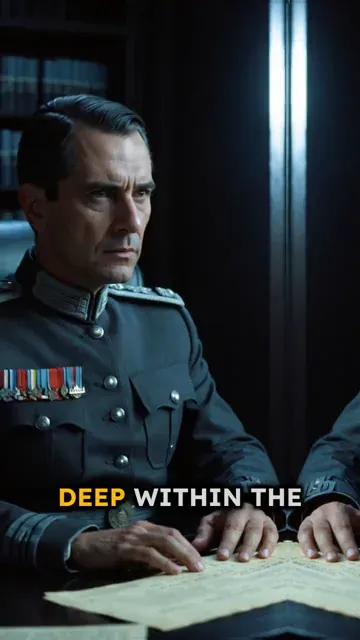
Write your Star Wars-inspired script and Revid generates a complete short video with AI-rendered galactic visuals, natural voiceover, and a cinematic presentation. The AI image preset produces dramatic sci-fi compositions that capture the visual scale of space battles, alien worlds, and lightsaber duels as described in your script. No filming, CGI work, or editing is required. The full production process from script to finished video takes minutes, making it practical to produce lore breakdowns, character analyses, and fan story videos consistently.

02

What the AI Generates from Your Star Wars Script

The Star Wars video generator renders each scene of your script with visuals matched to your described settings, characters, and action. The AI selects imagery that fits the tone of your narrative, whether you are writing about the Rebellion, the Sith, the Outer Rim, or any original storyline set in the galaxy. Natural AI voiceover is added and synced to the visuals automatically, along with a soundtrack that fits the pacing and mood of your content. No technical skills are needed to produce the final result.

03

Star Wars Fan Content That Reaches the Fandom on Every Platform

The Star Wars fandom is one of the most active and consistent audiences on short-form video platforms. Lore explanations, character origin breakdowns, timeline theory videos, and battle analyses all perform strongly on TikTok and YouTube Shorts. This content category rewards channels that post regularly with strong subscriber growth and high replay rates. Revid makes it straightforward to build and maintain that posting schedule without a full production workflow. Write the script, generate the video, and publish without any intermediate editing steps.

Target Audience

Who is this tool for?

Star Wars fan content creators

Build a dedicated channel around Star Wars lore, character stories, and fan theories without needing film equipment or video editing skills to produce each video.

Sci-fi and space storytellers

Bring original Star Wars universe stories, alternate timelines, and expanded lore narratives to life as short videos without writing a film script or hiring a production team.

Gaming and lore analysis channels

Add Star Wars video content to a gaming or entertainment channel to capture the large crossover audience that follows both video games and the Star Wars franchise simultaneously.

Entertainment and events marketers

Create themed video content around Star Wars release dates, anniversaries, and fan conventions that connects with an existing audience during high-engagement cultural moments.

Comparison

Revid vs. Manual Star Wars Fan Video Creation

Fan-made Star Wars content typically requires sourcing visuals, recording voiceover, and editing everything together. Revid generates the complete video from your script in minutes.

Input
Revid Create Star Wars VideosWrite a script and generate immediately
Other ToolsSource visuals, record audio, and edit each component separately
Visual style
Revid Create Star Wars VideosAI preset generates cinematic sci-fi imagery from your script
Other ToolsLimited to available stock footage and licensed visuals
Voiceover
Revid Create Star Wars VideosAI narration generated and synced automatically
Other ToolsRequires recording or commissioning voiceover work
Music
Revid Create Star Wars VideosSoundtrack matched to scene pacing automatically
Other ToolsMusic licensing and manual sync required
Production time
Revid Create Star Wars VideosComplete video ready in minutes
Other ToolsHours of sourcing, recording, and editing per video
Content volume
Revid Create Star Wars VideosGenerate multiple lore and story videos in one session
Other ToolsEach video requires a separate full production workflow
FAQs

Frequently Asked Questions

What is the Star Wars AI Video Generator?
The Star Wars AI Video Generator is a Revid AI tool that helps you create Star Wars videos from a script, text prompt, article, or URL. It turns your narration into a short-form vertical video with AI voiceover, cinematic sci-fi visuals, captions, music, and optional sound effects. It is ideal for creating Star Wars-inspired lore videos, fan theories, character analyses, timeline breakdowns, and galaxy-themed social media shorts.
How do I create a Star Wars video with Revid AI?
To create a Star Wars video, paste your script or URL into the tool, choose an AI voice, select your preferred media type, and click generate. Revid AI will automatically create the voiceover, match visuals to your script, add captions, and deliver a vertical video designed for TikTok, YouTube Shorts, and Instagram Reels.
Can I create Star Wars videos for TikTok and YouTube Shorts?
Yes. This tool is built for short-form platforms, so every generated Star Wars video is optimized for a 9:16 vertical format. You can use it to make Star Wars TikTok videos, Star Wars YouTube Shorts, Instagram Reels, fan theory clips, lore explainers, and cinematic sci-fi videos that are easy to watch on mobile.
What type of Star Wars content works best with this AI video generator?
The Star Wars AI video generator works best with single-speaker narration. Great formats include Star Wars lore explanations, Sith and Jedi history, character origin videos, fan theories, alternate timelines, battle breakdowns, planet descriptions, faction summaries, and short cinematic stories inspired by a galaxy far away.
Can I paste a URL instead of writing a full script?
Yes. You can paste a URL from an article, blog post, social post, or source text, and Revid AI can help turn it into a short Star Wars-inspired video. This is useful if you want to repurpose existing content into a Star Wars TikTok video, YouTube Short, or Reel without manually rewriting everything from scratch.
How can I control the visuals in my Star Wars AI video?
You can guide the visuals by adding instructions inside square brackets in your script. For example, you can write [starship flying through an asteroid field], [ancient temple on a jungle moon], or [red lightsaber duel in the rain]. These bracketed directions help Revid AI generate or select visuals for your Star Wars video, but they are not spoken by the voiceover.
What media styles can I use for a Star Wars video?
You can create a Star Wars video using several media styles, including AI video, moving AI images, motion graphics, stock videos, static or gameplay-style footage, and your own uploaded media. This lets you choose whether your Star Wars AI video should feel cinematic, animated, informative, aesthetic, or fast-paced for social media.
Does the tool generate voiceover for my Star Wars video?
Yes. Revid AI can generate a natural AI voiceover from your script and sync it with the visuals and captions automatically. You can use an AI narrator for lore and explanation videos, or upload or record your own voice if you want your Star Wars fan videos to match your personal channel style.
Can I add captions to my Star Wars TikTok video?
Yes. Captions are generated automatically for your Star Wars video, making it easier to watch without sound and more engaging on TikTok, YouTube Shorts, and Instagram Reels. After the video is generated, you can edit the captions, adjust timing, and customize the look in the Revid AI editor.
Can I add music and sound effects to make the video more cinematic?
Yes. Revid AI can add background music and optional sound effects to help your Star Wars-inspired video feel more dramatic and cinematic. You can use the default soundtrack, choose another audio style, or upload your own music if you have the rights to use it.
Is this tool good for Star Wars lore and fan theory channels?
Yes. The Star Wars AI Video Generator is especially useful for lore channels and fan theory creators because it helps you produce videos consistently. You can create Star Wars videos about characters, timelines, factions, planets, battles, hidden details, or alternate storylines without manually editing every scene.
Can I use this to create original sci-fi stories inspired by Star Wars?
Yes. You can use Revid AI to create original space opera and sci-fi videos inspired by the tone of Star Wars, including alien planets, interstellar conflicts, ancient orders, starship battles, and heroic journeys. For best results, write a single-speaker narration rather than a complex multi-character screenplay.
Does this tool create official Star Wars content?
No. Revid AI is not affiliated with, endorsed by, or officially connected to Disney, Lucasfilm, or the Star Wars franchise. The tool is designed to help creators make Star Wars-inspired fan videos, commentary, lore discussions, and original sci-fi-style content. Make sure your final video follows platform rules, copyright law, and any applicable fan content guidelines.
Can I use uploaded images, clips, or gameplay in my Star Wars video?
Yes. If you choose the custom media option, Revid AI can use your uploaded media and select the best moments to illustrate your script. This is helpful if you already have licensed footage, gameplay clips, convention footage, fan art, or original assets that you want included in your Star Wars video.
How long should my Star Wars video script be?
For TikTok, YouTube Shorts, and Instagram Reels, shorter scripts usually perform best. A 20 to 60 second Star Wars video is ideal for quick lore facts, fan theories, and character breakdowns, while 60 to 90 seconds can work well for deeper explanations. Revid AI supports longer inputs, but concise scripts are usually more engaging for short-form video.
How long does it take to generate a Star Wars AI video?
Most Star Wars AI videos are generated in a few minutes, depending on the script length, media type, visual complexity, and selected options. Once the video is ready, you can review it, edit it in Revid AI, download it, and publish it to TikTok, YouTube Shorts, or Instagram Reels.
Can I edit the Star Wars video after it is generated?
Yes. After Revid AI generates your Star Wars video, you can open it in the built-in editor to adjust captions, change timing, trim scenes, swap visuals, edit audio, or refine the final cut. This gives you the speed of AI generation with the flexibility to polish the video before publishing.
Can I make a series of Star Wars videos with this tool?
Yes. Revid AI is a strong fit for creating a recurring Star Wars video series. You can generate multiple episodes about lore, characters, factions, planets, battles, or fan theories in one workflow, helping you maintain a consistent posting schedule across TikTok, YouTube Shorts, and Instagram Reels.
What is the best way to write prompts for a Star Wars AI video?
For the best Star Wars AI video results, write a clear narration script with short sentences, strong pacing, and specific visual cues in brackets. For example: "The temple had been silent for a thousand years. [ancient stone temple under twin moons] But one hidden signal changed everything." This gives the AI both strong narration and clear visual direction.
Can I use the generated Star Wars video commercially?
You can use videos created with Revid AI according to your plan and our terms, but you are responsible for ensuring that your script, uploaded media, music, images, names, and references are properly licensed and legally usable. If your video references Star Wars, make sure your use is appropriate for commentary, fan content, parody, education, or another permitted context.
View Complete Help Center

Find detailed answers to 100+ questions about features, tools, and workflows

or check our markdown version optimized for LLMs

Tools

Free AI Video Tools

Choose your tool, add your content, and create a video in seconds. Then customize it to your liking.

AI TikTok Video Generator

Turn text into trendy, viral TikTok videos in a snap

Try it out

Prompt to Video

Turn your prompts into engaging videos with AI assistance

Try it out

Add Caption to Video

Generate subtitles in 100+ languages with AI captions

Try it out

PDF to Brainrot

Convert PDFs into attention-grabbing, scrollable videos

Try it out

Text to Brainrot

Turn your text into trendy, scrollable content with dynamic visuals

Try it out

AI Talking Avatar

Create lifelike talking avatars from text in seconds

Try it out

Video Podcast Generator

Transform your podcasts into visually engaging video content

Try it out

AI Movie Maker

Create studio-quality videos from text, no filming required

Try it out

Audio to Video

Make engaging videos from your podcasts, interviews, or any audio content

Try it out

Animated Lyrics Video Generator

Turn any song into an animated lyric video with synced text and visuals.

Try it out

AI Music Video Generator

Transform your music into cinematic music videos.

Try it out

AI Lyrics Video Generator

Transform your lyrics into a complete music video with AI

Try it out
See all tools
How it works

Four simple steps to create and share your video

1
Step 1

Find your next viral idea

Lacking inspiration? Our AI spots trends and helps you adapt them for your own videos, hassle-free.

  • Identify the best performing formats
  • Get inspired by top creators
  • Turn your ideas into captivating videos
Find your next viral idea
2
Step 2

Storytelling designed to captivate

Revid.ai analyzes viral videos and uses those same codes to write your scripts.

  • Write your script or just give the topic to our AI
  • The AI will suggest relevant content to inspire you
  • Paste a link, our AI analyzes it and turns it into a video
Storytelling designed to captivate
3
Step 3

Videos you will love

Create professional videos, share them with one click, and grow your audience.

  • Watch your texts turn into professional videos
  • Automate video creation from your content
Videos you will love
4
Step 4

Publish on TikTok, YouTube, Instagram and more

Reach a wider audience by sharing your videos across all your networks.

Publish on TikTok, YouTube, Instagram and more
revid.ai logo

The fastest way to create captivating videos.
