Trusted by 14,000+ creators worldwide

Quiz Video AI Generator

Create a dynamic video quiz that challenge viewers to answer questions.

  • Start from text in seconds
  • AI voiceover
  • Auto-selects visuals
  • Captions and sound-ready

Create an Engaging AI Quiz Video in 4 Simple Steps

1 Enter Your Quiz Topic or Question

Start by writing your quiz question, quiz topic, trivia idea, or educational prompt. Revid's AI quiz video generator can help turn a simple idea into a complete video quiz with questions, answers, pacing, and answer reveals designed for short-form platforms.

2 Choose Your Quiz Video Style

Select the type of media you want to use for your quiz video. Choose moving AI images for fast, visually engaging quiz content, or use AI video to generate unique animated clips. Revid formats your video quiz for vertical social media by default, making it ideal for TikTok, YouTube Shorts, and Instagram Reels.

3 Select Voice, Visuals, and Audio

Pick an AI voice for narration, keep the default background music, or customize the audio to match your brand. The AI quiz video maker automatically creates on-screen quiz text, answer choices, visual scenes, and timing so viewers have time to think before the answer is revealed.

4 Generate, Edit, and Share

Click generate and Revid will create your AI quiz video in minutes. Once the video is ready, you can use the built-in editor to adjust captions, replace visuals, tweak timing, change music, or refine the final result before downloading and posting your quiz video online.

01

The AI Quiz Video Generator Built for Social Media

Revid's AI quiz video generator turns any topic into an engaging, interactive-style quiz video optimized for TikTok, YouTube Shorts, and Instagram Reels. Type your subject, choose your format, and the AI writes the questions, generates the visuals, and packages everything into a scroll-stopping short-form video that drives comments, shares, and saves. It is one of the most effective content formats on social media right now, and Revid makes it effortless to produce at scale.

02

How to Make a Quiz Video with AI in Minutes

Creating a quiz video with Revid takes three steps. Enter your topic or paste a script, select a visual style and voiceover, and generate. The AI handles question pacing, answer reveals, and on-screen text formatting automatically, producing a finished quiz video that feels polished and intentional. Whether you are making trivia content, personality quizzes, or educational question videos, Revid's quiz video maker ai delivers a ready-to-post result every time.

03

AI Quiz Video Generator, No Editing Skills Required

Revid's AI quiz video generator gives creators, educators, and marketers a simple way to produce high-performing quiz content without touching a video editor. Generate quiz videos for TikTok, build a YouTube Shorts series around weekly trivia, or create branded quiz content for your audience, all from a single prompt. Try it with no credit card required and see how quickly a great quiz video comes together when AI handles the production.

04

Why Quiz Videos Drive More Engagement Than Any Other Format

Quiz content works on a psychological level that passive video formats cannot replicate. When a viewer sees a question on screen, their brain automatically engages with it, forming an answer before the reveal. That moment of anticipation, confirmation, or surprise is what drives comments, shares, and repeat views at rates that straight informational or entertainment content rarely achieves. Revid's quiz video generator is built around this dynamic, giving you control over question pacing, countdown timing, and answer reveals so every video is structured to maximize the engagement response from the first question to the last.

Example Videos

See What You Can Create with Create Video Quiz

Explore different styles and possibilities with our Create Video Quiz

Video Quiz Generator for Education

Create engaging video quizzes that challenge and educate your audience with our video quiz generator. Transform questions into interactive video content with dynamic visuals and engaging quiz formats perfect for educational content.
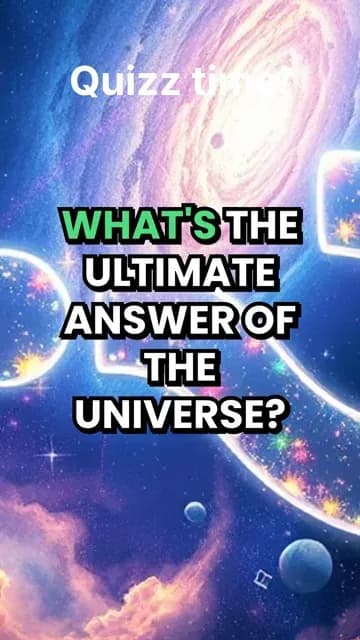
  • Interactive video quiz creation technology
  • Educational content with engaging visuals
  • Dynamic quiz formats for maximum engagement
  • Perfect for teachers and content creators
Video Quiz Generator for Education

AI Quiz Video Creation for Social Media

Generate viral quiz videos for social media platforms with our AI quiz generator. Create entertaining quiz content with professional presentation, engaging questions, and shareable format that drives audience interaction.
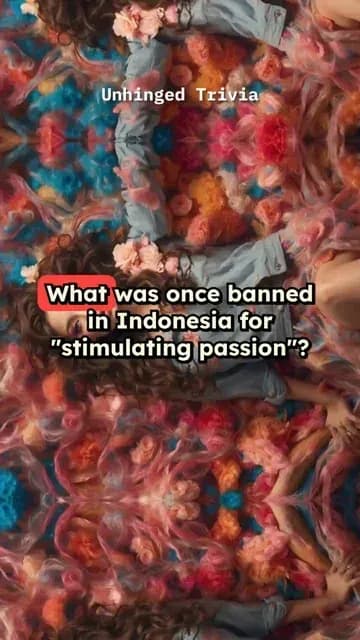
  • Viral quiz video generation for social media
  • Professional presentation and format
  • Entertaining quiz content creation
  • High audience interaction and shareability
AI Quiz Video Creation for Social Media

Professional Quiz Video Production

Produce professional quiz videos with advanced AI technology and custom themes. Our video quiz generator creates broadcast-quality quiz content with themed visuals, engaging animations, and professional presentation quality.

  • Professional quiz video production technology
  • Custom themes and engaging animations
  • Broadcast-quality quiz content creation
  • Advanced AI quiz generation capabilities
Professional Quiz Video Production
FAQs

Frequently Asked Questions

What is the AI Quiz Video Generator?
Revid's AI Quiz Video Generator is an online tool that turns quiz questions, trivia topics, educational prompts, and answer-based content into engaging short-form videos. Instead of manually editing slides, captions, countdowns, visuals, and answer reveals, you can create a video quiz with AI in minutes. It is designed for creators, educators, marketers, and social media teams who want to produce quiz videos for TikTok, YouTube Shorts, Instagram Reels, and other platforms.
How do I create a video quiz with Revid?
To create a video quiz, enter your quiz question, trivia topic, or quiz idea into the tool. Then choose your media type, select an AI voice, and click generate. Revid's AI quiz video generator will create the quiz structure, generate or select visuals, add on-screen text, include answer timing, and produce a vertical quiz video ready to edit, download, or share.
Can I use this tool as a TikTok quiz video maker?
Yes. Revid is built for short social videos, so the AI quiz video generator is perfect for TikTok quiz videos. The default 9:16 vertical format works well for TikTok, YouTube Shorts, and Instagram Reels. You can create trivia videos, educational quiz videos, would-you-rather-style quizzes, fact quizzes, personality quizzes, and other interactive quiz video formats that encourage viewers to comment and share.
What kind of quiz videos can I create?
You can create many types of quiz videos with Revid, including trivia quiz videos, educational quiz videos, history quizzes, geography quizzes, science quizzes, pop culture quizzes, language learning quizzes, brand quizzes, personality-style quizzes, and social media challenge quizzes. The AI quiz video maker is flexible enough for entertainment, teaching, audience engagement, and content marketing.
Do I need to write all the questions and answers myself?
You can write your own quiz questions and answers if you already have them, but you do not need to start from a finished script. You can enter a topic or a simple quiz idea, and Revid can help turn it into a structured video quiz. For best results, provide a clear topic, audience, difficulty level, or example question so the AI quiz video generator creates content that matches your goal.
Can the AI Quiz Video Generator add visuals automatically?
Yes. Revid can generate visual media for your quiz video automatically. You can choose moving AI images for dynamic quiz scenes or AI video for more advanced generated clips. The tool is designed to pair your quiz questions and answers with relevant visuals, making the final video more engaging than a static quiz slide.
Does the quiz video include voiceover?
Yes. This create video quiz tool supports AI voice generation, so your quiz video can include spoken questions, prompts, answer reveals, or narration. You can choose a voice that fits the tone of your content, whether you want an educational, energetic, mysterious, or entertainment-focused quiz video.
Can I make quiz videos for YouTube Shorts and Instagram Reels?
Absolutely. Revid's AI quiz video generator creates vertical videos optimized for short-form social media. The format is ideal for YouTube Shorts quiz videos, Instagram Reels quiz videos, TikTok trivia videos, and other mobile-first platforms. You can download the finished quiz video and upload it wherever your audience is most active.
Why are quiz videos effective for social media engagement?
Quiz videos work because they invite viewers to participate instead of passively watching. When someone sees a question on screen, they naturally try to guess the answer before the reveal. This makes quiz videos great for comments, watch time, shares, saves, and repeat views. Revid's AI quiz video maker helps structure this engagement with clear questions, visual pacing, and satisfying answer reveals.
Can educators use Revid to create educational quiz videos?
Yes. Teachers, tutors, online course creators, and educational content creators can use Revid as an educational quiz video maker. You can create quick review quizzes, lesson recaps, vocabulary quizzes, exam practice questions, fact-checking videos, and subject-specific trivia. The AI quiz video generator makes it easier to turn learning material into engaging short videos.
Can I edit the AI-generated quiz video after it is created?
Yes. After Revid generates your quiz video, you can open it in the built-in editor to make changes. You can adjust captions, edit text, change timing, replace visuals, modify music, refine scenes, and polish the final video. The AI quiz video generator gives you a strong starting point, and the editor lets you customize the result before publishing.
What is the best length for a quiz video?
For TikTok, YouTube Shorts, and Instagram Reels, short quiz videos usually perform best. A strong video quiz can be as short as 15 to 45 seconds, especially if it includes one to five questions. If you are creating educational quiz videos or longer trivia rounds, you can make them longer, but keeping the pacing fast usually improves retention and engagement.
How can I make my AI quiz video more engaging?
To make your AI quiz video more engaging, use clear questions, short answer options, a strong hook, and a satisfying reveal. Choose topics that make viewers want to test themselves, such as "Only 1% can answer this" or "Can you guess the country?" Revid's AI quiz video generator helps with pacing and visuals, but your topic and hook are key for making the quiz video feel clickable and shareable.
Can I use the quiz videos for commercial or branded content?
Yes, you can use quiz videos created with Revid for commercial content, marketing campaigns, branded social media posts, educational products, and monetized channels, as long as your content follows Revid's terms and you have the rights to any custom assets you upload. Brands can use the AI quiz video generator to create product quizzes, customer education videos, lead-generation content, and interactive social posts.
How long does it take to generate a quiz video?
Most quiz videos are generated in just a few minutes. The exact time depends on your settings, the length of the quiz, and the type of media selected. AI video generation can take longer than moving AI images, but Revid is designed to make creating a video quiz much faster than editing everything manually.
Do I need video editing experience to use this video quiz maker?
No. Revid's video quiz maker is designed for people who want to create video content without learning complex editing software. The AI handles the quiz video structure, visuals, voiceover, captions, and answer reveals. You can still edit the result if you want, but no advanced video editing skills are required.
What makes Revid different from a basic quiz maker?
A basic quiz maker usually creates static questions or web-based forms. Revid creates a finished social media video quiz with AI-generated visuals, voiceover, on-screen text, music, and pacing. This makes it more useful for creators who want quiz content that can be posted directly as a TikTok, YouTube Short, Instagram Reel, or other short-form video.
Can I create a quiz video for free?
Revid offers a way to try the AI quiz video generator without needing a credit card. Depending on your account and plan, you may have access to free credits or limited generations. Paid plans provide more credits for creators who want to produce quiz videos regularly or create content at scale.
How do I get the best results from the AI Quiz Video Generator?
For the best results, give the AI quiz video generator a specific prompt. Instead of writing "history quiz," try "create a 5-question history quiz about Ancient Egypt for teenagers" or "make a fast TikTok trivia quiz about famous movie quotes." The more specific your topic, tone, audience, and difficulty level, the better your AI-generated quiz video will be.
View Complete Help Center

Find detailed answers to 100+ questions about features, tools, and workflows

or check our markdown version optimized for LLMs

Tools

Free AI Video Tools

Choose your tool, add your content, and create a video in seconds. Then customize it to your liking.

AI TikTok Video Generator

Turn text into trendy, viral TikTok videos in a snap

Try it out

Prompt to Video

Turn your prompts into engaging videos with AI assistance

Try it out

Add Caption to Video

Generate subtitles in 100+ languages with AI captions

Try it out

PDF to Brainrot

Convert PDFs into attention-grabbing, scrollable videos

Try it out

Text to Brainrot

Turn your text into trendy, scrollable content with dynamic visuals

Try it out

AI Talking Avatar

Create lifelike talking avatars from text in seconds

Try it out

Video Podcast Generator

Transform your podcasts into visually engaging video content

Try it out

AI Movie Maker

Create studio-quality videos from text, no filming required

Try it out

Audio to Video

Make engaging videos from your podcasts, interviews, or any audio content

Try it out

Animated Lyrics Video Generator

Turn any song into an animated lyric video with synced text and visuals.

Try it out

AI Music Video Generator

Transform your music into cinematic music videos.

Try it out

AI Lyrics Video Generator

Transform your lyrics into a complete music video with AI

Try it out
See all tools
How it works

Four simple steps to create and share your video

1
Step 1

Find your next viral idea

Lacking inspiration? Our AI spots trends and helps you adapt them for your own videos, hassle-free.

  • Identify the best performing formats
  • Get inspired by top creators
  • Turn your ideas into captivating videos
Find your next viral idea
2
Step 2

Storytelling designed to captivate

Revid.ai analyzes viral videos and uses those same codes to write your scripts.

  • Write your script or just give the topic to our AI
  • The AI will suggest relevant content to inspire you
  • Paste a link, our AI analyzes it and turns it into a video
Storytelling designed to captivate
3
Step 3

Videos you will love

Create professional videos, share them with one click, and grow your audience.

  • Watch your texts turn into professional videos
  • Automate video creation from your content
Videos you will love
4
Step 4

Publish on TikTok, YouTube, Instagram and more

Reach a wider audience by sharing your videos across all your networks.

Publish on TikTok, YouTube, Instagram and more
revid.ai logo

The fastest way to create captivating videos.