Trusted by 14,000+ creators worldwide

AI YouTube Shorts Generator

Generate stunning YouTube Shorts instantly with our AI YouTube Shorts Generator. Transform text into viral short content with AI voices, visuals, and effects. Create professional shorts in minutes.

Paste a voiceover script or URL and turn it into a TikTok-ready video with AI voice, captions, and scroll-stopping visuals.

  • Paste text or URL
  • AI voiceover
  • TikTok-ready 9:16
  • Auto captions and visuals
Video Format
1,410 people used this tool in the last 24h
Start for free.(no credit card required)

or explore our 42+ other tools to create the exact video you want

Explore our tools

Create Viral YouTube Shorts with AI in 4 Simple Steps

1 Paste Your Script or URL

Start by entering the text you want spoken in your Short, or paste a URL from an article, blog post, social post, or web page. The AI YouTube Shorts Generator can turn your existing content into a short-form video script, summarize long content, or keep your input exactly as written.

2 Choose an AI Voice and Video Style

Select a realistic AI voice for your narration, or use your own voiceover if you prefer. Then choose the visual style for your YouTube Short, including AI video, moving AI images, motion graphics, stock videos, your own uploaded media, or static gameplay-style background footage.

3 Add Captions, Music, Visual Cues, and Effects

Revid automatically adds dynamic captions, vertical 9:16 formatting, background music, and matching visuals. You can guide the AI by adding visual instructions in [square brackets], and you can add narration pauses using tags like <break time="0.3s" /> for better pacing and retention.

4 Generate, Edit, and Publish Your Short

Click generate and let the AI YouTube Shorts Generator create your video in minutes. Once your Short is ready, use the built-in editor to refine captions, change visuals, adjust timing, add sound effects, and export a polished vertical video ready for YouTube Shorts, TikTok, Instagram Reels, and other social platforms.

01

The Ultimate AI YouTube Shorts Generator

Creating engaging YouTube Shorts has never been easier. With Revid's AI YouTube Shorts Generator, you can transform long-form content, articles, or simple text prompts into highly engaging vertical videos. Our platform automatically adds professional voiceovers, captivating B-roll, and dynamic captions designed specifically to maximize retention on YouTube.

02

Automate Your YouTube Shorts Strategy

Stop spending hours editing and searching for stock footage. Our AI understands what works on the Shorts feed. From perfectly timed transitions to trending background music, the AI YouTube Shorts Generator handles the entire production process, allowing you to scale your channel's growth exponentially.

Example Videos

See What You Can Create with AI YouTube Shorts Generator

Explore different styles and possibilities with our AI YouTube Shorts Generator

Educational Shorts That Retain Viewers

Turn facts, trivia, and educational content into fast-paced YouTube Shorts. Perfect for teaching new concepts in under 60 seconds with engaging visuals.
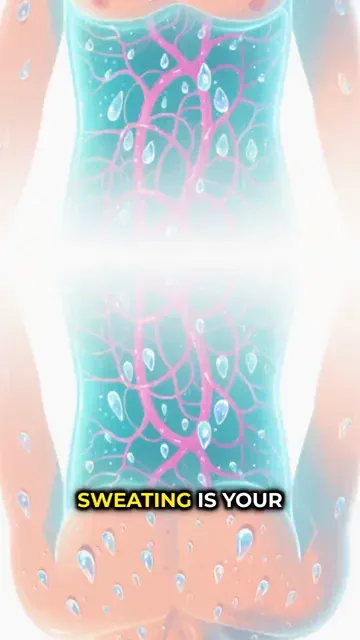
  • Fast-paced editing for maximum retention
  • Clear, dynamic captions that highlight keywords
  • Professional AI voiceover
  • Relevant background footage selected automatically
Educational Shorts That Retain Viewers

Article to Shorts Conversion

Repurpose your blog posts into high-performing YouTube Shorts. Just paste a link and let the AI summarize and generate a compelling vertical video.
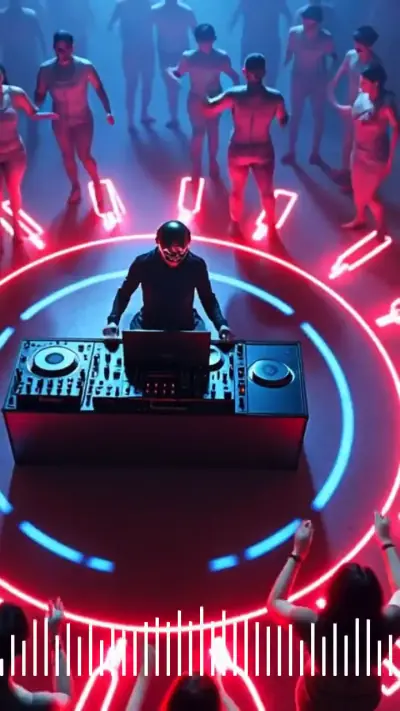
  • Automatic article summarization
  • Seamless transition from text to video format
  • Perfect for expanding content reach
  • High-quality stock media integration
Article to Shorts Conversion
FAQs

Frequently Asked Questions

What is the AI YouTube Shorts Generator?
The AI YouTube Shorts Generator is a text-to-video tool that helps creators turn scripts, articles, URLs, ideas, and repurposed content into vertical YouTube Shorts. Revid automatically adds AI voiceover, captions, visuals, background music, and effects, so you can create professional short-form videos without editing from scratch.
How does the AI YouTube Shorts Generator work?
The AI YouTube Shorts Generator works by taking your script or URL, generating or adapting the narration, matching the content with relevant visuals, adding an AI voice, and formatting everything as a 9:16 vertical video. You can choose the media style, voice, music, captions, and other settings before generating your YouTube Short.
Can I turn text into YouTube Shorts with this tool?
Yes. Revid is designed as a text to YouTube Shorts generator. You can paste a finished voiceover script, a short idea, a list of facts, an educational explanation, a product description, or any written content, and the AI will transform it into a YouTube Short with narration, captions, and matching visuals.
Can I generate YouTube Shorts from a URL or article?
Yes. The AI YouTube Shorts Generator can import content from a URL and help convert it into a short-form video. This is useful if you want to repurpose blog posts, articles, newsletters, landing pages, or other web content into YouTube Shorts without manually rewriting everything.
Is this AI YouTube Shorts Generator good for faceless YouTube channels?
Absolutely. Revid is especially useful for faceless YouTube Shorts channels because it can create videos using AI voiceover, stock footage, AI-generated visuals, motion graphics, captions, and background music. You do not need to appear on camera to create engaging YouTube Shorts consistently.
What types of YouTube Shorts can I create with Revid?
You can use the AI YouTube Shorts Generator to create educational Shorts, trivia videos, motivational Shorts, list videos, news summaries, product explainers, story videos, niche facts, finance clips, history videos, AI-generated visual videos, and repurposed content from articles or scripts. It is built for fast vertical videos designed for short-form platforms.
Can I choose the visuals used in my YouTube Short?
Yes. You can choose from multiple visual styles, including AI video, moving AI images, motion graphics, stock videos, your own media, and static or gameplay-style backgrounds. You can also guide the AI YouTube Shorts Generator by adding [visual directions] inside your script, such as [close-up of a futuristic city] or [stock footage of a person working at a laptop].
Can I use my own media in the AI YouTube Shorts Generator?
Yes. If you choose the custom media option, Revid can use your uploaded media and select the best clips or assets to illustrate your video. This is helpful for creators, brands, agencies, and businesses that want YouTube Shorts using their own footage, product clips, screenshots, or branded visuals.
Does the tool add captions automatically?
Yes. The AI YouTube Shorts Generator automatically adds captions to your video. Captions are important for YouTube Shorts because many viewers watch short videos without sound, and dynamic captions can improve retention by helping people follow the narration quickly.
Can I use AI voiceover for my YouTube Shorts?
Yes. Revid includes AI voiceover generation, so you can create YouTube Shorts without recording your own narration. Choose a voice that matches your content style, from educational and professional to energetic and social-media friendly. You can also use pauses like to control the rhythm of the AI voice.
Can I keep my script exactly as written?
Yes. If you already have a single-speaker narration script, you can paste it into the AI YouTube Shorts Generator and keep the input as-is. This is ideal when you already know exactly what you want the voiceover to say. If you paste longer content or a URL, you can also use AI to summarize or adapt it into a stronger Shorts format.
Is the AI YouTube Shorts Generator made for vertical video?
Yes. Revid creates YouTube Shorts in a vertical 9:16 format, which is the standard format for YouTube Shorts and also works well for TikTok, Instagram Reels, Facebook Reels, and other mobile-first short-form platforms.
How long should my YouTube Short be?
For best results, keep your YouTube Short concise and fast-paced. Many high-performing Shorts are between 20 and 60 seconds, depending on the topic. The AI YouTube Shorts Generator works best when your script has clear sentences, strong hooks, and enough visual cues to keep viewers engaged.
How do I make my AI-generated YouTube Shorts more engaging?
To create better results with the AI YouTube Shorts Generator, start with a strong hook, keep sentences short, use line breaks to control pacing, add [visual cues] for important moments, and choose a visual style that matches your niche. Dynamic captions, relevant B-roll, background music, and optional sound effects can also help improve viewer retention.
Can I use this tool to repurpose long-form content into Shorts?
Yes. Revid is built for content repurposing. You can turn articles, blog posts, educational content, social posts, and existing ideas into YouTube Shorts. This makes the AI YouTube Shorts Generator useful for creators who want to publish more often without creating every video manually from zero.
Can I create a series of YouTube Shorts with Revid?
Yes. The AI YouTube Shorts Generator is a great fit for repeatable series formats such as daily facts, niche tips, quote videos, educational explainers, product highlights, myth-busting videos, and storytelling Shorts. You can reuse a similar format, change the script, and generate consistent short videos for your channel.
Does Revid add background music and sound effects?
Yes. Revid can add background music to your YouTube Short, and you can also use sound effects when needed. Music and sound effects can make AI-generated YouTube Shorts feel more polished, energetic, and native to short-form social platforms.
Can I edit the YouTube Short after generation?
Yes. After the AI YouTube Shorts Generator creates your video, you can edit it inside Revid. You can adjust captions, replace visuals, change timing, fine-tune audio, add overlays, modify scenes, and polish the video before exporting it.
Do I need video editing experience to use this YouTube Shorts generator?
No. Revid is designed to be simple for creators, marketers, founders, educators, and social media teams. The AI YouTube Shorts Generator handles the most time-consuming parts of video creation, including voiceover, captions, visuals, formatting, and music, while still giving you editing control when you want it.
Can I use the generated Shorts commercially?
Yes, you can use videos created with Revid for business, marketing, social media, education, and monetized content, as long as your uploaded materials and any custom assets you provide are properly licensed and your content follows Revid's terms of service.
How long does it take to generate a YouTube Short?
Most videos generated with the AI YouTube Shorts Generator are ready in just a few minutes. Generation time can vary depending on the length of the script, the selected media type, and the complexity of the video.
What makes Revid a good AI YouTube Shorts Generator?
Revid combines the key features needed to create YouTube Shorts quickly: text-to-video generation, URL importing, AI voiceover, automatic captions, vertical 9:16 formatting, stock footage, AI visuals, motion graphics, music, sound effects, and an easy editor. This makes it a powerful AI YouTube Shorts Generator for creators who want to publish more short videos with less manual editing.
View Complete Help Center

Find detailed answers to 100+ questions about features, tools, and workflows

or check our markdown version optimized for LLMs

Tools

Free AI Video Tools

Choose your tool, add your content, and create a video in seconds. Then customize it to your liking.

AI TikTok Video Generator

Turn text into trendy, viral TikTok videos in a snap

Try it out

Prompt to Video

Turn your prompts into engaging videos with AI assistance

Try it out

Add Caption to Video

Generate subtitles in 100+ languages with AI captions

Try it out

PDF to Brainrot

Convert PDFs into attention-grabbing, scrollable videos

Try it out

Text to Brainrot

Turn your text into trendy, scrollable content with dynamic visuals

Try it out

AI Talking Avatar

Create lifelike talking avatars from text in seconds

Try it out

Video Podcast Generator

Transform your podcasts into visually engaging video content

Try it out

AI Movie Maker

Create studio-quality videos from text, no filming required

Try it out

Audio to Video

Make engaging videos from your podcasts, interviews, or any audio content

Try it out

Animated Lyrics Video Generator

Turn any song into an animated lyric video with synced text and visuals.

Try it out

AI Music Video Generator

Transform your music into cinematic music videos.

Try it out

AI Lyrics Video Generator

Transform your lyrics into a complete music video with AI

Try it out
See all tools
How it works

Four simple steps to create and share your video

1
Step 1

Find your next viral idea

Lacking inspiration? Our AI spots trends and helps you adapt them for your own videos, hassle-free.

  • Identify the best performing formats
  • Get inspired by top creators
  • Turn your ideas into captivating videos
Find your next viral idea
2
Step 2

Storytelling designed to captivate

Revid.ai analyzes viral videos and uses those same codes to write your scripts.

  • Write your script or just give the topic to our AI
  • The AI will suggest relevant content to inspire you
  • Paste a link, our AI analyzes it and turns it into a video
Storytelling designed to captivate
3
Step 3

Videos you will love

Create professional videos, share them with one click, and grow your audience.

  • Watch your texts turn into professional videos
  • Automate video creation from your content
Videos you will love
4
Step 4

Publish on TikTok, YouTube, Instagram and more

Reach a wider audience by sharing your videos across all your networks.

Publish on TikTok, YouTube, Instagram and more
revid.ai logo

The fastest way to create captivating videos.