Trusted by 14,000+ creators worldwide

AI Reel Generator

Generate stunning Instagram Reels instantly with our AI Reel Generator. Transform text into viral reel content with AI voices, visuals, and effects. Create professional reels in minutes.

Paste a voiceover script or URL and turn it into a TikTok-ready video with AI voice, captions, and scroll-stopping visuals.

  • Paste text or URL
  • AI voiceover
  • TikTok-ready 9:16
  • Auto captions and visuals

Create Instagram Reels with AI in 4 Simple Steps

1 Paste Your Script, Topic, or URL

Start by entering the text you want your Reel to say, or paste a URL from an article, blog post, tweet, LinkedIn post, or other web page. The AI Reel Generator can use your exact script or help turn existing content into a short, engaging Instagram Reel.

2 Choose an AI Voice and Reel Style

Select a natural-sounding AI voice for your narration, or record and upload your own voiceover. Then choose the type of visuals you want for your Reel, including AI video, moving AI images, motion graphics, stock videos, your own uploaded media, or static gameplay-style footage.

3 Customize Visuals, Captions, Music, and Pacing

Guide the AI by adding visual instructions in [square brackets] inside your script. These notes help the AI choose or generate matching visuals but will not be spoken in the voiceover. You can also add pauses with tags like <break time="0.3s" /> and choose background music or sound effects to make your Instagram Reel more engaging.

4 Generate, Edit, and Post Your Reel

Click generate and Revid creates a vertical 9:16 Instagram Reel with AI voiceover, captions, visuals, music, and social-ready formatting. When your Reel is ready, use the built-in editor to adjust captions, visuals, timing, audio, or scenes before downloading and posting to Instagram, TikTok, YouTube Shorts, or other social platforms.

01

Instagram Reels from Text Without Filming, Editing, or Design Skills

Write your reel concept or script and Revid generates a complete Instagram Reel with AI visuals, natural voiceover, captions, and vertical formatting ready to post. There is no filming, graphic design, or editing software involved. The AI handles every element of reel production from your written input. From idea to finished reel takes minutes, making it practical to post reels consistently on a daily schedule without spending production hours between each one. Consistent posting is the single biggest driver of Instagram account growth in short-form video.

02

What the AI Generates for Your Instagram Reels

The AI reel generator builds each reel from your script or topic by selecting visuals that match the content, generating a natural AI voiceover, applying captions formatted for Instagram's viewing environment, and outputting the final video in the 9:16 vertical format that Instagram's algorithm favors. The pacing, caption style, and visual selection are all optimized for reel performance rather than generic video output. You can generate multiple reel variations from the same concept to test different hooks and see which performs best with your audience.

03

Reel Content That Builds Consistent Instagram Growth

The creators and brands that grow fastest on Instagram Reels share one trait: they post more often than their competitors. Accounts that publish three to five reels per week consistently outperform accounts that publish once or twice in terms of follower growth, reach, and saves. The limitation for most creators is production time, not ideas. Revid removes that limitation. Write the concept and publish the reel the same day without any production backlog building between your ideas and your posting schedule.

Target Audience

Who is this tool for?

Instagram creators and influencers

Publish daily reels on any topic without filming or editing, maintaining the posting frequency that Instagram's algorithm rewards with higher reach and faster follower growth.

Brand and product marketing teams

Create a consistent stream of Instagram Reel content for product launches, campaigns, and seasonal moments without depending on a video production team for each post.

Agencies managing Instagram accounts

Scale reel production across multiple client accounts without adding per-client production overhead, keeping every account active with fresh reel content on a regular schedule.

Storytellers building an Instagram audience

Share your stories, perspectives, and expertise as polished Instagram Reels without needing film equipment or editing software to translate your ideas into video format.

Comparison

Revid vs. Manual Instagram Reel Production

Creating reels manually requires filming, selecting clips, adding music, captioning, and formatting for Instagram. Revid generates a finished reel automatically from your script in minutes.

Input
Revid AI Reel GeneratorWrite a script or concept and generate immediately
Other ToolsFilm footage, select takes, and edit all elements together manually
Visuals
Revid AI Reel GeneratorAI generates matched visuals for every scene in the reel
Other ToolsRequires filming your own footage or sourcing licensed clips
Captions
Revid AI Reel GeneratorOn-screen captions generated and styled automatically
Other ToolsManual captioning and placement required after editing
Music
Revid AI Reel GeneratorCurated soundtrack matched to reel pacing automatically
Other ToolsMusic must be selected and manually synced to the edit
Production time
Revid AI Reel GeneratorFinished reel ready in minutes
Other ToolsHours of filming and editing per reel
Posting volume
Revid AI Reel GeneratorGenerate multiple reels per day in one session
Other ToolsProduction time limits how many reels you can post each week
Example Videos

See What You Can Create with AI Reel Generator

Explore different styles and possibilities with our AI Reel Generator

Storytelling Instagram Reels

Create engaging storytelling reels for Instagram that connect with your audience. Transform narratives and experiences into compelling reel content that builds community and engagement.
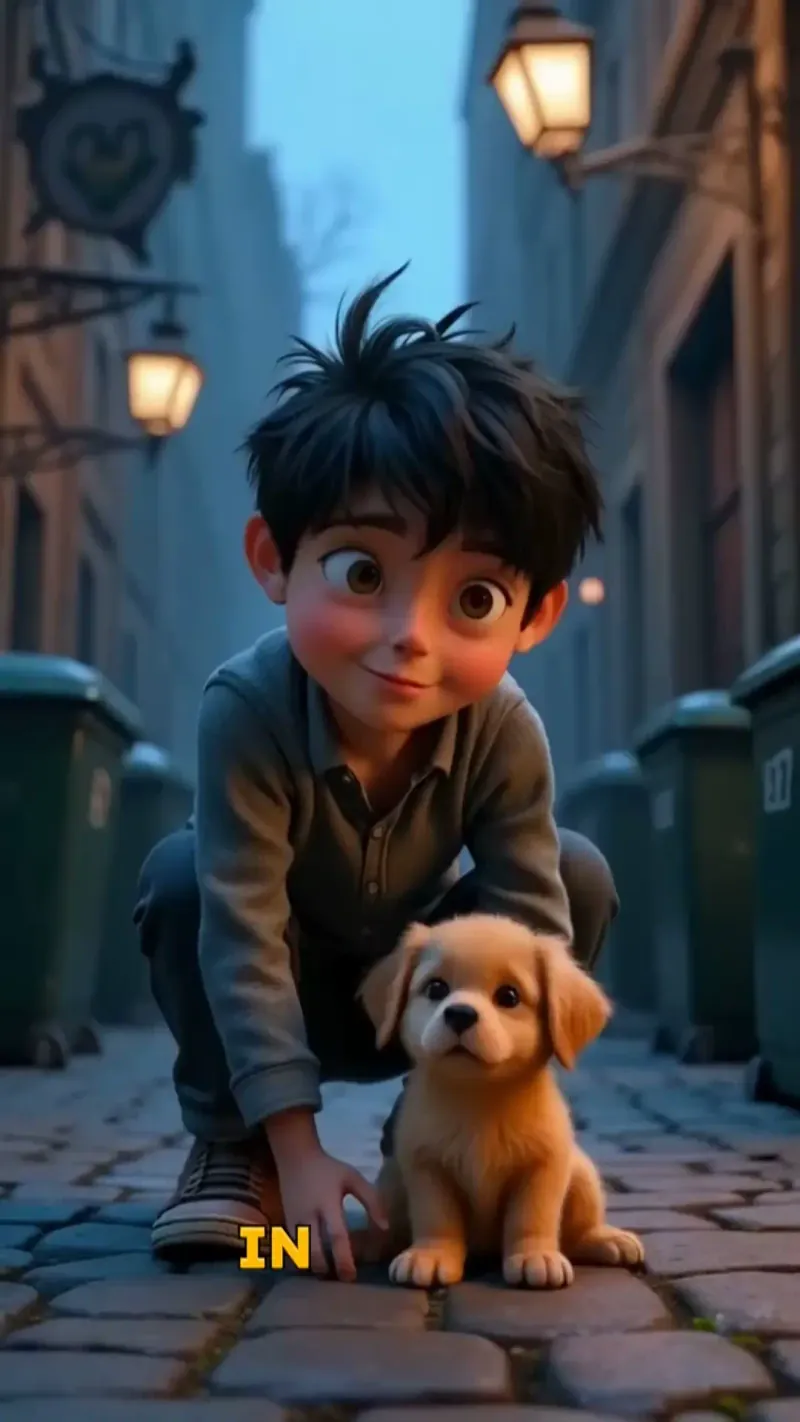
  • Story-driven Instagram reel creation
  • Emotional connection with audiences
  • Perfect pacing for reel format
  • Community-building reel content
Storytelling Instagram Reels

Instagram Reels That Go Viral

Generate stunning Instagram Reels that capture attention and drive engagement. Our AI reel generator creates scroll-stopping content optimized for Instagram's algorithm and user preferences.

  • Instagram algorithm-optimized reels
  • Viral content generation with AI
  • Professional reel editing and effects
  • Perfect for Instagram creators and brands
Instagram Reels That Go Viral

Marketing Reels for Instagram

Generate marketing-focused Instagram reels that drive business results. Create professional promotional reels that showcase products and services while maintaining Instagram's authentic feel.

  • Marketing-optimized Instagram reels
  • Product showcase reel generation
  • Business-focused reel content
  • Instagram marketing automation
Marketing Reels for Instagram
FAQs

Frequently Asked Questions

What is the AI Reel Generator?
The AI Reel Generator is an AI-powered Instagram Reel maker that turns text, scripts, ideas, or URLs into complete vertical videos. Revid automatically adds an AI voiceover, matching visuals, captions, music, and 9:16 formatting so you can create Instagram Reels in minutes without filming or editing manually.
How does the AI Instagram Reel Generator work?
The AI Instagram Reel Generator takes your script, topic, or URL and transforms it into a finished short-form video. It analyzes your input, creates or selects visuals, generates a natural AI voiceover, adds captions, applies music, and exports the final video in the vertical format used by Instagram Reels, TikTok, and YouTube Shorts.
Can I create Instagram Reels from text?
Yes. Revid is designed to create Instagram Reels from text. Paste your script exactly as you want it spoken, choose a voice and media style, and the AI Reel Generator will produce a complete Reel with narration, visuals, subtitles, and music. This is ideal for educational content, storytelling, marketing videos, faceless Reels, listicles, tips, and commentary.
Can I generate a Reel from a URL or article?
Yes. You can paste a URL from an article, blog post, tweet, LinkedIn post, or other online content, and the AI Reel Generator can help turn that source into a short Instagram Reel. This makes it easy to repurpose written content into Reels and publish more short-form videos without starting from scratch.
Is this AI Reel Generator made for Instagram Reels?
Yes. The AI Reel Generator is optimized for Instagram Reels with vertical 9:16 formatting, engaging pacing, readable captions, short-form visuals, and social media-friendly structure. The videos can also be reused on TikTok, YouTube Shorts, Facebook Reels, and other vertical video platforms.
Do I need video editing skills to use the AI Reel Generator?
No. Revid is built for creators, marketers, agencies, and businesses that want to create Instagram Reels without manual editing. The AI Reel Generator handles voiceover, visuals, captions, music, transitions, and formatting automatically. You can still make final edits in the built-in editor if you want more control.
What types of visuals can the AI Reel Generator create?
The AI Reel Generator supports multiple visual styles for Instagram Reels, including AI video, moving AI images, motion graphics, stock videos, your own uploaded media, and static or gameplay-style background footage. You can choose the style that best fits your content, brand, audience, and posting strategy.
How can I control the visuals in my AI-generated Reel?
You can guide the visuals by adding directions inside [square brackets] in your script. For example, writing [busy city street at night] tells the AI Reel Generator what kind of visual to create or select for that part of the Reel. The bracketed text is used as visual guidance only and will not be read by the AI voiceover or shown as captions.
Can I use my own voice for Instagram Reels?
Yes. You can use an AI voice, record your own voiceover, or upload a pre-recorded audio file. Many creators use the AI Reel Generator for faceless Instagram Reels with AI narration, while others prefer their own voice for a more personal brand presence.
Does the AI Reel Generator add captions automatically?
Yes. Revid automatically generates captions for your AI Reel. Captions are essential for Instagram Reels because many viewers watch with sound off, and strong on-screen text can improve retention, accessibility, and engagement. After generation, you can edit caption style, timing, and placement in the editor.
Can I add music and sound effects to my AI Reel?
Yes. The AI Reel Generator can add background music, and you can also use sound effects when needed. Music helps make Instagram Reels feel more polished and engaging, while sound effects can emphasize transitions, hooks, reveals, and key moments in the video.
What kinds of Instagram Reels can I create with this tool?
You can create many types of Instagram Reels with the AI Reel Generator, including educational Reels, marketing Reels, product Reels, storytelling Reels, motivational Reels, faceless Reels, news-style Reels, listicle Reels, tutorial Reels, quote Reels, and repurposed content from blogs or social posts.
Is the AI Reel Generator good for faceless Instagram Reels?
Yes. Revid is a strong faceless Reel maker because it can generate the voiceover, visuals, captions, and music without requiring you to appear on camera. You can create faceless Instagram Reels from scripts, topics, or URLs using AI visuals, stock clips, motion graphics, or satisfying background footage.
Can businesses use the AI Reel Generator for marketing?
Yes. Businesses can use the AI Reel Generator to create product Reels, promotional Reels, educational content, brand awareness videos, campaign assets, and social media posts. It helps marketing teams publish more Instagram Reels without relying on a full video production workflow for every post.
Can agencies use this AI Reel Generator for client content?
Yes. Agencies can use Revid to scale Instagram Reel production across multiple client accounts. The AI Reel Generator makes it easier to create consistent short-form content for different brands, niches, campaigns, and posting calendars while reducing manual editing time.
How long should my script be for an Instagram Reel?
For best results, keep your script short, clear, and focused. Most high-performing Instagram Reels are between 15 and 60 seconds, although longer Reels can work for storytelling, education, or commentary. The AI Reel Generator can process longer text, but concise scripts usually perform better for short-form social video.
Can I create multiple Reel variations from the same idea?
Yes. One of the best ways to use an AI Reel Generator is to create multiple versions of the same idea with different hooks, captions, visuals, or pacing. This helps you test what works best on Instagram and produce more content from a single concept.
What is the best way to write a script for the AI Reel Generator?
Start with a strong hook, keep sentences short, and focus on one clear idea per Reel. Use line breaks to create natural scene changes, add [visual directions] when you want specific imagery, and use tags if you want short pauses in the narration. This helps the AI Reel Generator create better pacing, captions, and visuals.
Can I edit my AI-generated Reel after it is created?
Yes. After the AI Reel Generator creates your video, you can use Revid's built-in editor to refine it. You can adjust captions, change visuals, trim scenes, edit timing, modify audio, and polish the Reel before exporting it for Instagram or other platforms.
What aspect ratio does the AI Reel Generator use?
The AI Reel Generator creates videos in a 9:16 vertical aspect ratio, which is the standard format for Instagram Reels, TikTok, YouTube Shorts, and most mobile-first short-form video platforms. This makes your video ready for social posting without extra resizing.
How long does it take to generate an Instagram Reel?
Most Instagram Reels are generated in just a few minutes, depending on the length of your script, the visual style selected, and the complexity of the video. Revid is designed to make AI Reel creation fast enough for daily posting and high-volume content workflows.
Can I upload my own media for the AI Reel Generator?
Yes. You can choose the custom media option and upload your own clips or images. The AI Reel Generator can then use your uploaded media as part of the video, which is useful for brand assets, product footage, personal content, event clips, or client materials.
Can I use AI-generated Reels commercially?
Yes, you can use Reels created with Revid for commercial purposes such as marketing, brand content, social media campaigns, product launches, and monetized content. Make sure any uploaded media, music, logos, or third-party assets you add are properly licensed and comply with applicable platform rules.
How much does it cost to use the AI Reel Generator?
The cost depends on your Revid plan, credit balance, and the options used for your video. Some settings, longer scripts, or advanced media generation options may use more credits. Before generation, Revid shows the estimated credit usage so you know the cost before creating your AI Reel.
What if the generated Reel is not exactly what I wanted?
You can edit the generated Reel, regenerate it with different settings, change the script, add better visual directions, try another media type, or adjust voice and music choices. The AI Reel Generator gives you a strong first draft quickly, and the editor lets you fine-tune the final version before posting.
Can I post the generated Reel on TikTok or YouTube Shorts too?
Yes. Although this tool is optimized as an AI Instagram Reel Generator, the exported 9:16 video format works well for TikTok, YouTube Shorts, Facebook Reels, and other vertical video platforms. Many creators use one Revid video across several social channels to maximize reach.
Who should use the AI Reel Generator?
The AI Reel Generator is ideal for Instagram creators, influencers, social media managers, agencies, founders, coaches, educators, ecommerce brands, marketers, and anyone who wants to create high-quality Instagram Reels faster. It is especially useful if you want consistent short-form content without filming, editing, or managing a complex production workflow.
How can I get help with the AI Reel Generator?
If you need help using the AI Reel Generator or any other Revid tool, contact the Revid support team at hello@revid.ai. We can help with scripts, generation settings, billing questions, editing, exports, and tips for creating better Instagram Reels with AI.
View Complete Help Center

Find detailed answers to 100+ questions about features, tools, and workflows

or check our markdown version optimized for LLMs

Tools

Free AI Video Tools

Choose your tool, add your content, and create a video in seconds. Then customize it to your liking.

AI TikTok Video Generator

Turn text into trendy, viral TikTok videos in a snap

Try it out

Prompt to Video

Turn your prompts into engaging videos with AI assistance

Try it out

Add Caption to Video

Generate subtitles in 100+ languages with AI captions

Try it out

PDF to Brainrot

Convert PDFs into attention-grabbing, scrollable videos

Try it out

Text to Brainrot

Turn your text into trendy, scrollable content with dynamic visuals

Try it out

AI Talking Avatar

Create lifelike talking avatars from text in seconds

Try it out

Video Podcast Generator

Transform your podcasts into visually engaging video content

Try it out

AI Movie Maker

Create studio-quality videos from text, no filming required

Try it out

Audio to Video

Make engaging videos from your podcasts, interviews, or any audio content

Try it out

Animated Lyrics Video Generator

Turn any song into an animated lyric video with synced text and visuals.

Try it out

AI Music Video Generator

Transform your music into cinematic music videos.

Try it out

AI Lyrics Video Generator

Transform your lyrics into a complete music video with AI

Try it out
See all tools
How it works

Four simple steps to create and share your video

1
Step 1

Find your next viral idea

Lacking inspiration? Our AI spots trends and helps you adapt them for your own videos, hassle-free.

  • Identify the best performing formats
  • Get inspired by top creators
  • Turn your ideas into captivating videos
Find your next viral idea
2
Step 2

Storytelling designed to captivate

Revid.ai analyzes viral videos and uses those same codes to write your scripts.

  • Write your script or just give the topic to our AI
  • The AI will suggest relevant content to inspire you
  • Paste a link, our AI analyzes it and turns it into a video
Storytelling designed to captivate
3
Step 3

Videos you will love

Create professional videos, share them with one click, and grow your audience.

  • Watch your texts turn into professional videos
  • Automate video creation from your content
Videos you will love
4
Step 4

Publish on TikTok, YouTube, Instagram and more

Reach a wider audience by sharing your videos across all your networks.

Publish on TikTok, YouTube, Instagram and more
revid.ai logo

The fastest way to create captivating videos.