Trusted by 14,000+ creators worldwide

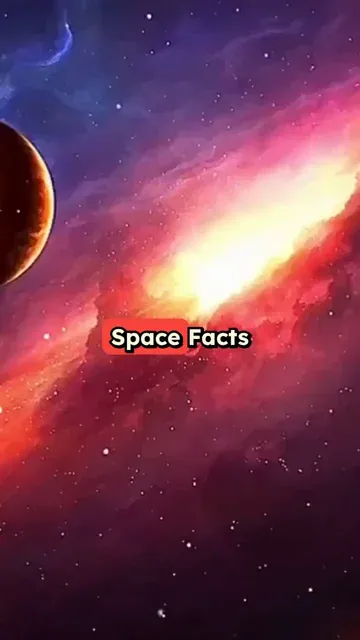
Space Background Video Maker

Create an AI video with Space Background in minutes! Write your script and choose your Space background. Revid's AI will create a stunning Space video for you.

  • Start from text in seconds
  • AI voiceover
  • Auto-selects visuals
  • Captions and sound-ready

Create Cinematic Space Background Videos in 4 Simple Steps

1 Add Your Script, Link, or PDF

Start by writing your video script, pasting a link to a tweet, LinkedIn post, blog post, or article, or uploading a PDF. The Space Background Video Maker can turn your text into a short, engaging AI video with a cinematic space background.

2 Choose Your Voice and Space Video Style

Select an AI voice for your narration or use your own voiceover. Revid will pair your script with immersive space background visuals, making it easy to create space videos for TikTok, YouTube Shorts, Instagram Reels, and other short-form platforms.

3 Customize Music, Captions, and Visual Direction

Choose background music, adjust captions, and guide the AI with visual prompts in your script. You can use instructions in [square brackets] to suggest specific space visuals like galaxies, planets, astronauts, black holes, nebulae, or cinematic star fields.

4 Generate, Edit, and Share Your Space Video

Click Generate and Revid will create a polished AI space background video in minutes with narration, captions, background video, music, and formatting optimized for vertical social content. After generation, you can edit the video, refine text, adjust timing, and download it for sharing.

FAQs

Frequently Asked Questions

What is the Space Background Video Maker?
The Space Background Video Maker is an AI tool that turns a script, link, or PDF into a short video with cinematic space backgrounds. You provide the content, choose a voice and settings, and Revid generates an AI space background video with narration, captions, music, and vertical formatting for social media.
How does the AI Space Background Video Maker work?
The AI Space Background Video Maker analyzes your script or source content, creates or adapts the narration, matches it with space-themed background video, adds captions, and combines everything into a polished short video. It is designed to help creators quickly make space background videos without editing experience.
Can I create a space background video from a script?
Yes. You can paste your own script directly into the Space Background Video Maker. Revid will use your text to generate voiceover, captions, and a cinematic AI video with a space background. This is ideal for space facts, motivational videos, storytelling, educational clips, podcast snippets, and viral short-form content.
Can I use a link or PDF to create a space video?
Yes. You can paste a URL from a blog post, article, tweet, LinkedIn post, or other supported web content, and Revid can retrieve the content to help create your space background video. You can also upload a PDF and turn the text into an AI video with a cinematic space background.
What types of space background videos can I make?
You can create many types of videos with the Space Background Video Maker, including space facts videos, science explainers, astronomy clips, motivational videos with space visuals, cinematic quote videos, educational shorts, story videos, AI narration videos, and background-style videos for TikTok, YouTube Shorts, and Instagram Reels.
Is the Space Background Video Maker good for TikTok, YouTube Shorts, and Instagram Reels?
Yes. The Space Background Video Maker is optimized for short vertical videos, making it a strong fit for TikTok, YouTube Shorts, Instagram Reels, and other mobile-first platforms. The default format is vertical, so your AI space background video is ready for short-form social media.
Can I choose the voice for my space background video?
Yes. Revid lets you choose from AI voices for your Space Background Video Maker project. You can select a voice that matches the tone of your video, whether you want something cinematic, educational, dramatic, calm, or energetic. In supported workflows, you can also use your own voiceover.
Can I add music to my AI space video?
Yes. The Space Background Video Maker lets you add background music to make your video more engaging. You can use Revid's available audio options or customize the sound to match the mood of your space video, whether you want an epic cinematic feel, a mysterious atmosphere, or a fast-paced TikTok-style edit.
How can I guide the AI to show specific space visuals?
You can guide the AI by adding visual notes in [square brackets] inside your script. For example, you can write [galaxy spinning in deep space], [astronaut floating near Earth], [cinematic black hole], or [colorful nebula and stars]. These notes help the Space Background Video Maker understand what type of space visuals you want without adding those instructions to the spoken voiceover.
Does the Space Background Video Maker add captions automatically?
Yes. Revid can automatically add captions to your AI space background video. Captions are especially useful for TikTok, YouTube Shorts, and Instagram Reels because many viewers watch videos without sound. After generation, you can edit and refine captions in the built-in editor.
What aspect ratio does the Space Background Video Maker use?
The Space Background Video Maker is designed for a 9:16 vertical format by default, which is ideal for TikTok, YouTube Shorts, Instagram Reels, and mobile video feeds. This makes it easy to create a space background video that looks native on short-form social platforms.
How long does it take to generate a space background video?
Most space background videos are generated in just a few minutes. The exact time depends on the length of your script, the selected voice, and the complexity of the video. Revid is built to help you create AI space background videos quickly so you can publish more content with less editing work.
Can I edit my AI space background video after it is generated?
Yes. After the Space Background Video Maker generates your video, you can use Revid's built-in editor to make changes. You can adjust captions, update text, refine timing, change visuals, edit audio, and polish the final video before downloading or sharing it.
Do I need video editing skills to use the Space Background Video Maker?
No. The Space Background Video Maker is designed to be simple for beginners. You do not need editing skills, animation tools, or complex video software. Just add your text, choose your options, generate the AI space video, and make any final edits if needed.
How much does it cost to create a space background video?
The cost depends on your Revid plan and the settings used for your video. Revid uses a credit system, and the estimated credits are shown before you generate. Free accounts may start with limited credits, while paid plans include a larger monthly credit allowance for creating more AI space background videos.
Can I use videos from the Space Background Video Maker commercially?
Yes, you can use videos created with the Space Background Video Maker for commercial projects, marketing content, social media channels, educational content, and monetized videos, as long as your content follows Revid's terms and you have the rights to any custom media or audio you upload.
View Complete Help Center

Find detailed answers to 100+ questions about features, tools, and workflows

or check our markdown version optimized for LLMs

Tools

Free AI Video Tools

Choose your tool, add your content, and create a video in seconds. Then customize it to your liking.

AI TikTok Video Generator

Turn text into trendy, viral TikTok videos in a snap

Try it out

Prompt to Video

Turn your prompts into engaging videos with AI assistance

Try it out

Add Caption to Video

Generate subtitles in 100+ languages with AI captions

Try it out

PDF to Brainrot

Convert PDFs into attention-grabbing, scrollable videos

Try it out

Text to Brainrot

Turn your text into trendy, scrollable content with dynamic visuals

Try it out

AI Talking Avatar

Create lifelike talking avatars from text in seconds

Try it out

Video Podcast Generator

Transform your podcasts into visually engaging video content

Try it out

AI Movie Maker

Create studio-quality videos from text, no filming required

Try it out

Audio to Video

Make engaging videos from your podcasts, interviews, or any audio content

Try it out

Animated Lyrics Video Generator

Turn any song into an animated lyric video with synced text and visuals.

Try it out

AI Music Video Generator

Transform your music into cinematic music videos.

Try it out

AI Lyrics Video Generator

Transform your lyrics into a complete music video with AI

Try it out
See all tools
How it works

Four simple steps to create and share your video

1
Step 1

Find your next viral idea

Lacking inspiration? Our AI spots trends and helps you adapt them for your own videos, hassle-free.

  • Identify the best performing formats
  • Get inspired by top creators
  • Turn your ideas into captivating videos
Find your next viral idea
2
Step 2

Storytelling designed to captivate

Revid.ai analyzes viral videos and uses those same codes to write your scripts.

  • Write your script or just give the topic to our AI
  • The AI will suggest relevant content to inspire you
  • Paste a link, our AI analyzes it and turns it into a video
Storytelling designed to captivate
3
Step 3

Videos you will love

Create professional videos, share them with one click, and grow your audience.

  • Watch your texts turn into professional videos
  • Automate video creation from your content
Videos you will love
4
Step 4

Publish on TikTok, YouTube, Instagram and more

Reach a wider audience by sharing your videos across all your networks.

Publish on TikTok, YouTube, Instagram and more
revid.ai logo

The fastest way to create captivating videos.