1,057 people used this tool in the last 24h
or explore our 42+ other tools to create the exact video you want
Explore our tools
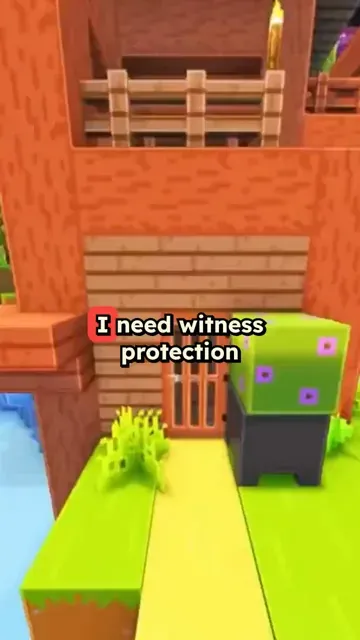
Create a short video with a Minecraft background. Get your video ready in minutes.
or explore our 42+ other tools to create the exact video you want
Explore our toolsStart by writing your script or pasting your content. Include [bracketed text] to guide the AI in generating specific Minecraft parkour scenes. Our AI understands Minecraft terminology and will create matching visuals.
Select from our collection of gaming-optimized AI voices or upload your own recording. Pick your preferred parkour style and visual effects to make your content stand out.
Click generate and watch as our AI creates your Minecraft parkour video. Once complete, you can edit, customize, and share your content directly to YouTube Shorts, TikTok, or Instagram Reels.
The combination of fast-paced Minecraft parkour footage and an audio narration creates a dual-stimulation format that holds attention far longer than static video. Viewers watch the gameplay while absorbing the content being spoken, which is why this format consistently outperforms plain talking-head videos for information-dense topics. Channels using this format report significantly higher average watch times compared to standard short-form content. The visual engagement comes from the game, so your script does all the work.
Paste your script, upload a PDF, or link a blog post, and Revid generates a 9:16 Minecraft parkour video with an AI voiceover and automatic Minecraft background footage. You do not need gameplay footage, a gaming setup, or editing skills. The tool handles background video selection, voiceover sync, and caption placement automatically. The same workflow works for study notes, news summaries, opinion pieces, and storytelling content. Try the Subway Surfers video generator if you want a different brainrot background format.
Study creators, teachers, and explainer channels use the Minecraft parkour format to package educational content into a format that younger audiences actually choose to watch. The gameplay footage reduces the effort required from the viewer, making dense topics easier to consume. Whether the content is history, science, language learning, or personal finance, overlaying it on Minecraft parkour increases completion rates and shareability without changing the substance of what is being taught.
Package lecture notes, textbook summaries, or exam prep content into Minecraft short videos that students seek out because they are more engaging than plain text or static slides.
Add commentary, opinion, or news content on top of existing Minecraft footage to create hybrid content that serves both gaming audiences and topic-driven viewers.
Deliver curriculum-aligned content in a format students actually watch voluntarily. The brainrot format removes the friction that static educational videos typically create.
Take blog posts, articles, or podcast transcripts and convert them into Minecraft short videos that reach a completely different audience segment on TikTok and Shorts.
Creating this format manually requires sourcing gameplay footage, recording a voiceover, editing the audio sync, and adding captions. Revid generates the entire video from a script or URL in minutes.
Discover more ways to create engaging videos with our AI-powered tools
Find detailed answers to 100+ questions about features, tools, and workflows
or check our markdown version optimized for LLMs
Choose your tool, add your content, and create a video in seconds. Then customize it to your liking.
Turn any song into an animated lyric video with synced text and visuals.
Lacking inspiration? Our AI spots trends and helps you adapt them for your own videos, hassle-free.

Revid.ai analyzes viral videos and uses those same codes to write your scripts.

Create professional videos, share them with one click, and grow your audience.

Reach a wider audience by sharing your videos across all your networks.

