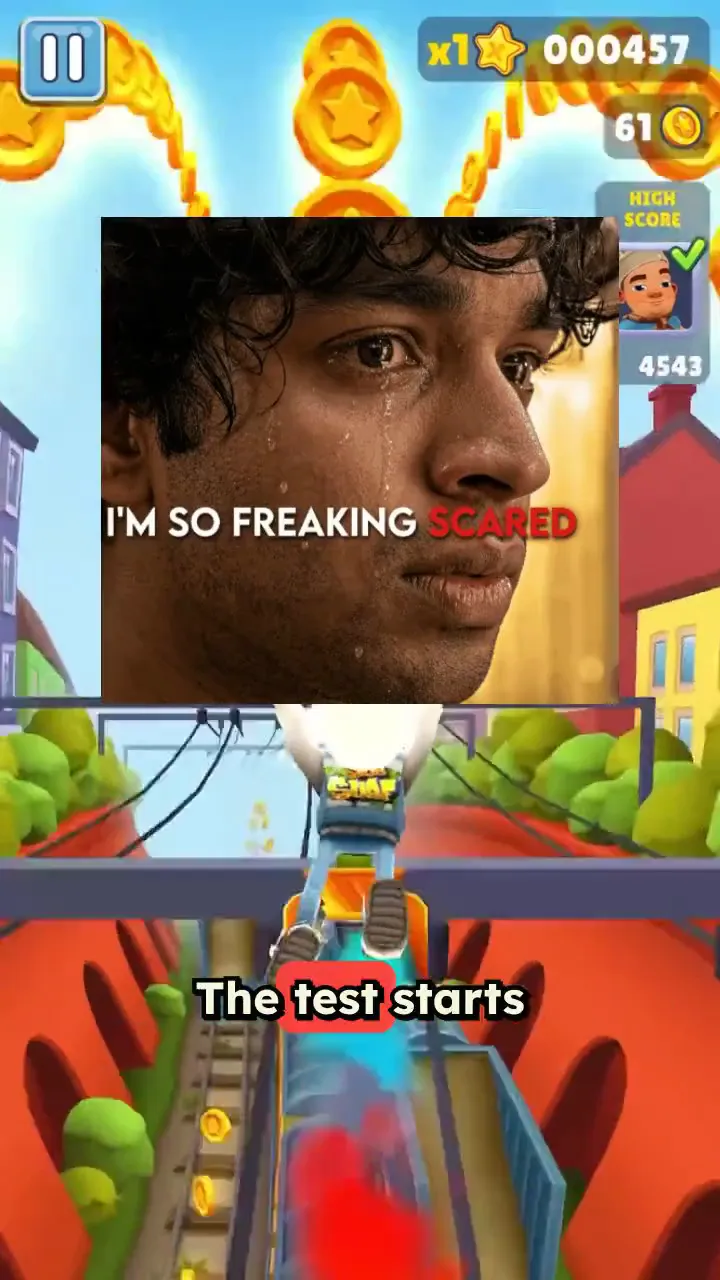
Trusted by 14,000+ creators worldwide

Subway Surfers Video Generator

Generate captivating videos with addictive Subway Surfers gameplay. Overlay trending game footage on any video.

  • Start from text in seconds
  • AI voiceover
  • Auto-selects visuals
  • Captions and sound-ready

Create a Subway Surfers Video in 4 Simple Steps

1 Add Your Script, Link, or PDF

Start your Subway Surfers video generator project by entering a script, pasting a link to a tweet, LinkedIn post, blog article, or uploading a PDF. Revid AI can turn your text, document, or online content into a short-form video script optimized for TikTok, YouTube Shorts, and Instagram Reels.

2 Generate the Voiceover

Choose an AI voice for your Subway Surfers background video or record your own narration. Revid automatically creates a clear voiceover, syncs it with your script, and prepares captions so your video is easy to watch even with sound off.

3 Add Subway Surfers Gameplay Background

Select the Subway Surfers gameplay background to create the classic brainrot split-screen style. The tool combines your narrated content with high-retention Subway Surfers background video footage designed for vertical short-form platforms.

4 Generate, Edit, and Export

Click generate and Revid creates a complete Subway Surfers video with gameplay background, voiceover, captions, music, and vertical formatting. After generation, use the built-in editor to adjust captions, timing, music, and visuals before downloading or publishing your video.

01

The Subway Surfers Video Generator Creators Actually Use

Revid's Subway Surfers video generator is the tool behind thousands of brainrot videos, study content pieces, and split-screen short-form clips posted every day across TikTok, YouTube Shorts, and Instagram Reels. Paste your script or topic, select the Subway Surfers background, and the AI generates a complete narrated video with captions synced to every word in minutes. No gameplay recording, no video editing, no manual caption timing required.

02

Subway Surfers Background Video for Any Content

Whether you are making study content, brainrot videos, Reddit story narrations, or PDF summaries, Revid gives you access to free Subway Surfers background video footage optimized for vertical short-form content. The backgrounds are high quality, copyright-safe, and ready to pair with any script or voiceover your AI generates. It is the same format that dominates brainrot feeds, now available as a one-click option inside Revid's full video generation pipeline.

03

Subway Surfers Gameplay Video, From Background to Finished Content

Revid goes beyond just providing Subway Surfers gameplay footage. The AI builds an entire video around it, writing the script, generating the voiceover, adding captions, and exporting in the correct format for every major short-form platform. Whether you need a single clip or want to produce Subway Surfers content at scale for a faceless channel, Revid handles the full production pipeline automatically so you can focus on growing your audience instead of editing videos.

Example Videos

See What You Can Create with Subway Surfers Video Generator

Explore different styles and possibilities with our Subway Surfers Video Generator

Viral Subway Surfers Background Videos

Generate attention-grabbing videos with Subway Surfers backgrounds that keep viewers engaged. Our video generator combines your content with addictive gameplay footage for maximum retention and viral potential.

  • Addictive Subway Surfers gameplay integration
  • High viewer retention and engagement rates
  • Perfect for educational and entertainment content
  • Proven formula for viral video success
Viral Subway Surfers Background Videos

Video Generator for Viral Content

Create viral videos with trending Minecraft, Subway Surfers and many other backgrounds. Our Subway Surfers video generator adds the perfect backdrop for engaging content that captures attention and drives engagement on TikTok and social media.
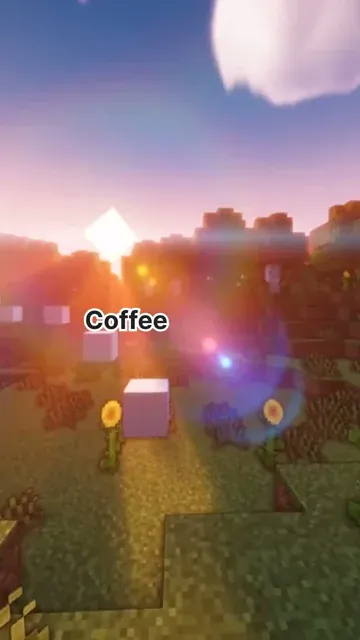
  • Trending Subway Surfers gameplay backgrounds
  • Perfect for viral TikTok and social media content
  • Automatic background video synchronization
  • Optimized for maximum viewer engagement
Video Generator for Viral Content

Subway Surfers Content Creation Made Easy

Transform any text into engaging Subway Surfers videos effortlessly. Our generator automatically combines your script with trending gameplay footage, creating content that performs exceptionally well on social platforms.
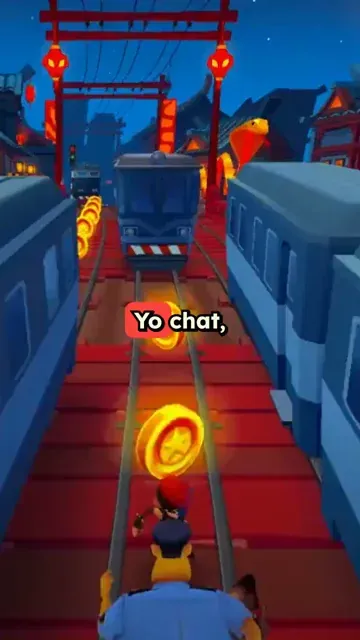
  • Effortless Subway Surfers video creation
  • Text-to-video with gameplay backgrounds
  • Exceptional performance on social platforms
  • Perfect for content creators and marketers
Subway Surfers Content Creation Made Easy
FAQs

Frequently Asked Questions

What is the Subway Surfers Video Generator?
The Subway Surfers Video Generator is an AI tool that turns text, links, or PDFs into short-form videos with Subway Surfers gameplay as the background. It creates the script, voiceover, captions, and vertical video layout automatically, making it easy to produce brainrot videos, Reddit story videos, study content, and faceless TikTok or YouTube Shorts content in minutes.
How do I make a Subway Surfers background video with Revid?
To make a Subway Surfers background video, paste your script, upload a PDF, or enter a link to content you want to transform. Then choose an AI voice, select the Subway Surfers gameplay background, pick music if needed, and click generate. Revid will create a complete Subway Surfers video with narration, captions, and vertical formatting ready for social media.
Can I use the Subway Surfers Video Generator for TikTok?
Yes. The Subway Surfers Video Generator is designed for TikTok-style short videos. It exports in a vertical 9:16 format and combines fast-moving Subway Surfers gameplay with captions and narration, a format commonly used to increase watch time, retention, and engagement on TikTok.
Can I create YouTube Shorts with Subway Surfers gameplay background?
Absolutely. Revid's Subway Surfers Video Generator is ideal for YouTube Shorts because it creates vertical videos with synced captions, AI voiceover, and attention-grabbing gameplay background footage. You can use it to make educational Shorts, story videos, summaries, commentary, or faceless channel content.
What type of content works best with Subway Surfers background videos?
Subway Surfers background videos work especially well for Reddit stories, scary stories, educational facts, study content, Twitter or LinkedIn post summaries, listicles, motivational scripts, PDF summaries, and commentary videos. The Subway Surfers gameplay background gives viewers constant visual stimulation while your main content is delivered through voiceover and captions.
Can I turn a PDF into a Subway Surfers video?
Yes. You can upload a PDF and use Revid to turn it into a Subway Surfers video. The AI can extract the important ideas, generate a short-form script, add an AI voiceover, place captions on screen, and pair everything with Subway Surfers gameplay background footage. This is especially useful for study content, summaries, educational videos, and brainrot learning videos.
Can I paste a link and turn it into a Subway Surfers video?
Yes. You can paste a link to a blog post, article, tweet, LinkedIn post, or other web content. Revid will retrieve the content, help turn it into a short video script, generate narration, and combine it with a Subway Surfers background video. This makes it easy to repurpose written content into short videos for TikTok, YouTube Shorts, and Instagram Reels.
Why do creators use Subway Surfers gameplay in videos?
Creators use Subway Surfers gameplay because fast, familiar gameplay can help keep viewers visually engaged while they listen to a story, lesson, or commentary. The Subway Surfers video format is popular in brainrot content, split-screen videos, faceless channels, and short-form educational content because it can improve retention and make simple narration feel more dynamic.
Does the Subway Surfers Video Generator add captions automatically?
Yes. Revid automatically adds captions to your Subway Surfers video and syncs them with the voiceover. Captions are important for TikTok, YouTube Shorts, and Instagram Reels because many viewers watch without sound. You can edit the captions after generation to adjust style, timing, wording, and placement.
Can I use my own voice in a Subway Surfers video?
Yes. You can use an AI voice or record your own voiceover for your Subway Surfers video. If you want a more personal style, you can upload or record your narration, and Revid will combine it with the Subway Surfers gameplay background, captions, and music.
Can I customize the Subway Surfers background video?
Revid automatically adds Subway Surfers gameplay background footage optimized for short-form viewing. After the AI generates your Subway Surfers video, you can use the editor to adjust elements such as captions, timing, audio, layout, and final pacing so the video matches your content style.
Is this a brainrot video generator?
Yes. This tool works as a Subway Surfers brainrot video generator. It combines narrated content with Subway Surfers gameplay, captions, and vertical formatting, which is one of the most recognizable brainrot video formats on TikTok, YouTube Shorts, and Instagram Reels.
Do I need to record Subway Surfers gameplay myself?
No. You do not need to record gameplay, download clips, or edit footage manually. Revid's Subway Surfers Video Generator adds gameplay background footage for you and builds the full video automatically, including voiceover, captions, music, and export settings.
Can I make faceless videos with the Subway Surfers Video Generator?
Yes. The Subway Surfers Video Generator is perfect for faceless video creation. You can create videos without showing your face by using AI narration, captions, and Subway Surfers gameplay background footage. This makes it useful for faceless TikTok accounts, YouTube Shorts channels, educational pages, and story-based content.
How long does it take to generate a Subway Surfers video?
Most Subway Surfers videos are generated in just a few minutes. The exact time depends on the length of your script, the voiceover, and the selected settings. Once the video is ready, you can edit it directly in Revid before downloading or sharing it.
Can I edit my Subway Surfers video after it is generated?
Yes. After your Subway Surfers video is generated, you can open it in Revid's built-in editor. You can change captions, trim sections, adjust music, modify timing, refine the voiceover, and polish the final video before exporting it for TikTok, YouTube Shorts, or Instagram Reels.
Is the Subway Surfers Video Generator good for educational content?
Yes. Many creators use Subway Surfers background videos for educational content because the gameplay keeps the screen visually active while the voiceover explains a concept. You can use the Subway Surfers Video Generator for study notes, PDF summaries, facts, history, science, business content, or quick lessons.
Can I use the videos commercially?
You can use videos created with Revid for commercial and social media purposes as long as your script, uploaded files, music, and other custom assets comply with the rights you have and Revid's terms of service. If you upload your own content, make sure you have permission to use it commercially.
Is Revid affiliated with Subway Surfers?
Revid is not affiliated with the owners or creators of Subway Surfers. The Subway Surfers Video Generator is a Revid AI tool for creating short-form videos with gameplay-style background content, captions, narration, and social media formatting.
How much does it cost to use the Subway Surfers Video Generator?
The cost depends on your Revid plan and the settings used for your video. Before generating a Subway Surfers video, you can see the estimated credit usage. Free accounts may include limited credits, while paid plans provide more credits for creating videos at a higher volume.
View Complete Help Center

Find detailed answers to 100+ questions about features, tools, and workflows

or check our markdown version optimized for LLMs

Tools

Free AI Video Tools

Choose your tool, add your content, and create a video in seconds. Then customize it to your liking.

AI TikTok Video Generator

Turn text into trendy, viral TikTok videos in a snap

Try it out

Prompt to Video

Turn your prompts into engaging videos with AI assistance

Try it out

Add Caption to Video

Generate subtitles in 100+ languages with AI captions

Try it out

PDF to Brainrot

Convert PDFs into attention-grabbing, scrollable videos

Try it out

Text to Brainrot

Turn your text into trendy, scrollable content with dynamic visuals

Try it out

AI Talking Avatar

Create lifelike talking avatars from text in seconds

Try it out

Video Podcast Generator

Transform your podcasts into visually engaging video content

Try it out

AI Movie Maker

Create studio-quality videos from text, no filming required

Try it out

Audio to Video

Make engaging videos from your podcasts, interviews, or any audio content

Try it out

Animated Lyrics Video Generator

Turn any song into an animated lyric video with synced text and visuals.

Try it out

AI Music Video Generator

Transform your music into cinematic music videos.

Try it out

AI Lyrics Video Generator

Transform your lyrics into a complete music video with AI

Try it out
See all tools
How it works

Four simple steps to create and share your video

1
Step 1

Find your next viral idea

Lacking inspiration? Our AI spots trends and helps you adapt them for your own videos, hassle-free.

  • Identify the best performing formats
  • Get inspired by top creators
  • Turn your ideas into captivating videos
Find your next viral idea
2
Step 2

Storytelling designed to captivate

Revid.ai analyzes viral videos and uses those same codes to write your scripts.

  • Write your script or just give the topic to our AI
  • The AI will suggest relevant content to inspire you
  • Paste a link, our AI analyzes it and turns it into a video
Storytelling designed to captivate
3
Step 3

Videos you will love

Create professional videos, share them with one click, and grow your audience.

  • Watch your texts turn into professional videos
  • Automate video creation from your content
Videos you will love
4
Step 4

Publish on TikTok, YouTube, Instagram and more

Reach a wider audience by sharing your videos across all your networks.

Publish on TikTok, YouTube, Instagram and more
revid.ai logo

The fastest way to create captivating videos.