Trusted by 14,000+ creators worldwide

Star Trek Video AI Generator

Create a short Star Trek video with AI media generation. Just drop your script and let Revid AI handle the rest.

Paste a voiceover script or URL and turn it into a TikTok-ready video with AI voice, captions, and scroll-stopping visuals.

  • Paste text or URL
  • AI voiceover
  • TikTok-ready 9:16
  • Auto captions and visuals

Create Star Trek Videos with AI in 4 Simple Steps

1 Paste Your Star Trek Script or URL

Start by entering the script for your Star Trek video, or paste a URL from an article, post, or other source you want to turn into short-form content. You can write episode analysis, lore breakdowns, fan theories, character explainers, sci-fi stories, or Star Trek-inspired narration. Add [bracketed visual directions] to guide the AI without including those words in the voiceover.

2 Choose an AI Voice and Video Style

Select a natural AI voice for your narration, or upload/record your own voiceover. Then choose the type of visuals you want for your Star Trek AI video generator project, including moving AI images, AI video, motion graphics, stock footage, your own media, or static gameplay-style backgrounds.

3 Generate Futuristic Sci-Fi Visuals

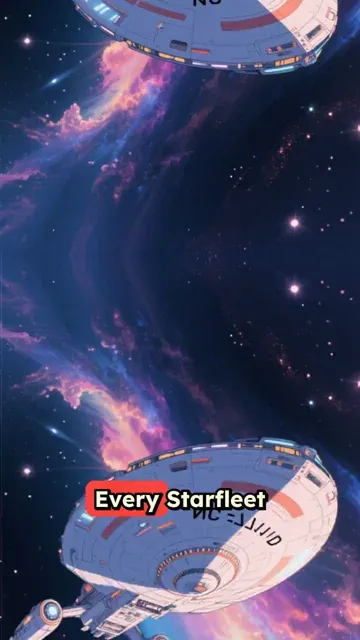
Revid AI turns your script into a vertical Star Trek video with futuristic space visuals, cinematic pacing, auto captions, background music, and optional sound effects. The tool is designed for TikTok, YouTube Shorts, and Instagram Reels, so your Star Trek fan video is formatted for social platforms from the start.

4 Edit, Download, and Publish

Once your video is generated, open it in the built-in editor to refine captions, timing, scenes, music, or visuals. Then download your finished Star Trek inspired short video and publish it across TikTok, YouTube Shorts, Instagram Reels, or your sci-fi content channel.

01

Futuristic Space Exploration Content Without a Production Crew or Special Effects

Write your Star Trek-inspired script and Revid generates a complete short video with AI-rendered futuristic visuals, natural voiceover, and cinematic presentation. The AI image preset produces immersive sci-fi imagery that captures starships, alien worlds, Federation technology, and the philosophical spirit of exploration described in your script. No filming, CGI, or video editing is required. From script to finished video takes minutes, making it easy to post episode analyses, series comparisons, crew breakdowns, and fan stories on a consistent schedule for the Star Trek community.

02

What the AI Generates from Your Star Trek Script

The Star Trek video generator renders each scene with futuristic visuals matched to the settings, crews, and storylines you describe. Whether you are writing about a specific series, a starship mission, a character's arc, a philosophical debate, or an original story set in the Trek universe, the AI builds imagery that fits the optimistic, exploratory tone of the franchise. Voiceover is generated and synced automatically alongside a matching soundtrack. Write the script and receive a complete, polished short video without handling any production steps.

03

Star Trek Fan Content for Science Fiction Communities Across Every Platform

Star Trek has one of the most thoughtful and consistently engaged fanbases in science fiction, with strong performance for episode analysis videos, series rankings, technology breakdowns, and philosophical discussion content. The franchise's expanding library of new series creates a constant supply of content opportunities for creators who can publish quickly around new releases. Revid makes it practical to produce and post that content the same day you have the idea. Write the script, generate the video, and publish without a production backlog building up between each post.

Target Audience

Who is this tool for?

Star Trek fan content creators

Build a consistent channel around Star Trek series analyses, crew comparisons, and mission stories on social media without video editing or production skills required.

Sci-fi and space storytellers

Write original stories set in the Trek universe or analyze real episodes and convert them into short-form video content that reaches the engaged sci-fi audience across platforms.

Sci-fi review and lore channels

Add dedicated Star Trek content to a broader sci-fi channel to capture the consistent audience that follows the franchise across multiple series, films, and spinoffs.

Science and technology brands

Create Star Trek-inspired video content for science communication, technology campaigns, and innovation-focused brand activations that resonate with an intellectually engaged audience.

Comparison

Revid vs. Manual Star Trek Fan Video Production

Creating Star Trek fan content typically requires sourcing visuals, recording narration, and editing everything together. Revid generates the full video automatically from your script in minutes.

Input
Revid Create Star Trek VideosWrite a script and generate immediately
Other ToolsSource sci-fi visuals, record narration, and edit all elements
Visual style
Revid Create Star Trek VideosAI generates futuristic space imagery from your script description
Other ToolsLimited to licensed footage, screenshots, or fan art assets
Voiceover
Revid Create Star Trek VideosAI narration generated and synced automatically
Other ToolsRequires recording or commissioning voiceover talent
Music
Revid Create Star Trek VideosCinematic soundtrack matched to scene tone automatically
Other ToolsMusic must be licensed and manually synced to the edit
Production time
Revid Create Star Trek VideosComplete video ready in minutes
Other ToolsHours of sourcing and editing per finished video
Content volume
Revid Create Star Trek VideosGenerate multiple analysis and story videos in one session
Other ToolsEach video requires a separate full production workflow
FAQs

Frequently Asked Questions

What is the Star Trek AI Video Generator?
The Star Trek AI Video Generator is a Revid AI tool that helps you create Star Trek videos from a script, article, or URL. Paste your narration, choose a voice and media style, and the AI generates a short sci-fi video with futuristic visuals, captions, music, and voiceover. It is built for creators who want fast Star Trek inspired content for TikTok, YouTube Shorts, and Instagram Reels.
How do I create a Star Trek video with Revid AI?
To create a Star Trek video, paste your script or URL into the tool, choose an AI voice, select your visual media type, and click generate. Revid AI will create a vertical Star Trek video with AI voiceover, captions, and matching sci-fi visuals. After generation, you can edit the video before downloading or posting it.
Can I use this tool to make Star Trek TikTok videos?
Yes. This tool is designed to create Star Trek TikTok videos, YouTube Shorts, and Instagram Reels in a 9:16 vertical format. The Star Trek video AI generator automatically adds narration, captions, music, and futuristic visuals so your content is ready for short-form social platforms.
What kinds of Star Trek videos can I generate?
You can generate many types of Star Trek videos, including episode analysis, character breakdowns, ship comparisons, alien species explainers, fan theories, lore summaries, timeline videos, ranking videos, sci-fi storytelling, and original space exploration narratives. If your script works as a single-speaker narration, Revid can turn it into a polished Star Trek inspired video.
Can I paste a URL instead of writing a full script?
Yes. You can paste a URL from an article, blog post, social post, or other source, and Revid AI can help turn that source material into a short Star Trek video. This is useful for repurposing written sci-fi commentary, news, reviews, or fandom content into a Star Trek AI video for social media.
Does the Star Trek video generator create the script for me?
The tool works best when you already have a script, narration, text, article, or URL. You can paste existing content and ask Revid AI to summarize, repurpose, or convert it into short-form video. For the best Star Trek AI video generator results, provide a clear single-speaker script with strong pacing and specific visual ideas.
How can I control the visuals in my Star Trek video?
You can guide the visuals by adding directions inside square brackets in your script. For example, you might write [starship entering orbit], [alien desert planet], or [futuristic control room]. The bracketed text helps the AI create matching sci-fi visuals for your Star Trek video, but it will not be spoken in the voiceover or shown as captions.
What visual styles are available for Star Trek inspired videos?
Revid AI supports several media styles for Star Trek inspired videos, including AI video, moving AI images, motion graphics, stock videos, your own uploaded media, and static or gameplay-style visuals. This makes it easy to create a Star Trek fan video, sci-fi explainer, or cinematic space short without manually sourcing footage.
Can I use my own voice in the Star Trek video?
Yes. You can use an AI voice, record your own narration, or upload a pre-recorded voiceover. Many creators use AI voiceover for fast Star Trek video production, while others prefer their own voice for reviews, lore commentary, episode reactions, or personal Star Trek fan content.
Are captions included automatically?
Yes. The Star Trek AI video generator adds captions automatically and syncs them with the voiceover. Captions are especially important for TikTok, YouTube Shorts, and Instagram Reels because many viewers watch short videos without sound. You can edit caption style, timing, and layout after the video is generated.
Can I add pauses to the AI narration?
Yes. You can add narration pauses with break tags such as inside your script. This helps improve pacing, dramatic timing, and clarity in your Star Trek video, especially for episode analysis, lore explanations, and cinematic sci-fi storytelling.
Is this tool only for Star Trek fan videos?
No. While the tool is optimized to create Star Trek videos and Star Trek inspired sci-fi shorts, you can also use it for broader space exploration content, futuristic technology explainers, science fiction storytelling, alien world concepts, and space-themed commentary videos.
Does Revid AI use official Star Trek footage?
Revid AI generates or selects visuals based on your settings and script. The tool is intended for Star Trek inspired fan content, commentary, analysis, and creative sci-fi videos. If you upload official clips, screenshots, music, logos, or copyrighted assets, you are responsible for making sure you have the rights or permission to use them.
Can I make Star Trek episode analysis videos?
Yes. The Star Trek video maker is a strong fit for episode analysis, recap-style commentary, timeline breakdowns, theme discussions, and character arc videos. Paste your analysis script, use bracketed visual hints for scenes like [starship bridge] or [deep space anomaly], and Revid AI will generate a short-form video around your narration.
Can I create a series of Star Trek Shorts with this tool?
Yes. Revid AI is built for creators who want to create Star Trek videos consistently. You can generate multiple Shorts, TikToks, or Reels from scripts in one session, making it easier to build a recurring series around Star Trek lore, rankings, fan theories, ship technology, alien cultures, or philosophical questions from the franchise.
How long should my Star Trek video script be?
For short-form platforms, the best Star Trek videos are usually concise and focused. A script between 30 seconds and 2 minutes often works well for TikTok, YouTube Shorts, and Instagram Reels. Use short sentences, clear paragraphs, and line breaks to help the AI pace scenes and captions effectively.
How long does it take to generate a Star Trek video?
Most Star Trek AI videos are generated in just a few minutes, depending on script length, media type, voice settings, and generation options. Longer scripts or advanced AI video settings may take more time, but the workflow is much faster than manually editing a Star Trek fan video from scratch.
Can I edit the Star Trek video after it is generated?
Yes. After your Star Trek video is generated, you can use Revid AI's built-in editor to adjust captions, change visuals, trim timing, edit audio, swap scenes, or refine the final cut. The AI gives you a strong first version, and the editor lets you polish the video before publishing.
Can I use the generated Star Trek inspired video commercially?
You can use videos created with Revid AI according to your plan and our terms, but you are responsible for the content you provide and upload. For commercial use, avoid using copyrighted Star Trek footage, protected logos, music, or assets unless you have the necessary rights. The tool is best used for original commentary, analysis, education, parody, or Star Trek inspired sci-fi content.
Why use Revid AI instead of editing Star Trek videos manually?
Manual Star Trek fan video production can require writing, recording narration, finding visuals, editing captions, licensing music, and formatting the final video. Revid AI automates the process. The Star Trek AI video generator takes your script and creates a vertical sci-fi video with voiceover, captions, music, and visuals in minutes, making it easier to publish consistently.
View Complete Help Center

Find detailed answers to 100+ questions about features, tools, and workflows

or check our markdown version optimized for LLMs

Tools

Free AI Video Tools

Choose your tool, add your content, and create a video in seconds. Then customize it to your liking.

AI TikTok Video Generator

Turn text into trendy, viral TikTok videos in a snap

Try it out

Prompt to Video

Turn your prompts into engaging videos with AI assistance

Try it out

Add Caption to Video

Generate subtitles in 100+ languages with AI captions

Try it out

PDF to Brainrot

Convert PDFs into attention-grabbing, scrollable videos

Try it out

Text to Brainrot

Turn your text into trendy, scrollable content with dynamic visuals

Try it out

AI Talking Avatar

Create lifelike talking avatars from text in seconds

Try it out

Video Podcast Generator

Transform your podcasts into visually engaging video content

Try it out

AI Movie Maker

Create studio-quality videos from text, no filming required

Try it out

Audio to Video

Make engaging videos from your podcasts, interviews, or any audio content

Try it out

Animated Lyrics Video Generator

Turn any song into an animated lyric video with synced text and visuals.

Try it out

AI Music Video Generator

Transform your music into cinematic music videos.

Try it out

AI Lyrics Video Generator

Transform your lyrics into a complete music video with AI

Try it out
See all tools
How it works

Four simple steps to create and share your video

1
Step 1

Find your next viral idea

Lacking inspiration? Our AI spots trends and helps you adapt them for your own videos, hassle-free.
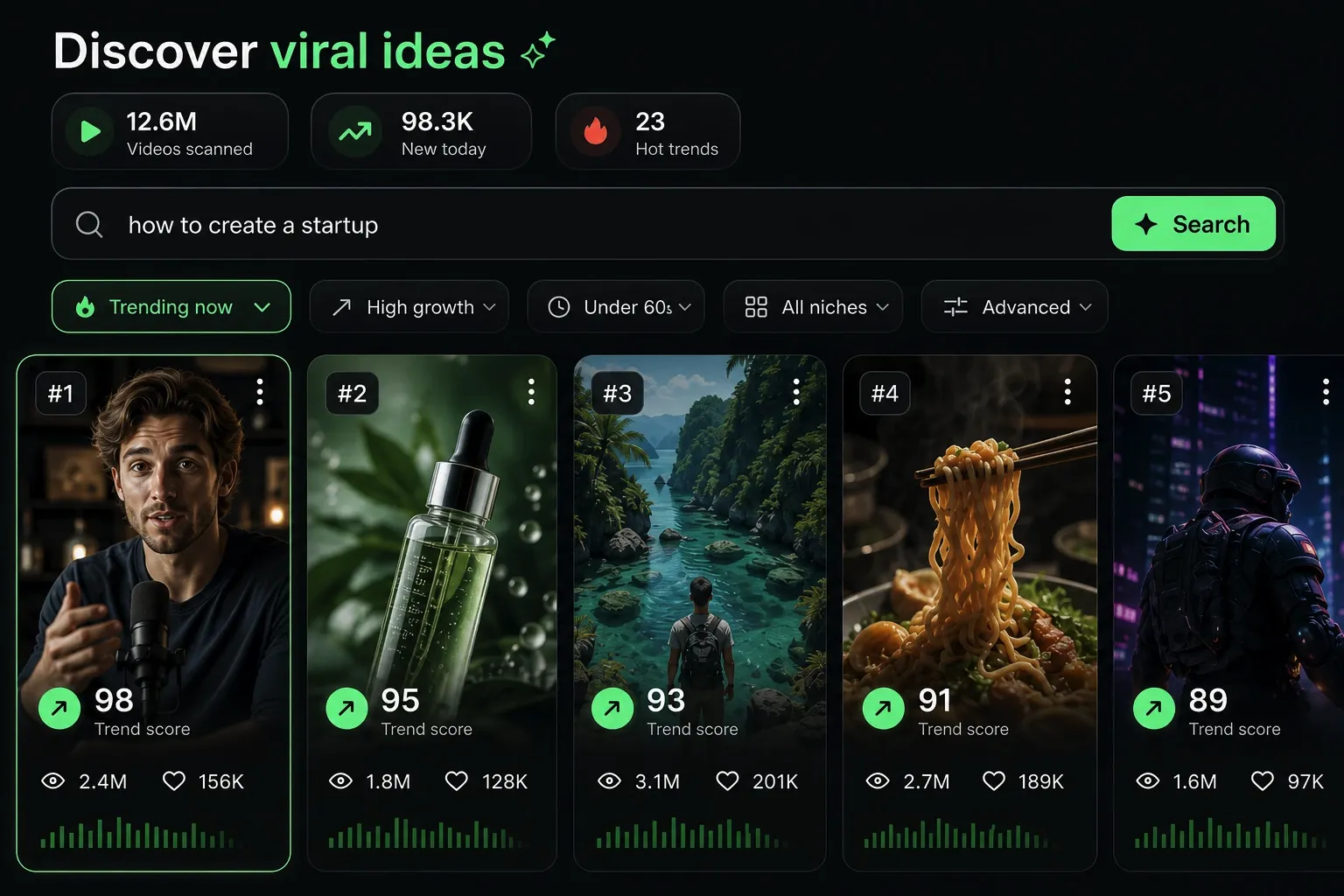
  • Identify the best performing formats
  • Get inspired by top creators
  • Turn your ideas into captivating videos
Find your next viral idea
2
Step 2

Storytelling designed to captivate

Revid.ai analyzes viral videos and uses those same codes to write your scripts.
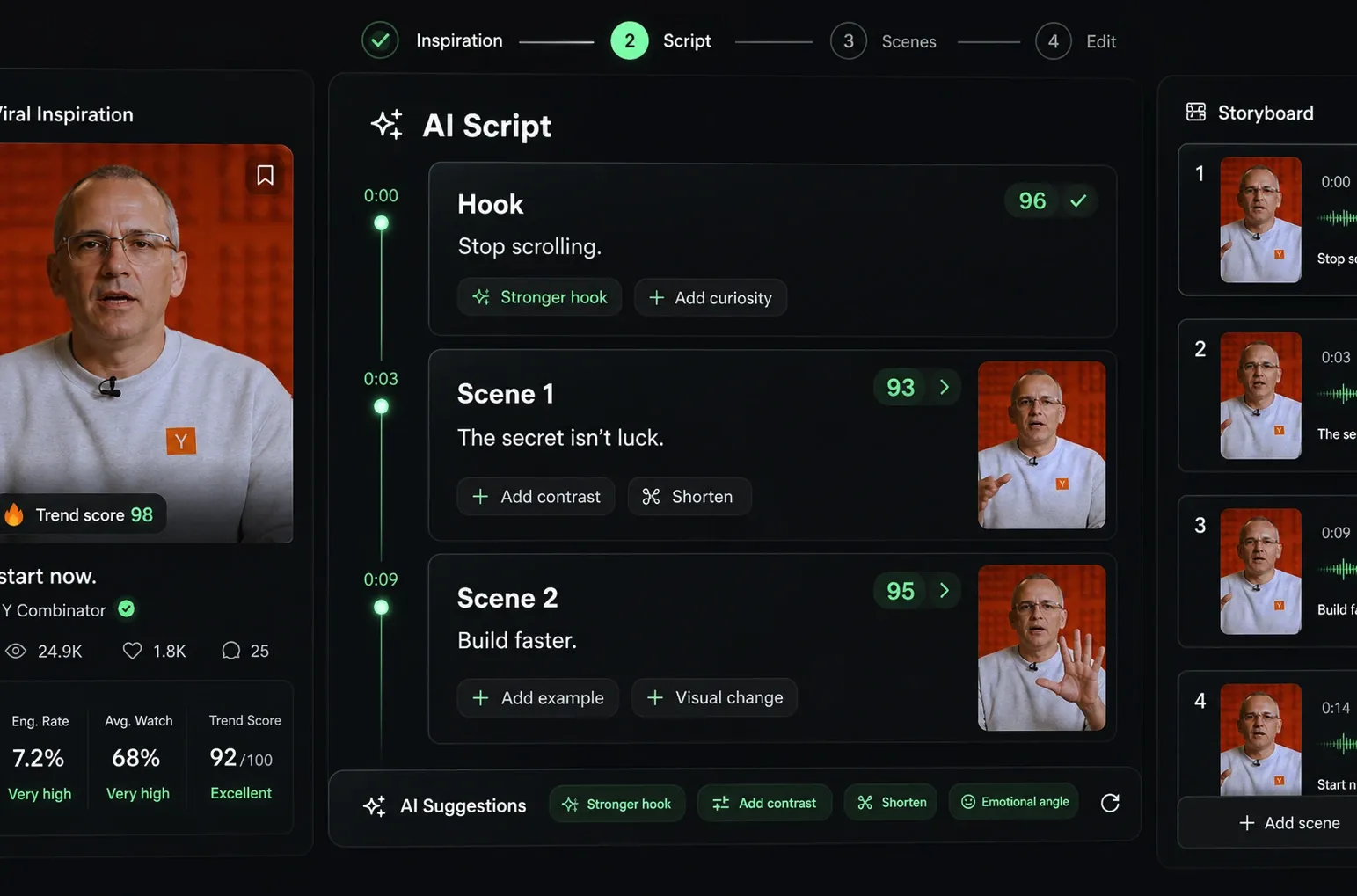
  • Write your script or just give the topic to our AI
  • The AI will suggest relevant content to inspire you
  • Paste a link, our AI analyzes it and turns it into a video
Storytelling designed to captivate
3
Step 3

Videos you will love

Create professional videos, share them with one click, and grow your audience.
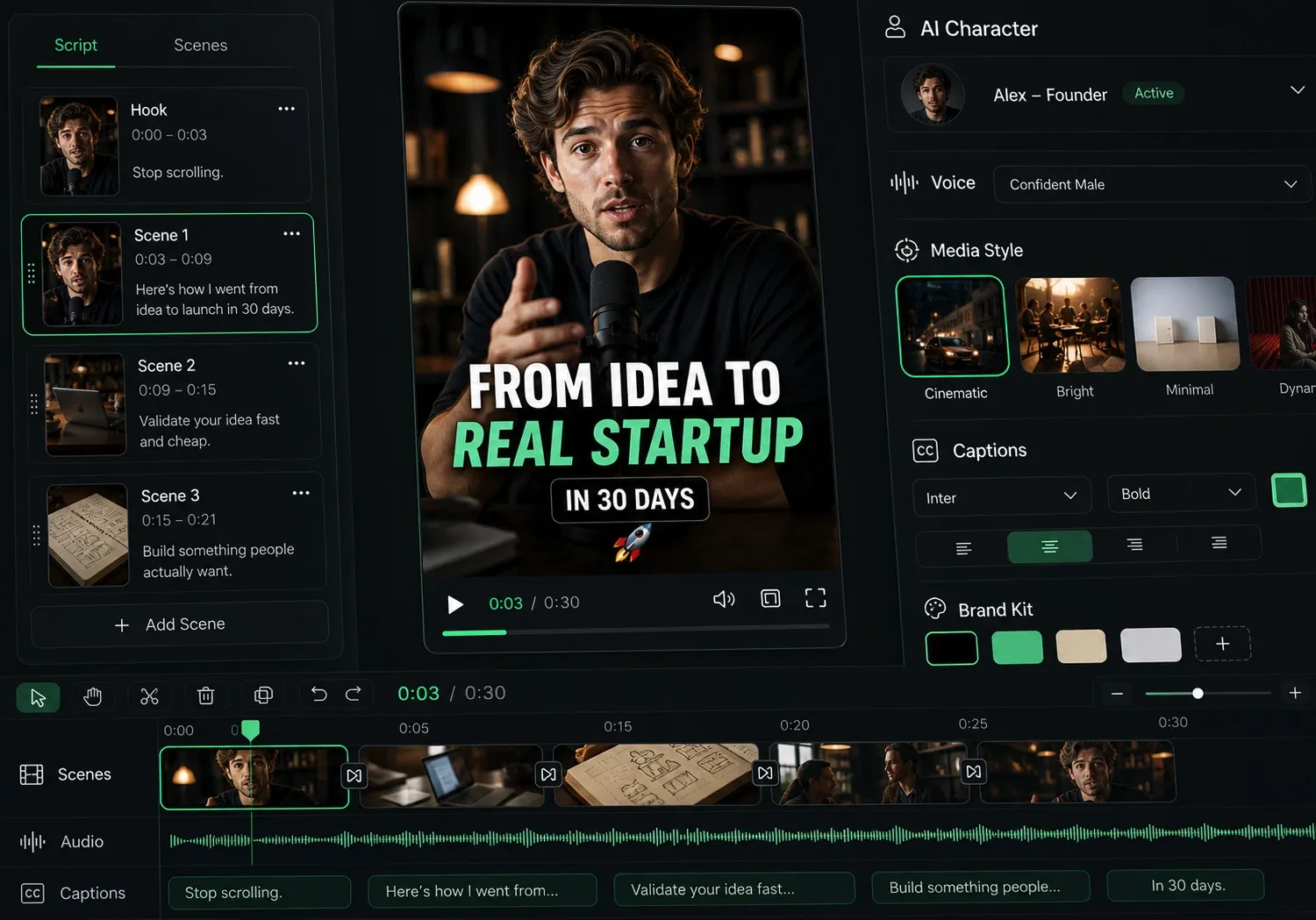
  • Watch your texts turn into professional videos
  • Automate video creation from your content
Videos you will love
4
Step 4

Publish on TikTok, YouTube, Instagram and more

Reach a wider audience by sharing your videos across all your networks.
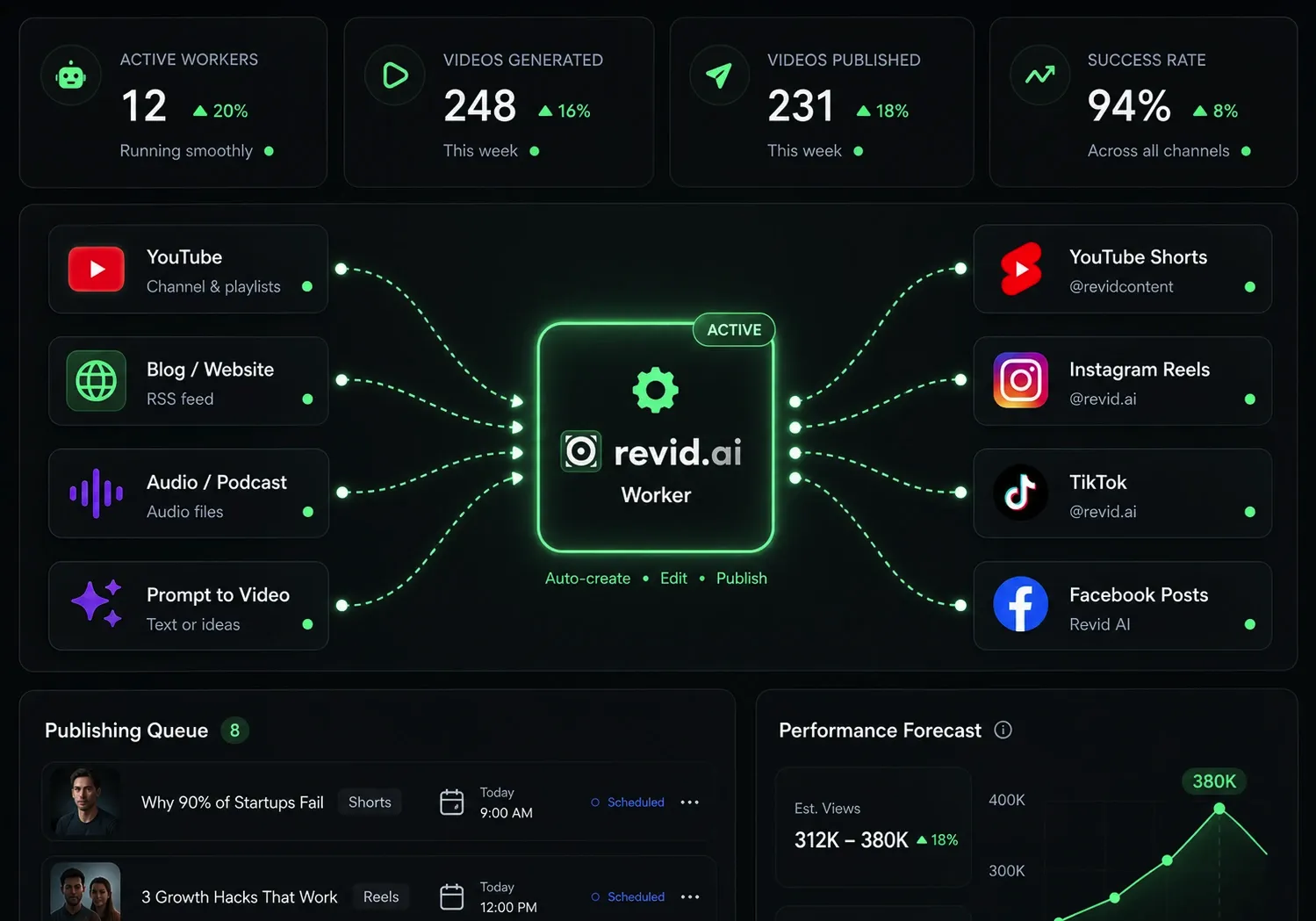
Publish on TikTok, YouTube, Instagram and more
revid.ai logo

The fastest way to create captivating videos.