Trusted by 14,000+ creators worldwide

AI Action Figure Video Generator

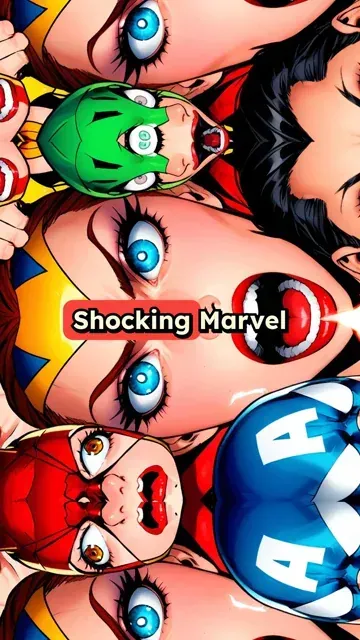
Create exciting action figure videos with AI media generation. Transform your hero collection into epic adventures with automated video creation.

Paste a voiceover script or URL and turn it into a TikTok-ready video with AI voice, captions, and scroll-stopping visuals.

  • Paste text or URL
  • AI voiceover
  • TikTok-ready 9:16
  • Auto captions and visuals
Video Format
1,410 people used this tool in the last 24h
Start for free.(no credit card required)

or explore our 42+ other tools to create the exact video you want

Explore our tools

Create AI Action Figure Videos in 4 Simple Steps

1 Paste Your Script or URL

Start your AI action figure video generator project by pasting a short narration script, story idea, article link, social post, or URL. Revid can use your text as-is or help turn longer content into a punchy action figure story for TikTok, YouTube Shorts, and Instagram Reels.

2 Choose an AI Voice for Your Hero Story

Select a natural AI voice to narrate your action figure adventure, or record and upload your own voiceover for a more personal style. The AI voice is automatically timed with captions and visuals, making your AI action figure video feel polished and ready to publish.

3 Pick Your Visual Style and Media Type

Choose how Revid should illustrate your action figure story: AI video, moving AI images, motion graphics, stock footage, your own uploaded media, or static attention-grabbing visuals. Add visual hints in [square brackets] to guide scenes such as [hero action figure on a rooftop] or [epic battle between two toy villains].

4 Generate, Edit, and Share

Click "Generate Video" and Revid creates a vertical 9:16 AI action figure video with voiceover, captions, music, and cinematic visuals in minutes. After generation, use the built-in editor to trim scenes, adjust captions, change timing, add sound effects, and export your video for TikTok, YouTube Shorts, Instagram Reels, or other social channels.

01

Action Figure Adventure Videos Without a Camera or Stop-Motion Rig

Write a short story about your action figures and Revid generates a complete video with AI-rendered hero visuals, natural voiceover, and cinematic presentation. The AI image preset applies a dynamic action-adventure aesthetic to every frame, matching the energy of collector showcase and toy adventure content. There is no physical setup, lighting, or frame-by-frame animation involved. From script to finished video takes minutes, making it easy to produce an entire series of action figure storylines and character battles without any production equipment.

02

Who Creates AI Action Figure Videos and Why It Works

Toy collectors, kids channel creators, and product reviewers use this tool to bring their figure collections to life as narrative videos. Instead of filming stop-motion sequences that take hours per minute of footage, they write a script and let the AI generate the visual story automatically. The result is a polished short video ready for TikTok or YouTube Shorts. It is particularly effective for channels that want to build serialized content around specific heroes, teams, or crossover battles without investing in physical production setups.

03

Action Figure Content That Builds Loyal Audiences on Social Media

Short videos built around hero adventures and character battles perform consistently well on TikTok and YouTube Shorts because the audience for action figure and collector content is large, passionate, and highly engaged. Posting regularly in this niche builds a subscriber base that expects new story content from specific characters or universes. Revid makes it practical to publish that content consistently. Write the storyline, generate the video, and post. Channels that commit to a regular posting schedule in this niche grow faster than those that post sporadically.

Target Audience

Who is this tool for?

Toy collectors and showcase creators

Turn your figure collection into an adventure series that audiences follow, without needing stop-motion skills or video editing software to produce each episode.

Kids and family content creators

Produce safe, entertaining action figure stories for younger audiences on YouTube and TikTok without filming real sets or dealing with complex production logistics.

Brand and product teams

Create engaging promotional video content around toy lines, collectibles, and hero merchandise that connects with fanbases through story-driven short video formats.

Cosplay and fan community creators

Build video content around your favorite heroes and characters that complements your cosplay or fan art output, reaching audiences who follow multiple formats in the same niche.

Comparison

Revid vs. Manual Action Figure Video Production

Stop-motion and live filming require physical setup, frame-by-frame work, and post-production editing. Revid generates the complete video from your script automatically.

Setup required
Revid AI Action Figure Video GeneratorWrite a script and generate
Other ToolsPhysical set, lighting, and figure positioning for every scene
Animation method
Revid AI Action Figure Video GeneratorAI renders visuals from your story description
Other ToolsFrame-by-frame stop-motion or live camera filming
Voiceover
Revid AI Action Figure Video GeneratorAI narration generated and synced automatically
Other ToolsRequires recording or hiring voiceover talent
Production time
Revid AI Action Figure Video GeneratorComplete video ready in minutes
Other ToolsHours of physical work per minute of footage
Content volume
Revid AI Action Figure Video GeneratorGenerate multiple storylines in a single session
Other ToolsEach episode requires a full separate production run
Skill required
Revid AI Action Figure Video GeneratorNo animation, filming, or editing skills needed
Other ToolsStop-motion technique takes significant practice to learn
FAQs

Frequently Asked Questions

What is the AI Action Figure Video Generator?
The AI Action Figure Video Generator is a Revid tool that turns a script, story idea, or URL into a short vertical video about action figures, heroes, collectibles, and toy adventures. Instead of filming stop-motion or editing clips manually, you paste your text, choose an AI voice and visual style, and Revid generates a TikTok-ready AI action figure video with narration, captions, music, and cinematic visuals.
How does the AI action figure generator work?
The AI action figure generator analyzes your script or imported content, creates a narration flow, generates or selects matching visuals, adds captions, and assembles everything into a vertical short-form video. You can guide the AI with bracketed visual directions like [red armored action figure entering the arena] or [two heroes facing a giant robot]. The result is an AI action figure video that looks like an adventure sequence without requiring a camera, lighting setup, or stop-motion rig.
Can I create action figure videos without filming real toys?
Yes. Revid is designed as an AI stop-motion alternative for creators who want action figure adventure videos without filming real toys frame by frame. You can write a story about your heroes, collectibles, or toy characters, and the AI action figure video generator will create matching visuals automatically. This makes it much easier to produce regular action figure videos for TikTok, YouTube Shorts, and Instagram Reels.
What should I enter into the AI Action Figure Video Generator?
You can enter a narration script, a short hero story, a product description, a collector showcase idea, or a URL to content you want to repurpose. For best results, write the script exactly as you want it spoken. Short sentences work well for social videos. You can also include visual instructions inside square brackets, such as [cinematic close-up of a battle-damaged action figure], to help the AI action figure generator create more accurate scenes.
Can I use a URL instead of writing a full script?
Yes. You can paste a URL from an article, blog post, social post, product page, or other web content. Revid can help transform that source into a short AI action figure video script and then generate the final video. This is useful if you want to repurpose toy reviews, collector posts, character lore, fan discussions, or product descriptions into short-form action figure content.
What types of videos can I make with an AI action figure video generator?
You can create hero origin stories, action figure battles, toy collection showcases, villain introductions, episode recaps, product promos, fan-style adventure videos, collector ranking videos, and serialized action figure story content. The AI Action Figure Video Generator is especially useful for short social videos where a narrator tells a dramatic story over fast-moving visuals and captions.
Is this tool good for TikTok, YouTube Shorts, and Instagram Reels?
Yes. The AI Action Figure Video Generator creates videos in a vertical 9:16 format, which is ideal for TikTok, YouTube Shorts, Instagram Reels, and mobile-first social platforms. It also adds captions and dynamic visuals, which are important for short-form engagement. If your goal is to grow an action figure, toy collecting, hero story, or fan content account, this tool is built for that workflow.
Can I make an action figure video series with Revid?
Absolutely. Revid is ideal for creating an AI action figure video series because you can generate multiple episodes from scripts in a single session. For example, you can create a weekly hero battle series, a villain origin series, a collector showcase series, or a toy universe storyline. Since the AI action figure generator removes the need for manual filming and stop-motion animation, producing consistent serialized content becomes much faster.
Can I upload my own action figure photos or media?
Yes, you can choose the custom media option to use your own uploaded images or videos when creating your action figure content. This is helpful if you want to feature your own collection, specific toy photography, product visuals, or branded assets. Revid can then combine your uploaded media with AI voiceover, captions, music, and editing to create a finished action figure video.
What visual styles are available for AI action figure videos?
Revid supports multiple media types for action figure videos, including AI video, moving AI images, motion graphics, stock videos, static visuals, and your own uploaded media. For this AI action figure generator, the default visual direction focuses on action figures and heroes in epic adventures, helping each video feel dramatic, collectible-focused, and suitable for fan and toy content.
How do I guide the AI to create specific action figure scenes?
Use square brackets inside your script to describe the visuals you want. For example: [blue hero action figure flying over a city], [villain toy standing in a dark laboratory], or [close-up of a collector shelf with rare figures]. The bracketed text will not be spoken by the AI voice but will guide the AI action figure video generator when creating or selecting visuals.
Can I add pauses, pacing, and dramatic timing to the narration?
Yes. You can control pacing with punctuation, line breaks, and pause tags. For example, you can add <break time="0.3s" /> to create a short dramatic pause in the AI voiceover. This is useful for action figure story videos, hero reveals, battle moments, cliffhangers, and dramatic transitions between scenes.
Does the AI Action Figure Video Generator include captions?
Yes. Revid automatically adds captions to your AI action figure video, making it easier to watch without sound and more suitable for TikTok, YouTube Shorts, and Instagram Reels. After the video is generated, you can edit caption timing, styling, and placement in the Revid editor.
Can I add music and sound effects to action figure videos?
Yes. You can choose background music from Revid's audio options or upload your own audio. The tool can also support sound effects if you want to make your AI action figure video feel more cinematic, dramatic, or action-packed. Music and sound design are especially useful for hero entrances, fight scenes, villain reveals, and adventure sequences.
How long does it take to generate an AI action figure video?
Most AI action figure videos are generated in just a few minutes, depending on the script length, selected media type, and visual complexity. Short TikTok-style videos usually process quickly. Longer stories, AI video scenes, and more detailed visuals may take slightly more time.
Do I need video editing or animation skills?
No. The AI Action Figure Video Generator is built for creators who want to make action figure videos without learning editing software, animation tools, or stop-motion production. Revid handles voiceover, visuals, captions, music, and assembly automatically. You can still make edits afterward, but you do not need technical skills to create the first version.
How is this different from manual stop-motion animation?
Traditional stop-motion action figure videos require a physical set, lighting, camera setup, frame-by-frame positioning, voiceover recording, editing, and post-production. Revid works differently: you write a script, choose a voice and visual style, and the AI action figure generator creates the video automatically. It is much faster for creators who want to publish frequent short-form action figure content.
Can I edit the video after it is generated?
Yes. Once your AI action figure video is generated, you can open it in Revid's built-in editor. You can trim the video, adjust captions, replace visuals, modify timing, add text, change music, and refine the final result before downloading or posting. This gives you both AI speed and creative control.
Can I use the AI Action Figure Video Generator for commercial content?
Yes, you can use Revid to create commercial action figure videos, product promos, toy marketing content, collector channel videos, and monetized social media posts. Make sure you have the rights to any uploaded media, music, brand names, characters, logos, or intellectual property you include. If you are creating fan-style content, follow the relevant platform rules and rights guidelines.
What is the best script length for an AI action figure video?
For TikTok, YouTube Shorts, and Instagram Reels, short scripts usually perform best. A script between 80 and 250 words is a strong starting point for an AI action figure video. Keep sentences punchy, add line breaks for scene changes, and use bracketed visual prompts for key moments. This helps the AI action figure generator create a faster, more engaging final video.
How much does the AI Action Figure Video Generator cost?
The cost depends on your Revid plan, available credits, script length, and selected generation settings. Before generating your AI action figure video, Revid shows the estimated credit usage so you know what to expect. Free accounts may include limited credits, while paid plans provide a larger monthly credit allocation for creating more videos.
Who should use this AI action figure generator?
This AI action figure generator is made for toy collectors, kids and family content creators, fan creators, product marketers, cosplay creators, YouTube Shorts channels, TikTok creators, and anyone who wants to create action figure story videos quickly. It is especially useful for creators who want a repeatable way to publish hero adventures, toy battles, and collectible showcases without filming everything manually.
View Complete Help Center

Find detailed answers to 100+ questions about features, tools, and workflows

or check our markdown version optimized for LLMs

Tools

Free AI Video Tools

Choose your tool, add your content, and create a video in seconds. Then customize it to your liking.

AI TikTok Video Generator

Turn text into trendy, viral TikTok videos in a snap

Try it out

Prompt to Video

Turn your prompts into engaging videos with AI assistance

Try it out

Add Caption to Video

Generate subtitles in 100+ languages with AI captions

Try it out

PDF to Brainrot

Convert PDFs into attention-grabbing, scrollable videos

Try it out

Text to Brainrot

Turn your text into trendy, scrollable content with dynamic visuals

Try it out

AI Talking Avatar

Create lifelike talking avatars from text in seconds

Try it out

Video Podcast Generator

Transform your podcasts into visually engaging video content

Try it out

AI Movie Maker

Create studio-quality videos from text, no filming required

Try it out

Audio to Video

Make engaging videos from your podcasts, interviews, or any audio content

Try it out

Animated Lyrics Video Generator

Turn any song into an animated lyric video with synced text and visuals.

Try it out

AI Music Video Generator

Transform your music into cinematic music videos.

Try it out

AI Lyrics Video Generator

Transform your lyrics into a complete music video with AI

Try it out
See all tools
How it works

Four simple steps to create and share your video

1
Step 1

Find your next viral idea

Lacking inspiration? Our AI spots trends and helps you adapt them for your own videos, hassle-free.
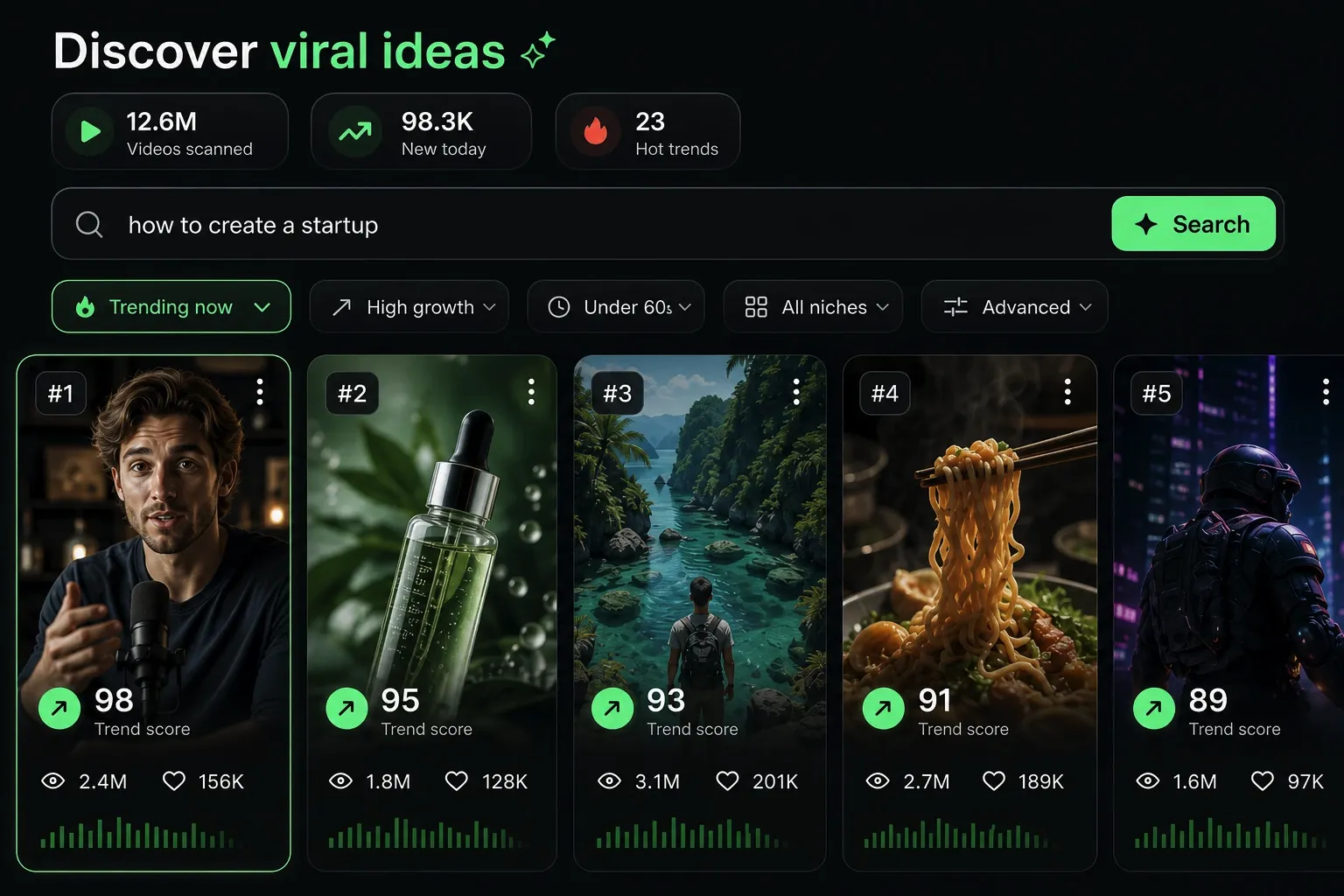
  • Identify the best performing formats
  • Get inspired by top creators
  • Turn your ideas into captivating videos
Find your next viral idea
2
Step 2

Storytelling designed to captivate

Revid.ai analyzes viral videos and uses those same codes to write your scripts.
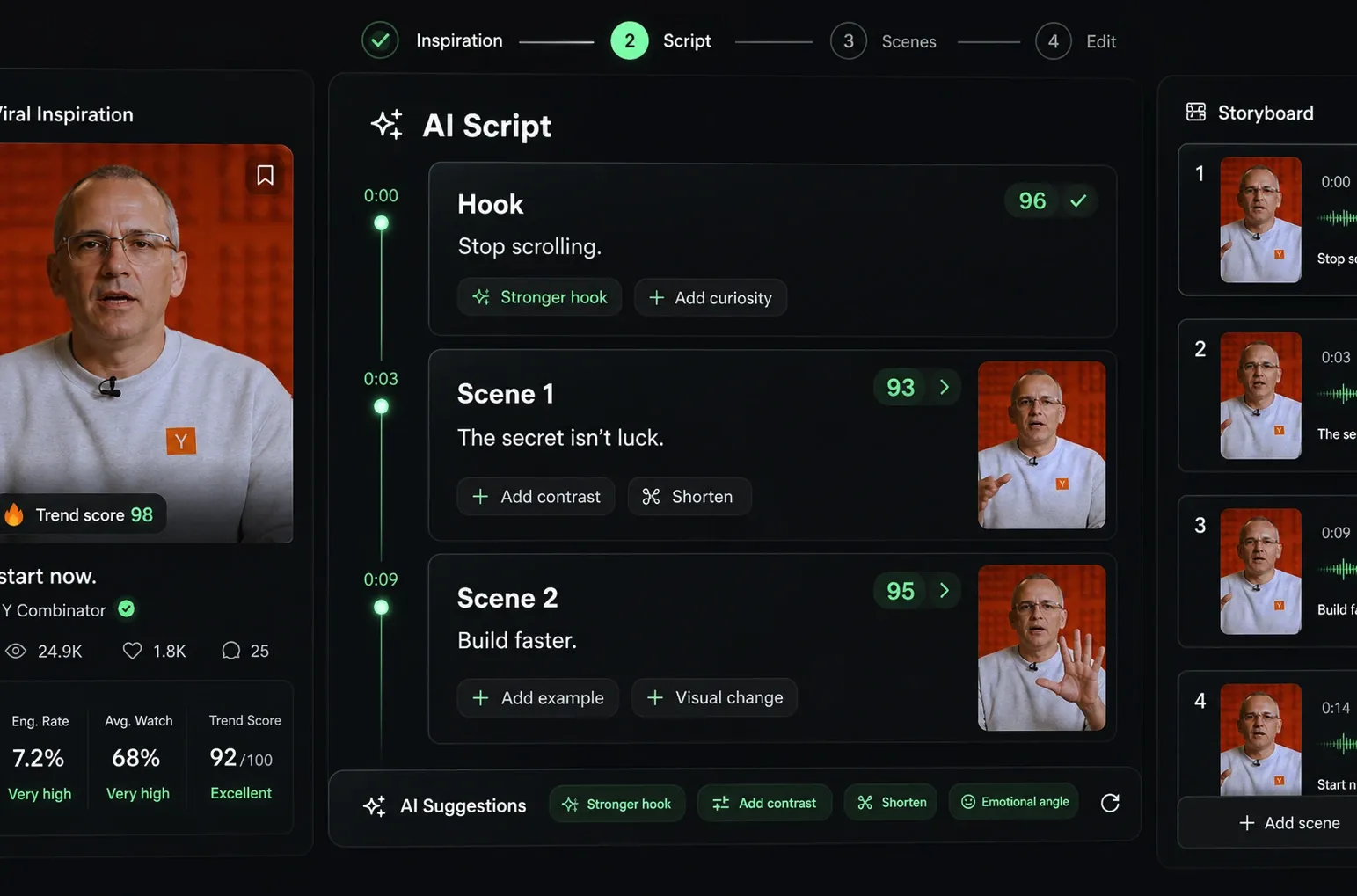
  • Write your script or just give the topic to our AI
  • The AI will suggest relevant content to inspire you
  • Paste a link, our AI analyzes it and turns it into a video
Storytelling designed to captivate
3
Step 3

Videos you will love

Create professional videos, share them with one click, and grow your audience.
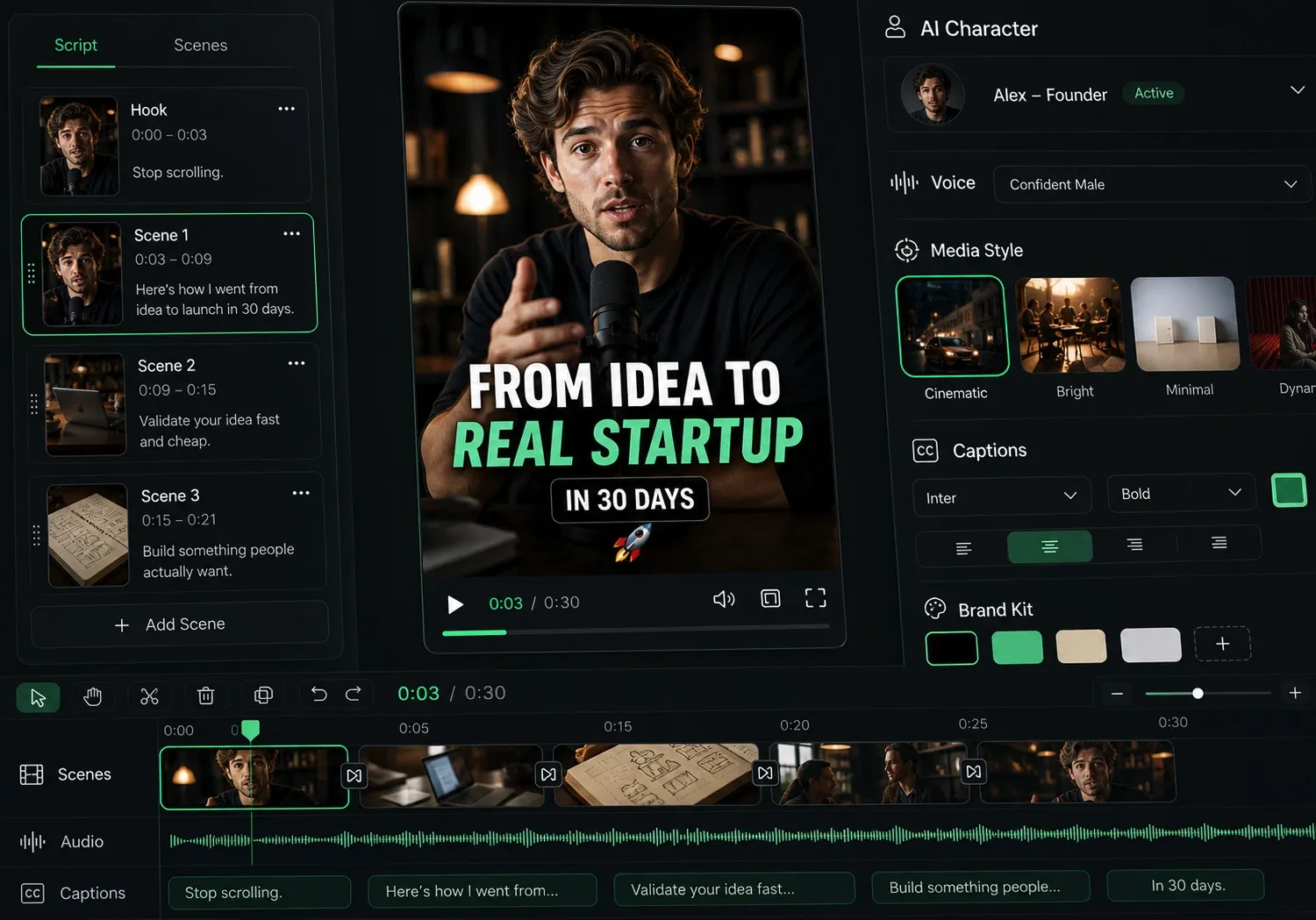
  • Watch your texts turn into professional videos
  • Automate video creation from your content
Videos you will love
4
Step 4

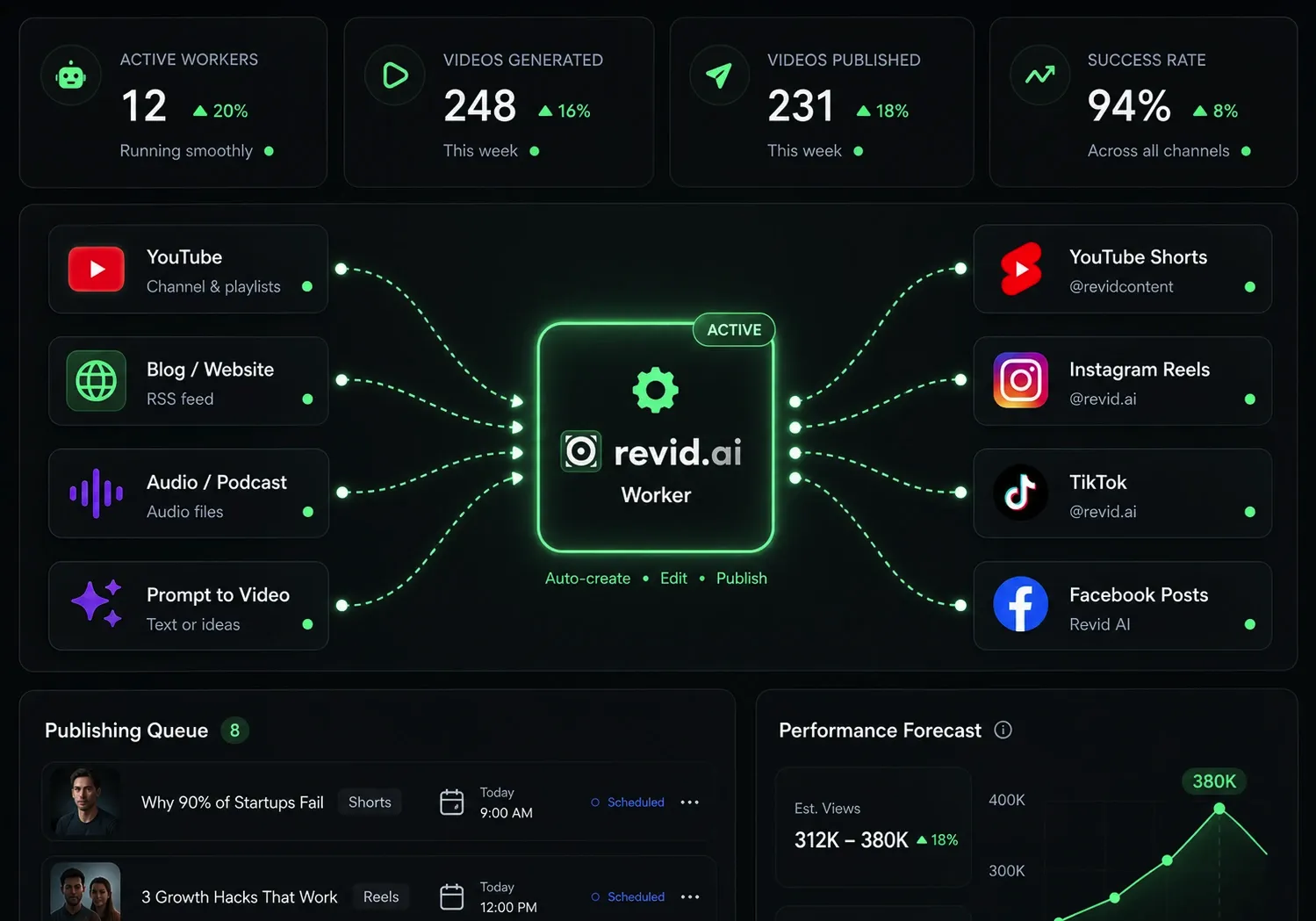
Publish on TikTok, YouTube, Instagram and more

Reach a wider audience by sharing your videos across all your networks.
Publish on TikTok, YouTube, Instagram and more
revid.ai logo

The fastest way to create captivating videos.