Trusted by 14,000+ creators worldwide

AI Reaction Video Generator

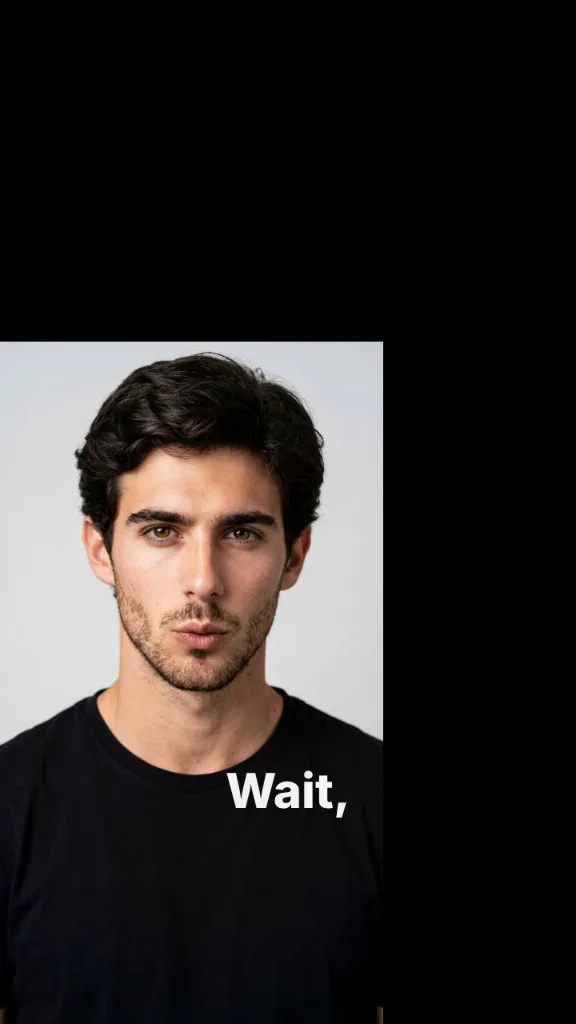
Upload a video and tell the avatar how to react. Revid analyzes the video and generates a talking avatar overlay with the background removed.

Upload a video and describe the reaction to generate a talking avatar overlay that comments on the content.

  • Video reaction prompt
  • Avatar overlay
  • Background removed
  • Transcript and visual analysis
Video Format
3,446 people used this tool in the last 24h
Start for free.(no credit card required)

or explore our 42+ other tools to create the exact video you want

Explore our tools

Create an AI Reaction Video in 4 Simple Steps

1 Upload the Video You Want to React To

Start by uploading the video your avatar should react to. The Reaction Video Generator supports common video formats like MP4, MOV, and QuickTime files. Revid uses the uploaded video as the source content, so your AI reaction video is built around the exact clip you provide.

2 Describe the Reaction Angle

Tell the AI how the avatar should react. You can ask it to explain the video, disagree with a claim, fact-check the content, add a funny commentary, give expert context, or make a strong opinion-style reaction. You do not need to write a full script — the AI Reaction Video Generator writes the avatar script from your prompt and the uploaded video.

3 Choose Your Avatar and Voice

Select the talking avatar and AI voice you want to use for the reaction. Revid generates a realistic avatar reaction video with speech, facial movement, and a clean avatar overlay that can sit directly on top of the original video.

4 Generate, Review, and Export

Click generate and Revid analyzes the video's transcript and visuals, writes the reaction script, creates the voiceover, removes the avatar background, and overlays the talking avatar on the source video. In a few minutes, your AI reaction video is ready to review, edit if needed, download, and publish on TikTok, YouTube Shorts, Instagram Reels, or any short-form video platform.

01

The AI Reaction Video Generator That Writes the Script for You

Reaction videos are one of the highest-performing formats on TikTok, YouTube Shorts, and Instagram Reels because they combine context with personality. Revid's AI reaction video generator removes every barrier between having a take and publishing it. Upload any video, describe how the avatar should react — whether that's disagreeing, explaining the backstory, adding humour, or fact-checking the claim — and the AI reads the transcript and visuals, writes a matching script, and renders a background-removed talking avatar overlay on top of the source video. No editing timeline, no green screen, no manual scripting.

02

How the Reaction Video Generator Analyzes Your Upload

When you upload a video, Revid transcribes the audio, extracts the visual content, and passes both to the script engine alongside your reaction prompt. The AI builds the avatar's script around what is actually said and shown in the video rather than inventing a generic commentary. This means the avatar's reaction is specific and credible, referencing real moments in the clip rather than talking around them. The background removal runs automatically so the avatar appears as a clean overlay without any post-processing step on your end.

03

Reaction Video Ideas That Work Across Every Niche

Finance creators use it to react to viral money claims and market predictions. Sports commentators add rapid takes to match highlights. Educators build explainer overlays that correct misinformation or add context to trending clips. Entertainment channels generate character reactions to movie trailers, music videos, and game moments. The format works in any niche where there is existing video content worth responding to, and because the AI writes the script from your reaction angle, you can go from raw idea to published reaction video in under five minutes.

04

Background-Free Avatar Overlay Without a Green Screen

The most time-consuming part of a traditional reaction video setup is the physical studio requirement: a camera, a clean background or green screen, lighting, and an editing pass to composite everything together. Revid's reaction video generator replaces that entire workflow with a single upload-and-prompt step. The AI avatar renders with the background automatically removed and composited over the source video. The result looks like a professionally shot reaction recorded in a studio, without any of the setup or post-production.

Target Audience

Who is this tool for?

Commentary and opinion creators

React to trending videos, viral claims, and breaking news in your niche without filming a setup shot. Describe your take, upload the clip, and publish a polished reaction in minutes.

Educators and fact-checkers

Add authoritative context to misinformation or incomplete explanations circulating in your field. The AI builds the correction script around the actual content of the uploaded video.

Sports and entertainment commentators

React to highlights, trailers, announcements, and moments as they happen. Stay ahead of the news cycle by generating avatar reactions without any studio time.

Brand and marketing teams

Respond to competitor ads, industry announcements, or customer testimonials with a branded avatar reaction that reinforces your position without requiring on-camera talent.

Comparison

AI Reaction Video Generator vs. Traditional Reaction Video Setup

Creating a reaction video traditionally means setting up a camera, filming yourself, and spending time in post-production to composite everything. Revid cuts that entire workflow down to a single prompt.

Script
Revid Reaction Video GeneratorAI writes the reaction script from your prompt and the uploaded video content
Traditional Reaction VideoYou watch the video, write or improvise the script, and record it yourself
Background removal
Revid Reaction Video GeneratorAvatar background removed automatically in every render
Traditional Reaction VideoRequires a green screen, chroma key software, or a clean studio background
Recording
Revid Reaction Video GeneratorNo camera or microphone required — avatar is generated entirely by AI
Traditional Reaction VideoRequires filming yourself or hiring on-camera talent for each reaction
Editing
Revid Reaction Video GeneratorAvatar is composited over the source video automatically — no timeline work needed
Traditional Reaction VideoRequires video editing software to sync, crop, and composite the reaction layer
Time to publish
Revid Reaction Video GeneratorReaction video ready in under five minutes from upload to export
Traditional Reaction VideoTypically 30 minutes to several hours depending on editing experience
Iteration
Revid Reaction Video GeneratorChange the reaction angle and regenerate instantly without re-filming
Traditional Reaction VideoReshooting or re-editing is required for every change in tone or messaging
More Tools

Explore Similar AI Avatar AI Video Tools

Discover more ways to create engaging videos with our AI-powered tools

FAQs

Frequently Asked Questions

What is the Reaction Video Generator?
The Reaction Video Generator is an AI tool that lets you upload a video and create a talking avatar reaction video automatically. Instead of filming yourself, writing a script, removing a background, and editing layers manually, Revid analyzes the uploaded video, writes a reaction script from your prompt, generates an AI avatar voiceover, and places a background-free avatar overlay on top of the original video.
How does the AI Reaction Video Generator work?
The AI Reaction Video Generator works by analyzing both the audio transcript and the visual content of your uploaded video. You provide a reaction angle, such as "explain why this is wrong" or "react like a sports commentator," and Revid uses that prompt to create a relevant avatar script. The tool then generates the talking avatar, removes the avatar background, and composites the avatar reaction over the original video.
Do I need to write a full script for my reaction video?
No. The Reaction Video Generator is designed so you only need to describe the reaction angle. You can write a short prompt like "fact-check this claim," "make a funny reaction," "explain the context," or "disagree with this argument." Revid writes the full avatar reaction script based on your prompt and the uploaded video, which makes it much faster than scripting a reaction video manually.
What kind of videos can I upload to the Reaction Video Generator?
You can upload videos that you want your AI avatar to comment on, explain, disagree with, fact-check, or react to. The Reaction Video Generator works well for social media clips, educational videos, product demos, sports moments, entertainment clips, commentary content, viral claims, announcements, and short-form videos. Make sure you have the right to use the video you upload, especially if you plan to publish the reaction video commercially.
Can I create TikTok, YouTube Shorts, and Instagram Reels reaction videos?
Yes. Revid's Reaction Video Generator is made for short social videos, including TikTok reaction videos, YouTube Shorts reaction videos, and Instagram Reels reaction videos. The default vertical format is ideal for mobile-first platforms, and the talking avatar overlay helps turn existing video content into a more engaging short-form reaction video.
Does the avatar background get removed automatically?
Yes. The AI Reaction Video Generator can automatically remove the avatar background so the avatar appears as a clean overlay on top of the uploaded video. This gives you the look of a green-screen reaction video without needing a camera, studio, lighting setup, chroma key software, or manual editing.
What is an avatar reaction video?
An avatar reaction video is a video where a talking AI avatar comments on, explains, or reacts to another video. With Revid's avatar reaction video generator, the AI avatar can appear over the source video with the background removed, making it look like a presenter or commentator is reacting directly to the content.
Can the Reaction Video Generator fact-check or disagree with a video?
Yes. You can use the Reaction Video Generator to create fact-checking videos, disagreement videos, expert commentary videos, and educational explainers. Simply describe the reaction angle, such as "explain why this claim is misleading" or "disagree with this advice and give better context." Revid analyzes what is said and shown in the uploaded video so the reaction stays specific to the content.
Can I make funny reaction videos with this tool?
Yes. The AI Reaction Video Generator can create funny reaction videos, sarcastic commentary, meme-style avatar reactions, or light entertainment reactions. In your prompt, describe the tone you want, such as "react in a funny and dramatic way" or "make a playful commentary for TikTok." The AI will write the avatar script to match that style.
Do I need a camera or microphone to create a reaction video?
No. Revid's Reaction Video Generator does not require a camera, microphone, green screen, or recording setup. The AI creates the reaction script, generates the voice, animates the avatar, removes the avatar background, and overlays the avatar on your uploaded video. This makes it possible to create reaction videos online without filming yourself.
How long does it take to generate an AI reaction video?
Most AI reaction videos are generated in about five minutes, depending on the length of the uploaded video, the avatar settings, and the complexity of the reaction. Revid is built to help creators move quickly from an idea or opinion to a finished reaction video ready for TikTok, YouTube Shorts, Instagram Reels, or other social platforms.
Can I edit the reaction video after it is generated?
Yes. After the Reaction Video Generator creates your video, you can review and refine it inside Revid's editor. You can adjust timing, captions, layout, and other video elements before exporting. The AI gives you a strong first version, and the editor lets you polish the final reaction video before publishing.
How does Revid make the reaction script relevant to the uploaded video?
Revid analyzes the transcript and visual content of the uploaded video before writing the avatar script. This helps the AI Reaction Video Generator reference real moments, claims, scenes, or ideas from the source video instead of producing generic commentary. The result is a more specific, credible, and engaging reaction video.
What are good prompts for the Reaction Video Generator?
Good prompts describe the angle, tone, and opinion you want the avatar to take. For example: "explain why this marketing advice is wrong," "react like a finance expert," "add funny commentary to this sports clip," "fact-check the claim in this video," or "give a clear educational explanation of what is happening." The more specific your reaction prompt is, the better the AI reaction video will match your intent.
Can brands use the AI Reaction Video Generator?
Yes. Brands and marketing teams can use the AI Reaction Video Generator to respond to industry news, competitor ads, customer testimonials, product trends, or educational clips. A branded talking avatar reaction video can help companies publish fast commentary without booking on-camera talent or spending hours in post-production.
How much does it cost to use the Reaction Video Generator?
The cost depends on your Revid plan, the length of the generated avatar script, and the options selected. Background-removed avatar overlays require additional credits because the avatar has to be rendered and composited cleanly over the uploaded video. Before generating, Revid shows the estimated credit cost so you know what your AI reaction video will use.
Can I use reaction videos created with Revid commercially?
You can use videos created with Revid for commercial purposes as long as you have the necessary rights to any uploaded video, audio, image, brand asset, or third-party content used in the project. The Reaction Video Generator can help create marketing reactions, commentary videos, educational explainers, and monetized social content, but you are responsible for ensuring your source material is properly licensed and compliant with platform rules.
Who is the Reaction Video Generator best for?
The Reaction Video Generator is ideal for commentary creators, educators, fact-checkers, sports commentators, entertainment channels, social media managers, brands, and marketers. It is especially useful for anyone who wants to create AI reaction videos quickly without filming themselves, writing scripts from scratch, or editing avatar overlays manually.
What is the difference between Revid's Reaction Video Generator and a traditional reaction video setup?
A traditional reaction video usually requires watching the source video, writing or improvising a script, filming yourself, removing or managing the background, syncing the reaction recording, and editing everything together. Revid's AI Reaction Video Generator turns that workflow into a simple upload-and-prompt process: upload the video, describe the reaction, choose an avatar, and generate a finished reaction video with a clean avatar overlay.
How can I get help with the Reaction Video Generator?
If you have questions about using the Reaction Video Generator or any other Revid AI tool, you can contact the Revid support team at hello@revid.ai. We can help with workflow questions, generation issues, credit questions, and tips for creating better AI reaction videos.
View Complete Help Center

Find detailed answers to 100+ questions about features, tools, and workflows

or check our markdown version optimized for LLMs

Tools

Free AI Video Tools

Choose your tool, add your content, and create a video in seconds. Then customize it to your liking.

AI TikTok Video Generator

Turn text into trendy, viral TikTok videos in a snap

Try it out

Prompt to Video

Turn your prompts into engaging videos with AI assistance

Try it out

Add Caption to Video

Generate subtitles in 100+ languages with AI captions

Try it out

PDF to Brainrot

Convert PDFs into attention-grabbing, scrollable videos

Try it out

Text to Brainrot

Turn your text into trendy, scrollable content with dynamic visuals

Try it out

AI Talking Avatar

Create lifelike talking avatars from text in seconds

Try it out

Video Podcast Generator

Transform your podcasts into visually engaging video content

Try it out

AI Movie Maker

Create studio-quality videos from text, no filming required

Try it out

Audio to Video

Make engaging videos from your podcasts, interviews, or any audio content

Try it out

Animated Lyrics Video Generator

Turn any song into an animated lyric video with synced text and visuals.

Try it out

AI Music Video Generator

Transform your music into cinematic music videos.

Try it out

AI Lyrics Video Generator

Transform your lyrics into a complete music video with AI

Try it out
See all tools
How it works

Four simple steps to create and share your video

1
Step 1

Find your next viral idea

Lacking inspiration? Our AI spots trends and helps you adapt them for your own videos, hassle-free.

  • Identify the best performing formats
  • Get inspired by top creators
  • Turn your ideas into captivating videos
Find your next viral idea
2
Step 2

Storytelling designed to captivate

Revid.ai analyzes viral videos and uses those same codes to write your scripts.

  • Write your script or just give the topic to our AI
  • The AI will suggest relevant content to inspire you
  • Paste a link, our AI analyzes it and turns it into a video
Storytelling designed to captivate
3
Step 3

Videos you will love

Create professional videos, share them with one click, and grow your audience.

  • Watch your texts turn into professional videos
  • Automate video creation from your content
Videos you will love
4
Step 4

Publish on TikTok, YouTube, Instagram and more

Reach a wider audience by sharing your videos across all your networks.

Publish on TikTok, YouTube, Instagram and more
revid.ai logo

The fastest way to create captivating videos.
