Trusted by 14,000+ creators worldwide

AI Genshin Impact Wish Simulator

Instantly generate viral gacha pull videos for #genshinimpact. Describe the 5-star character you're wishing for, and our AI will create a dramatic wish animation, from the golden pull to the epic character reveal.

  • Start from text in seconds
  • AI voiceover
  • Auto-selects visuals
  • Captions and sound-ready
2,928 people used this tool in the last 24h
Start for free.(no credit card required)

Related tools you might like:

or explore our 42+ other tools to create the exact video you want

Explore our tools

AI Magic

Turn simple ideas into
incredible videos

YOUR IDEA
Your Prompt

Script automatically generated by Revid

Video editors charge thousands for what this AI tool does in seconds. Revid transforms any text into a dynamic video, complete with animations, transitions, and professional graphics. Drop your text, pick a style, and watch as it creates broadcast-ready content. No editing skills needed - just write and let AI handle the magic.
Visual FormatAnimated AI Images
Visual StyleDefault
FINAL VIDEO

Create Viral Genshin Impact Wish Videos in 3 Simple Steps

1 Describe Your Dream Wish

Tell our AI which Genshin Impact character you're wishing for. Be specific! Describe the scene, like 'a lucky single pull for Furina' or 'losing the 50/50 to Jean but then getting an early Navia'. Your prompt guides the entire gacha pull animation.

2 Choose Your Animation Style

Select your preferred visual style: dynamic AI video or moving AI images. Our AI will automatically generate an anime-style animation, an excited player voiceover, and epic background music to match the thrill of a 5-star pull.

3 Generate and Share Your Gacha Pull

Click "Generate Video" and our AI will create your custom Genshin wish simulation in minutes. You'll get the iconic blue-to-gold animation, the dramatic character reveal, and everything you need for a viral TikTok or YouTube Short. Download it and share your luck with the world!

Example Videos

See What You Can Create with AI Genshin Impact Wish Simulator

Explore different styles and possibilities with our AI Genshin Impact Wish Simulator

Viral Gacha Pull Simulations

Create viral gacha pull videos that capture the thrill of a 5-star wish. Perfect for sharing your dream pulls and engaging the #genshinimpact community.

  • Anime-style gacha animations
  • Dramatic golden wish reveals
  • Customizable character outcomes
  • Optimized for TikTok and YouTube Shorts
Viral Gacha Pull Simulations

Character Banner Hype Videos

Build hype for new character banners by creating 'what if' wish scenarios. Show off the potential of getting the latest 5-star character on the very first try.

  • Simulate wishes for any character
  • Excited and relatable player voiceover
  • High-energy visual effects
  • Drive engagement for new banners
Character Banner Hype Videos

From Blue to Gold: The Ultimate Luck

Generate the ultimate lucky pull moment. Transform a standard blue wish into a legendary golden 5-star reveal, creating a highly shareable and satisfying video for all Genshin fans.
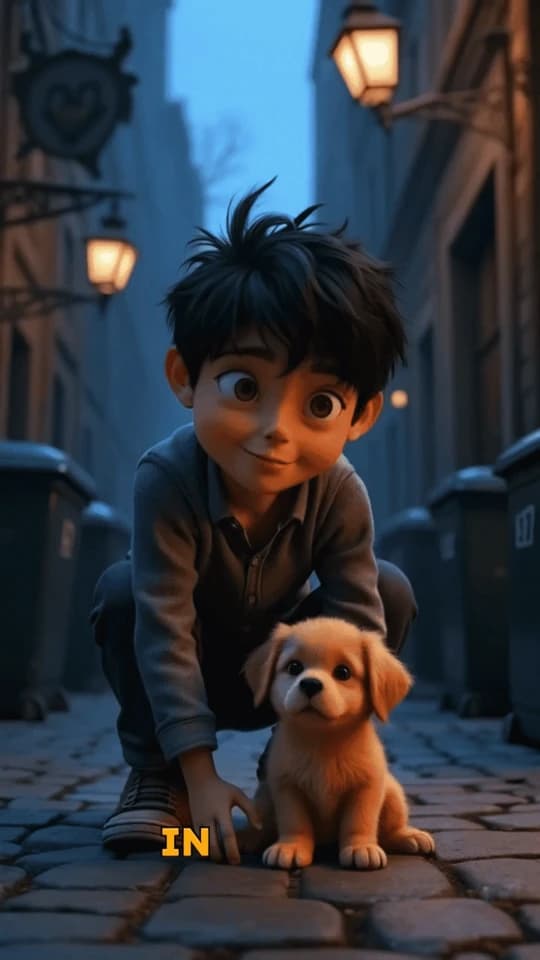
  • Iconic 'blue to gold' animation
  • Perfect for 'lucky pull' trends
  • Relatable gacha player experience
  • Create endless content for your channel
From Blue to Gold: The Ultimate Luck
FAQs

Frequently Asked Questions

What is the AI Genshin Impact Wish Simulator?
Our AI Genshin Impact Wish Simulator is a tool for creating realistic gacha pull videos without spending a single Primogem. Just describe the 5-star character you want, and our AI generates a dramatic wish animation, from the golden pull to the epic character reveal, perfect for sharing on TikTok, YouTube Shorts, and Reels.
How does this gacha simulator work?
It's simple! First, type a prompt describing your desired wish, like 'getting Raiden Shogun on the first 10-pull'. Next, select your visual style. Then, click 'Generate Video'. Our AI will create a complete video simulating the Genshin gacha experience, including the wish animation and an excited voiceover.
Can I simulate pulling for any Genshin Impact character?
Yes! You can use the simulator to create wish videos for any character in Genshin Impact. Whether you're dreaming of an Archon, a new 5-star from the latest banner, or even your favorite 4-star, just mention their name in the prompt and the AI will generate the corresponding character reveal.
Does the simulation include losing the 50/50?
Absolutely. You can create all kinds of gacha pull scenarios. Describe 'losing the 50/50' in your prompt to simulate getting a standard banner character, or create the ultimate comeback story like 'losing the 50/50 and then getting an early 5-star'. The creative possibilities are endless for your gacha content.
How authentic is the wish animation?
Our AI is trained to replicate the iconic Genshin Impact wishing experience. The generated video includes the Intertwined Fate streaking across the sky, the suspenseful moment a wish turns from blue or purple to gold, and the final splash art reveal of the 5-star character, creating a highly recognizable and shareable gacha pull moment.
How much does it cost to use the Genshin Wish Simulator?
Using the Genshin Impact Wish Simulator costs credits. The exact number of credits depends on the settings you choose, but you'll see the cost before you generate. Free users receive starting credits to try the tool, and you can get more by upgrading to one of our paid plans. Check our pricing page for details on credit packs and subscriptions.
Can I edit the generated gacha video?
Yes! Once your wish simulation video is generated, you can use Revid AI's built-in editor to make adjustments. You can trim the clip, add text overlays, change the music, or fine-tune other elements to make your gacha pull video even more unique before sharing it.
Is this a real Genshin Impact wish? Does it affect my in-game account?
No, this is purely a video simulator. The AI Genshin Impact Wish Simulator does not connect to your HoYoverse or Genshin Impact account in any way. It's a creative tool designed for fans to make fun content, not a tool to make actual in-game wishes. Your Primogems and pity count are safe!
Where can I share the videos from the gacha pull simulator?
The videos are generated in a 9:16 vertical format, making them perfectly optimized for short-form video platforms. They are ideal for creating viral content for TikTok, YouTube Shorts, and Instagram Reels. Share your dream pulls and engage with the massive #genshinimpact community!
What visual styles can I choose for my wish animation?
You can choose between two exciting visual styles for your gacha pull video: 'AI video' for fully dynamic, unique video clips, or 'Moving AI images' for a slideshow-style animation with motion effects. Both are designed in an anime style to match the aesthetic of Genshin Impact.
How long does it take to create a wish video?
The AI generation process is incredibly fast. Most wish simulation videos are ready in just a few minutes. You'll receive an email notification as soon as your video is complete and ready to be downloaded or edited.
I have more questions, where can I get help?
We're happy to help! If you have any other questions about using the AI Genshin Impact Wish Simulator or any other Revid AI tool, please reach out to our support team at hello@revid.ai, and we'll get back to you as soon as possible.
View Complete Help Center

Find detailed answers to 100+ questions about features, tools, and workflows

or check our markdown version optimized for LLMs

Tools

Free AI Video Tools

Choose your tool, add your content, and create a video in seconds. Then customize it to your liking.

AI TikTok Video Generator

Turn text into trendy, viral TikTok videos in a snap

Try it out

Prompt to Video

Turn your prompts into engaging videos with AI assistance

Try it out

Add Caption to Video

Generate subtitles in 100+ languages with AI captions

Try it out

PDF to Brainrot

Convert PDFs into attention-grabbing, scrollable videos

Try it out

Text to Brainrot

Turn your text into trendy, scrollable content with dynamic visuals

Try it out

AI Talking Avatar

Create lifelike talking avatars from text in seconds

Try it out

Video Podcast Generator

Transform your podcasts into visually engaging video content

Try it out

AI Movie Maker

Create studio-quality videos from text, no filming required

Try it out

Audio to Video

Make engaging videos from your podcasts, interviews, or any audio content

Try it out

Animated Lyrics Video Generator

Turn any song into an animated lyric video with synced text and visuals.

Try it out

AI Music Video Generator

Transform your music into cinematic music videos.

Try it out

AI Lyrics Video Generator

Transform your lyrics into a complete music video with AI

Try it out
See all tools
How it works

Four simple steps to create and share your video

1
Step 1

Find your next viral idea

Lacking inspiration? Our AI spots trends and helps you adapt them for your own videos, hassle-free.

  • Identify the best performing formats
  • Get inspired by top creators
  • Turn your ideas into captivating videos
Find your next viral idea
2
Step 2

Storytelling designed to captivate

Revid.ai analyzes viral videos and uses those same codes to write your scripts.

  • Write your script or just give the topic to our AI
  • The AI will suggest relevant content to inspire you
  • Paste a link, our AI analyzes it and turns it into a video
Storytelling designed to captivate
3
Step 3

Videos you will love

Create professional videos, share them with one click, and grow your audience.

  • Watch your texts turn into professional videos
  • Automate video creation from your content
Videos you will love
4
Step 4

Publish on TikTok, YouTube, Instagram and more

Reach a wider audience by sharing your videos across all your networks.

Publish on TikTok, YouTube, Instagram and more
revid.ai logo

The fastest way to create captivating videos.
