Trusted by 14,000+ creators worldwide

Free AI Video Generator with Voiceover

Create Voiceover Videos in Minutes. Input your story and Revid AI will generate a stunning voiceover video for you, ready in minutes.

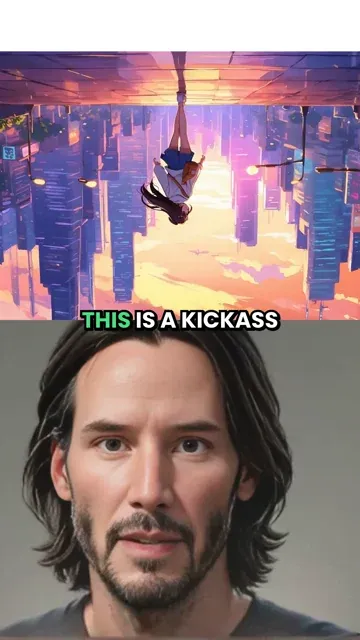
Type a script or paste a URL to create a talking avatar video with natural motion, voice, and ready-to-publish pacing.

  • 124+ AI voices
  • Natural lip sync
  • Text to avatar video
  • Great for UGC and presentations
Video Format
3,212 people used this tool in the last 24h
Start for free.(no credit card required)

or explore our 42+ other tools to create the exact video you want

Explore our tools

How to Create a Voiceover Video in 3 Simple Steps

1 Add Your Script, Topic, or URL

Start your voiceover video maker project by typing a script, entering a topic, or pasting a URL from an article, blog post, social post, or web page. Revid AI can help turn your source content into a short, structured video script designed for TikTok, YouTube Shorts, Instagram Reels, presentations, UGC-style videos, and narrated social content.

2 Choose an AI Voice and Avatar Style

Select from 124+ natural AI voices to create a realistic voiceover video with clear narration and platform-ready pacing. Revid can generate a talking avatar video with natural lip sync, or you can customize the result with B-roll, split-screen visuals, full-screen media, stock videos, moving AI images, motion graphics, gameplay-style backgrounds, or your own uploaded media.

3 Generate, Edit, and Publish

Click generate and Revid builds your AI voiceover video automatically with synchronized narration, captions, avatar motion, visuals, and social-ready formatting. Most videos are ready in about 5 minutes. After generation, you can refine captions, timing, layout, B-roll, and visuals in the editor, then export your finished voiceover video for TikTok, Reels, Shorts, YouTube, or any other platform.

01

How to Create an AI Video with Voiceover in Three Steps

Creating an AI video with voiceover on Revid is straightforward. First, enter your topic, paste your script, or drop in a URL and let the AI generate your content. Second, choose a voice from the library and preview how it sounds against your script. Third, hit generate and Revid builds the complete video with narration, captions, and visuals synced together automatically. No separate recording, no manual audio editing, no timeline adjustments required. From blank page to finished voiced video in under five minutes.

02

AI Video Generator with Voice — Every Format, Every Platform

Whether you need a vertical 9:16 video for TikTok and Reels or a horizontal format for YouTube, Revid's AI video generator with voice produces platform-ready output with narration synced frame by frame. Choose from multiple voice styles, adjust pace and tone to match your content, and export a finished video with professional voiceover in minutes. It works for product videos, educational content, brainrot clips, story narrations, and any other format where a strong AI voice makes the difference between content that gets skipped and content that gets shared.

FAQs

Frequently Asked Questions

What is the Voiceover Video Maker?
Revid's Voiceover Video Maker is an AI voiceover video maker that turns a script, topic, or URL into a complete video with natural AI narration, captions, visuals, and avatar-style presentation. Instead of recording audio, editing clips, syncing captions, and arranging media manually, you can use the voiceover video maker to create a polished video with voice in minutes.
How does the AI voiceover video maker work?
The AI voiceover video maker works by transforming your text or URL into a structured video, generating a natural AI voiceover, syncing the narration with captions, and adding visuals or B-roll to support the message. Revid can also create a talking avatar video with natural lip sync, so your video feels like it is being presented by a real speaker instead of only showing text on screen.
Can I create a free AI video with voiceover?
Yes. Revid is designed as a free AI video generator with voiceover for users who want to start creating quickly. You can use the voiceover video maker to generate videos with AI voice narration, captions, and visuals. Some advanced options, longer videos, premium media types, or higher usage may require credits depending on your plan.
What can I use as input for a voiceover video?
You can use a written script, a short idea, a topic, or a URL. The voiceover video maker supports content from articles, blog posts, landing pages, social posts, newsletters, and other web content. Revid can help convert that source into a short-form video script with a natural AI voiceover, making it useful for repurposing written content into TikTok videos, YouTube Shorts, Instagram Reels, and presentation clips.
Is this tool a text to video with voiceover generator?
Yes. Revid's Voiceover Video Maker is a text to video with voiceover generator. You provide the text, and the AI creates a video with synchronized voice narration, captions, visuals, and optional avatar presentation. It is ideal when you want to create video with AI voiceover without recording your own voice or editing audio manually.
Can I make a talking avatar video with this tool?
Yes. The voiceover video maker can create an AI talking avatar video where the avatar reads your script with natural motion and lip sync. This is useful for AI presenter videos, UGC-style content, product explainers, educational clips, business presentations, and social videos where a human-like presenter can increase trust and watch time.
How natural are the AI voices?
Revid includes 124+ AI voices designed for realistic narration. You can choose a voice that matches your tone, audience, and format, whether you need a friendly social media voice, a professional presenter voice, an educational narrator, or a high-energy short-form style. The goal of the voiceover video maker is to create an AI video with voice that sounds smooth, clear, and ready to publish.
Does the voiceover video maker add captions automatically?
Yes. Revid automatically adds captions that are synced with the AI voiceover. Captions are important for TikTok, YouTube Shorts, Instagram Reels, and mobile-first video because many people watch without sound. After your voiceover video is generated, you can edit the captions, adjust styling, and fine-tune timing inside the Revid editor.
Can Revid add B-roll to my AI voiceover video?
Yes. The Voiceover Video Maker can add B-roll automatically to make your video more engaging. You can choose split-screen B-roll or full-screen B-roll, then select the media type you want, including AI video, moving AI images, motion graphics, stock videos, your own media, or static gameplay-style footage. This helps your AI voiceover video feel more dynamic and improves viewer retention.
What is the best format for videos made with this voiceover video maker?
The default format is vertical 9:16, which is ideal for TikTok, Instagram Reels, YouTube Shorts, Facebook Reels, and other mobile-first platforms. A vertical AI voiceover video is usually the best option for short-form social content because it fills the phone screen and keeps attention focused on the avatar, captions, and B-roll.
How long does it take to generate a voiceover video?
Most voiceover video maker projects are completed in about 5 minutes. The exact time depends on the script length, selected media type, avatar options, B-roll settings, and overall video complexity. Revid is built to take you from script to finished AI video with voiceover quickly, without requiring a separate recording tool or traditional video editor.
Can I upload my own media for the video?
Yes. You can use your own uploaded media inside the voiceover video maker. Revid can select the best parts of your uploaded images or videos and combine them with the AI voiceover, captions, and avatar presentation. This is useful for product videos, personal brand content, UGC ads, internal training, tutorials, and branded social media videos.
What is the difference between split-screen and full-screen B-roll?
Split-screen B-roll keeps the avatar or presenter visible while showing supporting visuals beside or around them. Full-screen B-roll replaces the main view with relevant footage or generated media for stronger visual emphasis. Both options help make an AI voiceover video more engaging, and the best choice depends on whether you want the presenter or the supporting footage to be the main focus.
Can I remove the avatar background?
Yes. Revid includes an option to remove the avatar background so the avatar can overlay the video. This can make your voiceover video look more polished and modern, especially when combined with B-roll or motion graphics. Background removal may require additional credits depending on the length of the script and the selected generation settings.
What types of videos can I create with the Voiceover Video Maker?
You can create product explainers, educational videos, story narrations, AI presenter videos, UGC-style ads, faceless videos with narration, talking avatar videos, social media clips, news summaries, tutorial videos, listicle videos, and presentation-style content. The voiceover video maker is especially useful for creators and marketers who need a fast AI video generator with voice for short-form content.
Do I need video editing experience to use the tool?
No. The Voiceover Video Maker is built for users who want to create video with AI voiceover without learning complex editing software. Revid handles narration, caption syncing, pacing, visuals, avatar motion, and formatting automatically. You can still use the built-in editor afterward if you want to adjust details before publishing.
Can I edit the voiceover video after it is generated?
Yes. After your AI voiceover video is generated, you can open it in the Revid editor to adjust captions, timing, scenes, visuals, B-roll, layout, and other creative details. The voiceover video maker gives you a strong first version automatically, then lets you polish the final video before downloading or sharing it.
Is the Voiceover Video Maker good for TikTok, Reels, and YouTube Shorts?
Yes. Revid's voiceover video maker is built for short social videos, especially TikTok, Instagram Reels, and YouTube Shorts. The vertical format, natural AI voiceover, captions, avatar presentation, and B-roll options are designed to help create fast-paced videos that are easy to watch on mobile and ready for social publishing.
How can I get the best results from the voiceover video maker?
For the best results, use a clear script with short sentences, strong hooks, and simple structure. Choose an AI voice that matches the audience and select B-roll or media that supports the message. If you upload your own avatar video, a landscape video of yourself zoomed out can help produce better output. A focused script usually creates a better AI voiceover video than a long, unfocused text.
Can I use videos created with this tool commercially?
Yes, you can use videos created with the Voiceover Video Maker for commercial purposes such as ads, social media marketing, product demos, educational content, client videos, and monetized content. Make sure you have the right to use any custom media, scripts, brand assets, or uploaded materials included in your final voiceover video.
View Complete Help Center

Find detailed answers to 100+ questions about features, tools, and workflows

or check our markdown version optimized for LLMs

Tools

Free AI Video Tools

Choose your tool, add your content, and create a video in seconds. Then customize it to your liking.

AI TikTok Video Generator

Turn text into trendy, viral TikTok videos in a snap

Try it out

Prompt to Video

Turn your prompts into engaging videos with AI assistance

Try it out

Add Caption to Video

Generate subtitles in 100+ languages with AI captions

Try it out

PDF to Brainrot

Convert PDFs into attention-grabbing, scrollable videos

Try it out

Text to Brainrot

Turn your text into trendy, scrollable content with dynamic visuals

Try it out

AI Talking Avatar

Create lifelike talking avatars from text in seconds

Try it out

Video Podcast Generator

Transform your podcasts into visually engaging video content

Try it out

AI Movie Maker

Create studio-quality videos from text, no filming required

Try it out

Audio to Video

Make engaging videos from your podcasts, interviews, or any audio content

Try it out

Animated Lyrics Video Generator

Turn any song into an animated lyric video with synced text and visuals.

Try it out

AI Music Video Generator

Transform your music into cinematic music videos.

Try it out

AI Lyrics Video Generator

Transform your lyrics into a complete music video with AI

Try it out
See all tools
How it works

Four simple steps to create and share your video

1
Step 1

Find your next viral idea

Lacking inspiration? Our AI spots trends and helps you adapt them for your own videos, hassle-free.

  • Identify the best performing formats
  • Get inspired by top creators
  • Turn your ideas into captivating videos
Find your next viral idea
2
Step 2

Storytelling designed to captivate

Revid.ai analyzes viral videos and uses those same codes to write your scripts.

  • Write your script or just give the topic to our AI
  • The AI will suggest relevant content to inspire you
  • Paste a link, our AI analyzes it and turns it into a video
Storytelling designed to captivate
3
Step 3

Videos you will love

Create professional videos, share them with one click, and grow your audience.

  • Watch your texts turn into professional videos
  • Automate video creation from your content
Videos you will love
4
Step 4

Publish on TikTok, YouTube, Instagram and more

Reach a wider audience by sharing your videos across all your networks.

Publish on TikTok, YouTube, Instagram and more
revid.ai logo

The fastest way to create captivating videos.