Trusted by 14,000+ creators worldwide

AI Screenshot to Video Ad Generator

Transform static screenshots into dynamic video ads instantly. Upload your screenshots and let our AI generate a compelling ad for your product or service.

  • Start from text in seconds
  • AI voiceover
  • Auto-selects visuals
  • Use your own media
Video Format
2,538 people used this tool in the last 24h
Start for free.(no credit card required)

or explore our 42+ other tools to create the exact video you want

Explore our tools

Create a Screenshot to Video Ad in 4 Simple Steps

1 Upload Your Product Screenshot

Start by uploading at least one product screenshot, app screenshot, landing page image, product image, or UI capture. Revid AI analyzes the screenshot to understand what your product does and how to turn it into a compelling screenshot to video ad for TikTok, Instagram, Facebook, YouTube Shorts, and other social platforms.

2 Describe Your Ad Goal

Tell the AI what your video ad should promote. Add your product URL, target audience, offer, main benefit, call to action, and preferred ad angle. The more context you provide, the better the AI can generate a screenshot to video ad that feels specific, persuasive, and conversion-focused.

3 Choose the Video Style and Options

Select your target duration, choose a media type such as AI video, moving AI images, motion graphics, stock video, static gameplay, or your own media, and decide whether to include an AI avatar presenter. Revid can generate narration, captions, motion, ad pacing, and platform-ready formatting automatically.

4 Generate, Edit, and Launch Your Ad

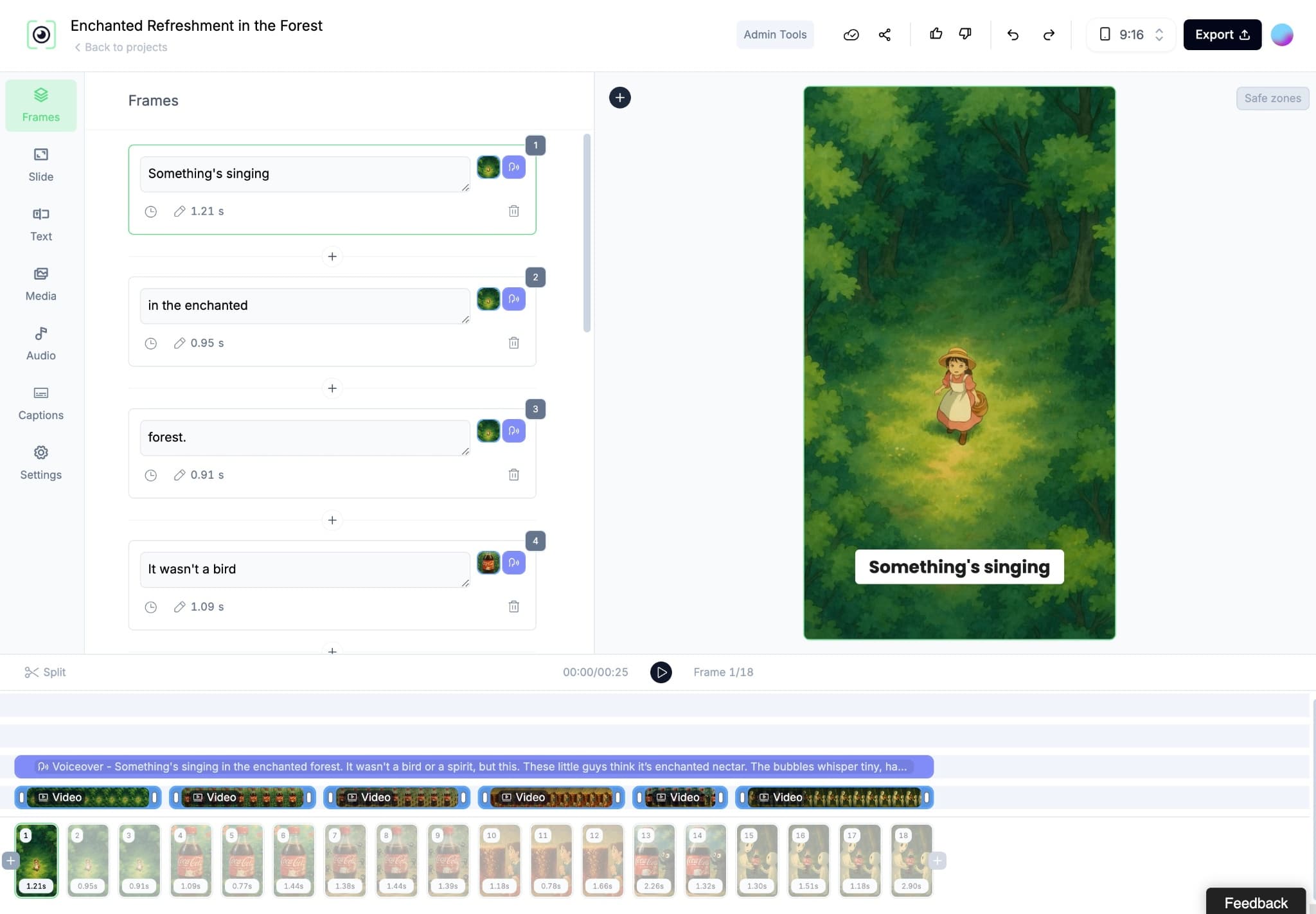
Click generate and Revid turns your static screenshot into a finished video ad in minutes. After generation, you can edit the script, captions, scenes, visuals, avatar, music, and timing before downloading your screenshot to video ad or using it as a creative for paid social campaigns.

01

Turn Product Screenshots into Video Ads Without a Filming or Design Team

Upload your product or app screenshots and Revid generates a complete video ad with voiceover, visual motion, captions, and formatted output ready for TikTok, Instagram, and Facebook ads. There is no filming, screen recording, or ad design involved. The AI reads your screenshots, generates a script that highlights the key product benefits, adds a natural voiceover, and assembles a finished ad video. From upload to finished ad takes minutes, making it practical to produce new creative variations quickly whenever you need to test a different message or angle.

02

What the AI Generates from Your Screenshot

The screenshot to video ad generator analyzes the visuals in your uploaded screenshots, identifies the product, interface, or content being shown, and generates a marketing narrative that communicates the value to a cold audience. The script highlights benefits rather than features, the voiceover is generated and synced automatically, and an optional AI avatar can present the product on screen for a direct-to-camera style. The output is a complete short-form video ad formatted for the platform and placement you are running.

03

Screenshot Video Ads That Reach New Customers on TikTok, Instagram, and Beyond

Most product screenshots sit in a folder and never reach a paying customer. Converting screenshots into video ads distributes your product visuals to audiences on every major social ad platform in a format that outperforms static image ads across nearly every performance metric. App developers, SaaS companies, and e-commerce brands that use product screenshot video ads consistently see higher click-through rates and lower cost per acquisition compared to standard image-based creative. Revid makes it fast enough to test multiple screenshot-to-ad variations per week.

Target Audience

Who is this tool for?

App developers promoting their software visually

Convert app interface screenshots into short video ads that demonstrate your product's key features and benefits to audiences who have never heard of it before.

E-commerce brands turning product screenshots into social ads

Create video ads from product listing screenshots and landing page images for TikTok and Instagram without a production team or ad agency handling the creative.

SaaS companies creating demo ads from interface screenshots

Show potential customers exactly what your platform looks like in action by converting UI screenshots into short demo ad videos that run on paid social channels.

Digital product creators and course sellers

Turn screenshots of your digital product, course platform, or results dashboard into compelling short video ads that demonstrate value to cold audiences before they visit your landing page.

Comparison

Revid vs. Manually Producing Screenshot-Based Video Ads

Creating video ads from product screenshots normally requires screen recording, editing, voiceover recording, and platform-specific formatting. Revid generates the complete ad video from your screenshots automatically.

Input
Revid Screenshot to Video AdUpload screenshots and generate a video ad immediately
Other ToolsRecord screen, edit footage, write ad script, and record voiceover separately
Script
Revid Screenshot to Video AdAI generates a benefit-led ad script from your screenshots
Other ToolsRequires writing and refining ad copy before production begins
Voiceover
Revid Screenshot to Video AdAI narration generated and synced automatically
Other ToolsRequires recording or commissioning voiceover talent per ad
Avatar
Revid Screenshot to Video AdOptional AI presenter added automatically with background removal
Other ToolsRequires filming a presenter separately and compositing manually
Production time
Revid Screenshot to Video AdFinished video ad in minutes per screenshot set
Other ToolsHours of production work per ad creative
Creative testing
Revid Screenshot to Video AdGenerate multiple ad variations from the same screenshots quickly
Other ToolsEach creative variation requires a separate full production run
FAQs

Frequently Asked Questions

What is the AI Screenshot to Video Ad Generator?
The AI Screenshot to Video Ad Generator is a Revid tool that turns static screenshots into short-form marketing videos. You upload a product screenshot, app screenshot, landing page screenshot, or product image, describe your offer, and Revid creates a complete screenshot to video ad with voiceover, captions, motion, music, and platform-ready formatting.
How does the screenshot to video ad tool work?
The screenshot to video ad tool analyzes your uploaded screenshots, identifies the product or interface, and generates an ad script based on the benefit you want to communicate. It then creates a video ad with AI narration, animated visuals, captions, transitions, and optional avatar presentation. The result is a professional screenshot to video ad created without filming or manual editing.
What kind of screenshots can I upload?
You can upload product screenshots, SaaS dashboard screenshots, mobile app screenshots, landing page screenshots, e-commerce product images, software UI images, course platform screenshots, or campaign creative references. For best results, make sure the product is clearly visible and upload images in PNG, JPG, JPEG, or WEBP format.
Can I turn an app screenshot into a video ad?
Yes. Revid is especially useful as an app screenshot to video ad generator. Upload screenshots of your mobile app or web app, explain the target user and core benefit, and the AI will create a short video ad that shows your product visually while explaining why people should try it.
Can I create SaaS video ads from interface screenshots?
Yes. SaaS companies can use Revid to turn interface screenshots into benefit-led video ads. The AI can transform dashboard screenshots, feature screens, analytics views, onboarding flows, and product UI images into a screenshot to video ad designed to explain the value of your SaaS product to a cold audience.
Do I need to write the ad script myself?
No. You do not need to write a full script manually. You can simply describe your product, target audience, offer, pain point, benefit, and call to action. Revid will generate the ad script for your screenshot to video ad automatically. You can still edit the script after generation if you want to adjust the message.
What should I include in the ad description?
For the best screenshot to video ad, include your product name, product URL, target audience, main problem solved, strongest benefit, special offer, desired tone, and call to action. For example, you can tell the AI to create a TikTok ad for busy founders, focus on saving time, mention a free trial, and end with a clear CTA.
Can the tool create video ads for TikTok and Instagram?
Yes. Revid is built for short social videos, including TikTok ads, Instagram Reels ads, Facebook ads, YouTube Shorts ads, and other vertical video placements. The screenshot to video ad generator can create short, engaging videos formatted for social media platforms where static screenshots often underperform.
Can I add an AI avatar to my screenshot video ad?
Yes. You can enable an AI avatar to present your product in the video ad. The avatar can appear over the video, speak the generated script, and make the ad feel more like a direct-response presenter ad. You can also enable avatar background removal so the presenter overlays cleanly on top of your screenshot to video ad.
Does the AI generate the voiceover automatically?
Yes. The screenshot to video ad generator creates an AI voiceover automatically and syncs it with the video. This means you do not need to record your own narration, hire voice talent, or manually align audio with visuals. Revid handles the script, narration, captions, and timing together.
What video styles can I use for my screenshot to video ad?
You can choose from several media styles, including AI video, moving AI images, motion graphics, stock videos, your own uploaded media, and static or gameplay-style backgrounds. These options help you create different screenshot to video ad variations for testing hooks, angles, and visual formats across paid social campaigns.
Can I use only my uploaded screenshot or product image?
Yes. This tool is designed to use your provided media as the foundation of the ad. Upload your screenshot or product image, and Revid will build the video ad around that visual. This is useful when you want your actual product, app interface, landing page, or offer to remain central in the final video.
How long can my screenshot video ad be?
You can choose a target duration for your video ad, from short 10-second creatives to longer ads. For paid social and organic short-form platforms, most screenshot to video ad campaigns perform best when the ad is concise, clear, and focused on one main benefit or offer.
Can I create multiple ad variations from the same screenshot?
Yes. One of the biggest advantages of using an AI screenshot to video ad generator is speed. You can reuse the same product screenshot and generate different ad variations with new hooks, audiences, offers, voiceovers, avatars, durations, or visual styles. This makes creative testing much faster than manual video production.
Is this tool only for paid ads?
The tool is optimized for ads, commercials, product promotions, landing page creatives, and campaign videos, but you can also use the final video organically on TikTok, Instagram Reels, YouTube Shorts, LinkedIn, or your website. It works best when the goal is to promote a product, service, app, SaaS platform, course, or offer.
Can e-commerce brands use this screenshot to video ad generator?
Yes. E-commerce brands can upload product images, product listing screenshots, landing page sections, review screenshots, or offer graphics and turn them into video ads. Revid can help convert static product visuals into short video ads that are more engaging for TikTok, Instagram, Facebook, and other social channels.
Can I edit the video after it is generated?
Yes. After Revid generates your screenshot to video ad, you can open it in the built-in editor and adjust the script, scenes, captions, music, timing, visuals, and other elements. This gives you the speed of AI generation with the flexibility to fine-tune the final ad creative before publishing.
How long does it take to generate a screenshot to video ad?
Most screenshot to video ads are generated in just a few minutes. The exact time depends on your selected duration, media type, avatar settings, and the complexity of the creative. Revid is designed to make video ad production fast enough for frequent creative testing.
How much does it cost to create a screenshot to video ad?
Revid uses a credit-based system. The number of credits required depends on your video settings, such as duration, media type, avatar usage, voice generation, and other options. Before generating your screenshot to video ad, you can review the estimated credit cost based on the configuration you choose.
Do I need video editing experience to use the tool?
No. Revid is designed for marketers, founders, creators, app developers, SaaS teams, and e-commerce brands that want to create video ads without editing skills. Upload a screenshot, describe the ad, choose your options, and the AI will generate a ready-to-edit screenshot to video ad for you.
View Complete Help Center

Find detailed answers to 100+ questions about features, tools, and workflows

or check our markdown version optimized for LLMs

Tools

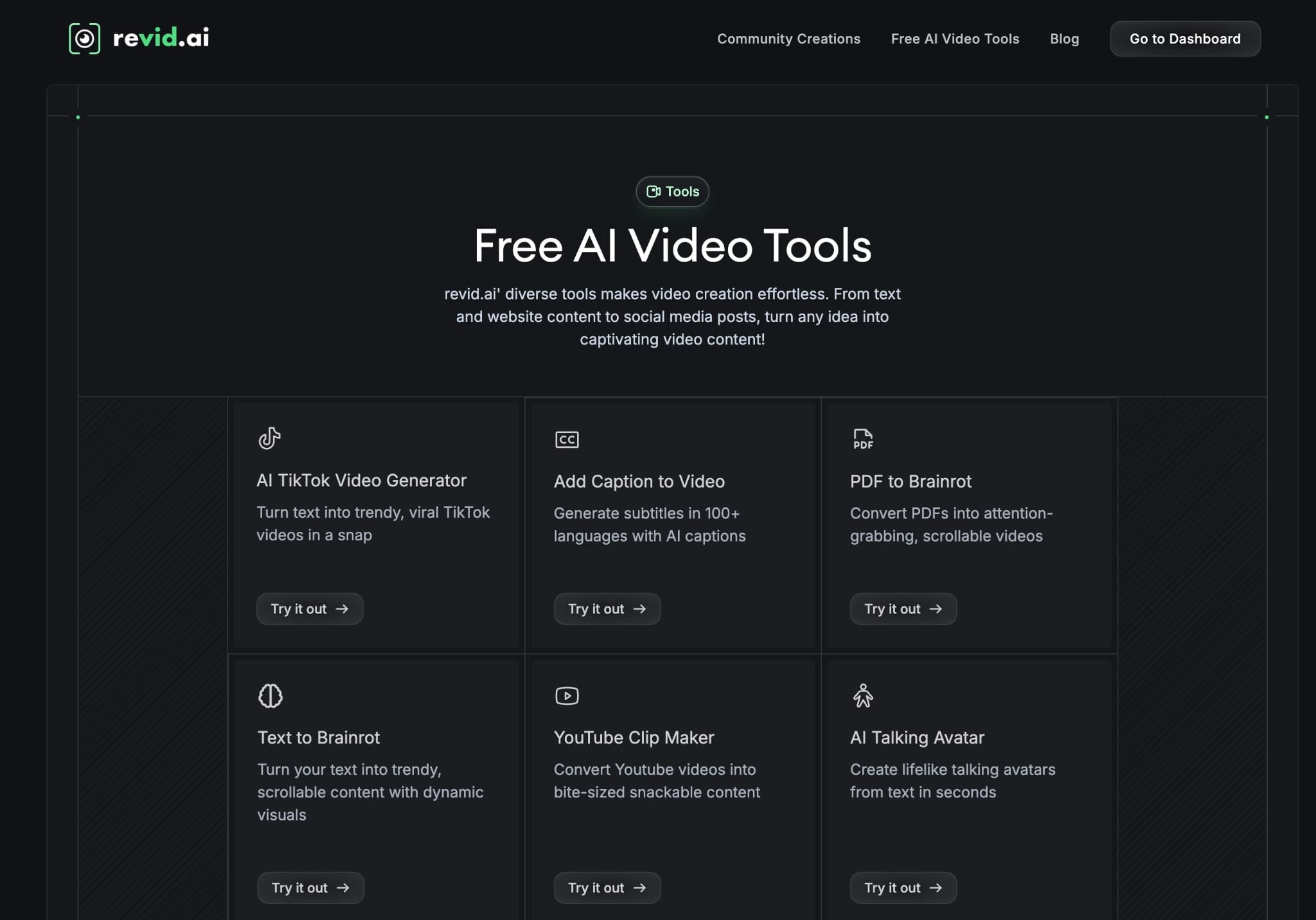
Free AI Video Tools

Choose your tool, add your content, and create a video in seconds. Then customize it to your liking.

AI TikTok Video Generator

Turn text into trendy, viral TikTok videos in a snap

Try it out

Prompt to Video

Turn your prompts into engaging videos with AI assistance

Try it out

Add Caption to Video

Generate subtitles in 100+ languages with AI captions

Try it out

PDF to Brainrot

Convert PDFs into attention-grabbing, scrollable videos

Try it out

Text to Brainrot

Turn your text into trendy, scrollable content with dynamic visuals

Try it out

AI Talking Avatar

Create lifelike talking avatars from text in seconds

Try it out

Video Podcast Generator

Transform your podcasts into visually engaging video content

Try it out

AI Movie Maker

Create studio-quality videos from text, no filming required

Try it out

Audio to Video

Make engaging videos from your podcasts, interviews, or any audio content

Try it out

Animated Lyrics Video Generator

Turn any song into an animated lyric video with synced text and visuals.

Try it out

AI Music Video Generator

Transform your music into cinematic music videos.

Try it out

AI Lyrics Video Generator

Transform your lyrics into a complete music video with AI

Try it out
See all tools
How it works

Four simple steps to create and share your video

1
Step 1

Find your next viral idea

Lacking inspiration? Our AI spots trends and helps you adapt them for your own videos, hassle-free.

  • Identify the best performing formats
  • Get inspired by top creators
  • Turn your ideas into captivating videos
Find your next viral idea
2
Step 2

Storytelling designed to captivate

Revid.ai analyzes viral videos and uses those same codes to write your scripts.

  • Write your script or just give the topic to our AI
  • The AI will suggest relevant content to inspire you
  • Paste a link, our AI analyzes it and turns it into a video
Storytelling designed to captivate
3
Step 3

Videos you will love

Create professional videos, share them with one click, and grow your audience.

  • Watch your texts turn into professional videos
  • Automate video creation from your content
Videos you will love
4
Step 4

Publish on TikTok, YouTube, Instagram and more

Reach a wider audience by sharing your videos across all your networks.

Publish on TikTok, YouTube, Instagram and more
revid.ai logo

The fastest way to create captivating videos.